Your resignation letter is signed, the new offer is accepted, and you’re ready for switching Jobs but what happens to the EPF account and should the new company’s NPS enrollment change anything about how you’re already investing through mutual funds? Don’t Ignore your EPF, NPS and Mutual Fund which most people already are doing.
The EPF vs NPS vs mutual funds decision isn’t really one choice — it’s three separate accounts with three different rules, and a job switch is exactly the moment most people either transfer things correctly or lose track of money they’ve already earned.
What Is EPF, NPS, and Mutual Funds
EPF — 8.25% for FY 2025-26, third year running at that rate, govt-backed, EEE (contribution, interest, withdrawal all tax-free if you cross 5 years’ continuous service). Mandatory for salaried staff at covered establishments; you don’t really “choose” this one, you’re already in it.
NPS — Market-linked, mix of equity/debt/govt bonds you can allocate; extra ₹50,000 deduction under 80CCD(1B) on top of the 80C limit. At exit, minimum 40% of the corpus must go into an annuity — you don’t get the whole pot in cash, and annuity payout rates in India have historically been mediocre (5–6% range).
Mutual funds — No lock-in except ELSS (3 years); LTCG/STCG taxed, no EEE treatment. Best long-run equity return potential of the three, but zero forced discipline — nothing stops you from redeeming during a panic.
Don’t Ignore Your EPF, NPS, and Mutual Funds After Switching Job
Your EPF doesn’t “carry over” automatically. A lot of people assume EPF just follows them to the new job. It doesn’t — not unless you actually transfer it.
When you leave a company, your EPF account under that employer becomes inactive. Your new employer opens a fresh account. If you don’t link the two using your UAN (Universal Account Number), you end up with multiple EPF accounts scattered across your career. Each one earns interest for a while, but an account that stays inactive for 36 months stops earning interest altogether.
How To Set Up Your EPF Account After Job Switch
Use the “One Employee One EPF Account” (OEEOA) transfer request on the EPFO portal, or let your new employer initiate it.
Don’t withdraw your EPF just because it feels like “extra cash” during the job switch. Withdrawing before 5 years of continuous service makes it taxable, and you lose out on decades of compounding.
Check your UAN is correctly linked to Aadhaar and your new employer’s establishment ID — half of all transfer delays come from mismatched KYC details.
The instinct to cash out is understandable when you’re between Jobs and expenses are piling up. But EPF is one of the few instruments giving you a stable, tax-free return over the long run. Treat withdrawal as a last resort, not a bonus.
Your NPS account isn’t tied to your employer at all. It’s tied to you, through your PRAN (Permanent Retirement Account Number). So technically, nothing needs to be “transferred.”
But there’s a catch. If your NPS contribution was happening through your employer under the corporate NPS model, that contribution stops the day you resign. Your new employer may or may not offer an NPS benefit. If they don’t, your account doesn’t close but it goes silent unless you start contributing on your own through the eNPS platform or a POP (Point of Presence).
What to check:
Confirm your new employer’s NPS deduction is active and linked to your existing PRAN — don’t let them create a second one by mistake.
If your new company doesn’t offer NPS, decide if you want to keep contributing voluntarily. Many people simply let it sit, which defeats the purpose of consistent, long-term retirement investing.
Update your bank and nominee details after the switch — this is the most commonly skipped step.
NPS rewards discipline more than any other retirement product because of how compounding and low fund management costs stack up over 20-30 years. A gap of even a couple of years in contributions has a real, measurable impact on your final corpus.
Mutual funds: the SIPs nobody remembers to check
Job switches usually come with a change in salary account, and that’s where mutual fund SIPs quietly break. If your SIP auto-debit was linked to your old salary account and you close that account (or stop maintaining the minimum balance), your SIP simply fails. Most people don’t notice for months — until they check their portfolio and realize three or four SIP cycles never went through.
What to do immediately after switching:
Re-link your SIP mandates to your new primary bank account, or keep enough balance in the old one until the transition is smooth.
Review your asset allocation. A new job often means a new salary, new expenses, maybe new financial goals (relocation, higher rent, a shorter or longer commute cost). Your SIP amounts should reflect your current life, not your old one.
If you got a signing bonus or relocation allowance, resist the urge to let it sit in a savings account. Even a lump sum top-up into an existing fund puts that money to work instead of losing value to inflation.
What Happens If You Neglect These Procedures
None of this is complicated. It’s just easy to postpone because nothing about it feels urgent in the middle of a job change. But delayed EPF transfers lose interest. Paused NPS contributions lose compounding years you can’t get back. Broken SIPs mean missed market cycles.
A Jobs switch is one of the few moments where you’re forced to look at your entire financial setup at once — new salary, new perks, new expenses. Use that moment. Spend one weekend afternoon logging into EPFO, checking your PRAN, and confirming your SIPs are active. It’s boring, unglamorous work. It’s also the difference between a retirement corpus that actually reflects your career and one that has quiet, unexplained gaps in it.
Your new job deserves your excitement. Your old investments deserve five minutes of your attention before you move on.
Switching Jobs is exciting but don’t ignore your EPF, NPS, and mutual funds investment as it is a chance to reset your financial checklist. Your EPF needs to be transferred, your NPS needs to stay linked to your PRAN, and your mutual fund SIPs need to keep running without interruption.
You don’t have to choose between EPF vs NPS vs mutual funds, understanding the role each plays in your long-term financial plan is important. EPF provides retirement stability, NPS adds a dedicated retirement investment option, while mutual funds offer greater flexibility and growth potential.
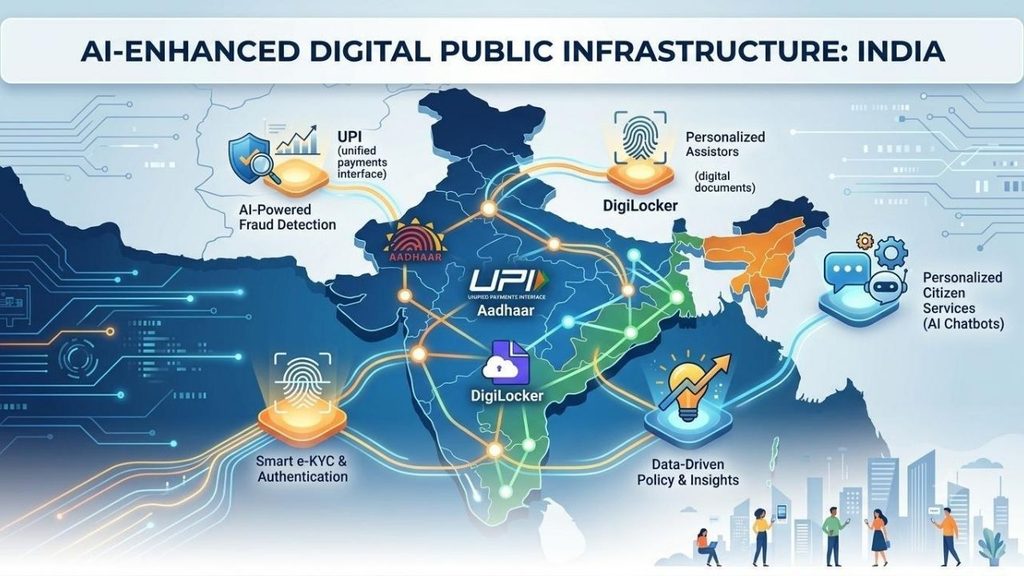
The shift from traditional systems to Digital India raises concerns about public privacy and security, as greater reliance on digital systems can create new opportunities for fraud and scams. Aadhaar is one pillar of what the government now calls India’s Digital Public Infrastructure and how AI could change that DPI for making it faster and more reliable is the biggest evolution.
Every month, close to 20 million people across India get turned away by a fingerprint scanner or a face-authentication camera that’s supposed to hand them a subsidised ration bag, a pension, or a bank withdrawal. That failure rate — a little over 6% of roughly 312 million Aadhaar-based authentications attempted monthly has stayed almost unchanged for a decade, according to UIDAI’s own parliamentary disclosures.
It’s a strange fact to sit with, because DPI includes the stack of identity, payments, and data-sharing rails — Aadhaar, UPI, DigiLocker, Account Aggregator, ONDC — that more than a billion Indians touch, often without realising it. AI is now being wired into nearly every one of those rails. Some of it is already live and working.
What Is India’s Digital Public Infrastructure
Aadhaar is the identity layer — a biometric ID held by nearly every adult in the country. UPI is the payments layer, the real-time system that lets any bank app talk to any other. DigiLocker and Account Aggregator are the document and data-sharing layers, letting people share verified paperwork or consented financial records instead of photocopies.
ONDC is the newest piece, an attempt to do for e-commerce what UPI did for payments: an open network any app can plug into, rather than one company owning the marketplace.
Each of these was built as plumbing — deliberately boring, interoperable infrastructure. AI is the first layer being added on top that isn’t boring at all, and it’s arriving fastest in fraud detection, credit, language, and now shopping.
Fraud Detection at a Scale No Human Team Can Watch
UPI now clears more than 750 million transactions a day, a number NPCI expects to keep climbing toward a billion. At that volume, catching fraud after the money has moved is close to useless — NPCI’s fraud-detection platform processes roughly 2 terabytes of transaction data daily and needs to score risk within about 20 milliseconds, fast enough to block a payment before it settles.
Its MuleHunter AI tool has already flagged more than 4.7 lakh mule accounts — the disposable, borrowed accounts fraud rings use to bounce stolen money through four to six hops before cashing out.
NPCI is now piloting what it calls a “federated model” with three or four banks: instead of pooling everyone’s raw transaction data in one place, banks and NPCI compare AI-generated risk scores on a customer, getting the benefit of shared pattern-matching without centralising anyone’s actual financial history.
NPCI’s leadership has said openly that the next leg of UPI’s growth depends on AI doing three jobs at once — catching fraud, extending credit based on payment history, and onboarding the next half-billion users through voice and regional-language interfaces instead of English-only screens.
Half of India Still Can’t Access Bank Credit
For decades, an MSME owner without three years of clean, bankable paperwork was mostly invisible to formal lenders — not un-creditworthy, just un-scoreable.
The Account Aggregator framework, built on the RBI’s 2016 Master Direction and NITI Aayog’s Data Empowerment and Protection Architecture, changed the plumbing: with a customer’s explicit consent, a lender can now pull real bank statements, GST filings, and insurance records through a single encrypted pipe instead of chasing PDFs.
As of the framework’s fourth anniversary in 2025, 112 financial institutions had gone live on both sides of that pipe, with hundreds more connected as data providers or users. AI models sit on top of that data flow, and lenders report the payoff is real: industry estimates put improvements in default-prediction accuracy at 15 to 25%, and processing times that used to run one to three weeks are increasingly settled same-day.
This isn’t unregulated black-box lending, though — RBI’s digital lending rules require a lender to explain, in terms a risk officer or auditor can actually interrogate, why a model approved or rejected an application, which puts a real ceiling on how opaque these systems are allowed to get.
No More Language Barrier: Treating Language Like Infrastructure
India has more than one language and an AI layer that drops the barrier between languages is Bhashini. In India, MeitY’s National Language Translation Mission became fully AI-powered translation engines and it now sits underneath every government services app from January 2026. Portals like DigiLocker, UMANG, e-Shram running into 22 Indian languages.
A Bhashini-powered voice assistant called Kumbh Sahaiyak used a Llama-based model to field pilgrim questions in 11 languages in real time — arguably the clearest proof yet that a DPI project can meet people in their own language at genuine crowd scale, not just in a pilot deck. If India’s Digital Public Infrastructure’s whole promise was ever about reaching people who can’t fill out an English form, Bhashini is the piece actually doing that, one API call at a time.
The Part AI Might Not Fix: Aadhaar’s Exclusion Problem
The government’s current bet is that AI-driven face authentication — rather than fingerprint or iris scanning, which struggle with a manual labourer’s worn fingerprints or an elderly person’s cataracts — will close that 6.5% failure gap.
It’s already been tested at real scale with UIDAI ran a face-authentication proof of concept at NEET-UG 2025 exam centres with the NTA and NIC, and by 2026 similar AI-camera verification, backed by liveness checks and a fingerprint or manual fallback, was standard at UPSC exam halls. Officials describe the results as promising.
Researchers who’ve actually gone door to door are less convinced: a survey across 32 villages in Jharkhand by economist Jean Drèze and co-authors found exclusion errors running as high as 20% in areas where biometric authentication was required for every ration purchase — and critics note that swapping fingerprints for face scans doesn’t remove the underlying design flaw, which is that a single biometric check, controlled by a ration dealer or bank teller rather than the beneficiary, decides whether someone eats that month.
There’s a second, quieter concern sitting alongside is the more AI systems sit on top of Aadhaar-linked data — UPI payments, SIM registrations, app logins — the easier it becomes to assemble a detailed behavioural profile of someone, usually described publicly as fraud prevention rather than surveillance. Both things can be true at once.
AI-based face authentication may genuinely cut into the 20-million-a-month failure count, and the same infrastructure may quietly expand what the state and private platforms can see about a person’s life. That tension, not a clean technical fix, is the actual story here.
Agents That Could Soon Shop and Transact for You
The newest layer is barely a layer yet. ONDC, India’s government-backed alternative to Amazon and Flipkart, runs on the open-source Beckn protocol, which had onboarded more than 900 network participants across grocery, food delivery, mobility, and financial services by 2026.
FIDE, the nonprofit behind Beckn, has already demonstrated BecknGPT — an experimental agent that lets a ChatGPT-style assistant browse and complete an ONDC purchase on a shopper’s behalf and mainstream apps including Swiggy, BigBasket, and Flipkart have started exposing their catalogues directly to AI shopping assistants.
It’s genuinely early, more demo than daily habit right now. But the direction matters: if UPI proved India could build a public payments rail that private apps compete on top of, ONDC plus AI agents is the government’s bet that the same model can work for commerce itself, without any single platform owning discovery.
Whatever India’s Digital Public Infrastructure domestic wrinkles, India has turned it into one of its more effective diplomatic exports.
During its 2023 G20 presidency, India pushed Digital Public Infrastructure as a global development model, the framework receiving endorsement from 20 member nations. By 2026, the cooperation agreements between India and other 23—24 countries have been signed for helping them build their own version of Aadhaar, UPI, or DigiLocker by sharing open-source blueprints rather than selling a finished product.
UPI itself is already live in eight-plus countries, from the UAE and Singapore to France and Mauritius, and Kenya is reportedly building a national digital-identity stack directly modelled on India’s approach.
Analysts who track this call it the “Aadhaar Paradox”: India is exporting a model with real, unresolved problems at home — the exclusion numbers above, heavy market concentration in UPI apps, ongoing data-protection debates — alongside genuine, population-scale successes that few other countries have managed.
Both halves of that sentence are true, and any AI layer India bolts onto its own DPI will likely travel abroad along with everything else.
What Determines Changing India’s Digital Public Infrastructure With AI Goes Well
A few concrete things to watch over the next year, rather than general optimism about AI transforming governance.
First, whether NPCI’s 30% market-share cap for individual UPI apps — currently set to take effect December 31, 2026 — actually holds this time, since two apps still control more than 80% of transaction volume and AI-driven credit and voice features could widen that gap further or finally give smaller players something to compete on.
Second, whether UIDAI’s AI-based face authentication measurably moves the 6.5% Aadhaar failure rate in its next couple of annual disclosures, or whether as analyzer expect — it just changes which biometric ends up failing people.
None of these are settled yet. Both will tell you, faster than any government press release, whether AI made India’s Digital Public Infrastructure more inclusive, or just faster at doing the same thing to the same people.
AI could make India’s Digital Public Infrastructure faster, more accessible, and better at handling problems that humans simply cannot manage at this scale. From spotting fraud across UPI transactions to helping lenders understand small businesses and breaking language barriers, the benefits are already becoming visible.
But the bigger question isn’t whether AI can make India’s Digital Public Infrastructure more efficient. It’s whether it can make it more inclusive without creating new problems along the way. Aadhaar’s authentication failures, concerns around data profiling, and the risk of AI-powered systems becoming harder to challenge show why speed alone isn’t enough.
India has already built the digital rails. The next phase is about deciding how intelligently, transparently, and fairly AI runs on top of them. The success of that shift will depend not just on better models, but on whether the people using these systems actually have fewer barriers when they need them most.
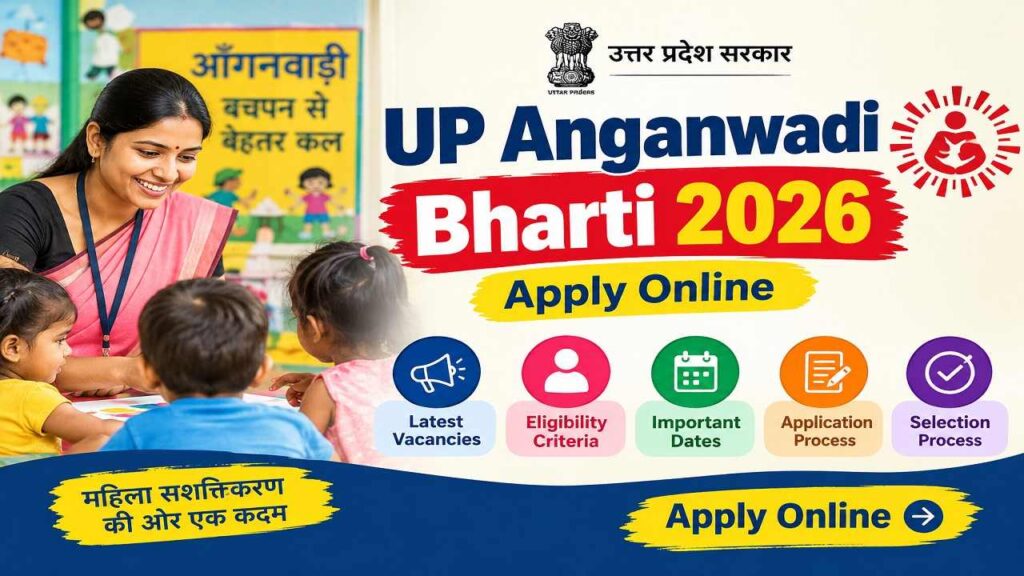
UP Anganwadi Bharti 2026 recruitment is live and you can apply if the application portal is still live in your district. There’s no one deadline for the recruitment drive because it has a lot of separate district-level drives. It offers various posts such as Karyakatri and Sahayika, so these are open for females only.
First, understand the structure, eligibility, and selection process for UP Anganwadi Bharti then apply with all the required documents.
Parameter
Details
Recruitment Name
UP Anganwadi Bharti 2026 (ICDS, Uttar Pradesh)
Conducting Authority
District Programme Officer (DPO), Bal Vikas Seva evam Pushtahar Vibhag, UP
Department / Scheme
Integrated Child Development Services (ICDS), Women & Child Development, UP
Posts Offered
Anganwadi Worker (Karyakartri), Mini Worker, Anganwadi Helper / Sahayika
Total Vacancies (Indicative)
~60,000–61,600+ posts
Eligibility
Only female candidates, 10th / 12th pass
Residency Condition
Candidate must be resident of the same village/ward of the Anganwadi centre for which she applies
Application Fee
No fee for any category (General/OBC/EWS/SC/ST)
Notification & Application Window
Main notification from Nov 2025; applications open/close district-wise through early–mid 2026
Structure of UP Anganwadi Bharti 2026 — District by District
The notification is out from each district for the recruitment under the state government which directed the Department of Women and Child Development, to fill vacant Anganwadi Karyakatri (Worker) and Anganwadi Sahayika (Helper) posts across Uttar Pradesh. Instead of one recruitment drive, each District Programme Officer releases and manages notification and recruitment for their district at different times.
District
Posts
Last date to apply
Jhansi
223 (across 9 CDPOs)
7 /September /2026
Maharajganj
305
1 /September /2026
Chitrakoot
92 (23 Karyakatri + 69 Sahayika)
5 /September /2026
Hamirpur
Active
16/September/ 2026
Balrampur
Active
23 /September /2026
Amroha (J.P. Nagar)
105 (across 7 projects)
24 /September /2026
Earlier in the year, Bagpat and Kannauj ran their own window for 760 combined posts, applying from 25 June to 16 July 2026 — that cycle is closed, and candidates there are now waiting on the merit list.
Who Can Apply For UP Anganwadi Post
A few conditions hold across nearly every district notification:
Only female candidates are eligible — there’s no male category in this recruitment.
Female candidates should be between 18 and 45 years, calculated as on 1 July 2025. Relaxation given only reserved category.
Anganwadi Karyakatri posts sometimes require an Intermediate marksheet, depending on the district rules.
Helper (Sahayika) posts have historically carried a lower bar in some districts, occasionally as low as 8th pass.
The condition that trips up the most applicants isn’t age or education — it’s domicile. You can’t apply to whichever district has the most vacancies. Each post is tied to a specific ward (in urban areas) or gram/nyaya panchayat (in rural areas), and you must be a permanent resident of that exact unit. A vacancy list in Jhansi is not open to a resident of Kanpur, even within the same state.
The total vacancies are more than 60000 across the state. Open your district’s latest 2026 notification PDF to check the vacancy number.
District
Post Type
Vacancies
Key Detail
Fatehpur
Worker + Helper
389
150 Worker + 239 Helper (Aug–Sept 2026)
Banda
Worker
122
Last date 22 Sept 2026
Hamirpur
Worker
80
Last date 16 Sept 2026
Unnao
Worker
336
Last date 11 Aug 2026
Ghaziabad
Helper
341
Last date 07 Aug 2026
Jhansi
Worker (Karyakatri)
223
Across 9 projects; last date 07 Sept 2026
Kanpur Nagar
Helper (Sahayika)
307
Across 12 projects; last date 05 Sept 2026
Kushinagar
Worker
245
Project-wise split available
Kushinagar
Helper (Sahayika)
214
Separate Helper notification
Maharajganj
Worker + Helper
305
164 Worker + 141 Helper
Sonbhadra
Worker
201
Project-wise vacancy table available
Muzaffarnagar
Worker
146
Anganwadi Worker posts only
Ghazipur
Helper
1,352
Among larger Helper batches
Bulandshahr
Worker + Helper
678
Combined posts
Bagpat
Helper
374
Helper-only batch
Azamgarh
Helper
265
Helper-only batch
Selection Process & Application Fee
There’s no written test and, in the vast majority of district notifications reviewed so far, no interview either. Selection is by merit list, built from your marks in 10th, 12th, and graduation, all being equal. There’s no application fee for any category, including SC, ST, PwBD, and general female candidates — this recruitment is free to apply for, full stop.
Salary Of UP Anganwadi Posts
A ₹10,000/month for Anganwadi Worker, ₹7,500 for Mini Worker, and ₹4,500 for Helper as honorarium (not salary — these are Anganwadi posts, not salaried government service, and the distinction affects things like PF and pension eligibility).
Getting Your Application In Before Your Window Closes
On the homepage, you’ll find a running list of “active” district notifications with their upload and closing dates; this list changes weekly as new districts come online and others close.
Fill your details correctly in the form and submit with all the necessary documents attached. There is no application fee, so apply early and correctly.
The real trap here is timing, not eligibility. Most district windows stay open for only two to four weeks from the upload date — Hamirpur’s notification, for example, went up on 27 August and closes 16 September, an 18-day window.
Bookmark the official portal itself, and search for your specific ward or gram panchayat, not just your district name; that’s the actual unit your eligibility is judged against.
Documents Required To Apply
Gather your documents first before your district application portal goes live. The necessary documents are listed in the notification PDF but you can also catch it here:
Your education proof – any 10th, 12th, and graduation marksheets,
Domicile certificate for resident confirmation,
Caste certificate (if you belong to reserved category),
Aadhaar/ PAN Card, and
A recent passport size photograph
Signature on the blank page
Get ready with all these documents before your ward’s notification even drops.
UP Anganwadi Bharti 2026 notification is out but recruitment is active in some districts and closed in few districts. If the recruitment is active in your region then apply now before it gets closed. The vacancy numbers are huge, more than 60,000 posts are vacant and these seats are only open for females.
But you must be the resident of that village to apply, and the documents must be prepared including your adhaar, high school marksheet, domicile certificate etc. You can apply for free but check the notification before you apply for the Karyakatri and Sahayika position.
A student who took an SBI Education Loan in early 2024, when the rupee was trading around ₹83 to the dollar, is repaying that same loan today at a rate closer to ₹94–95. If you understand Foreign Education Loan Currency, it will be easy for you to save yourself from extra loss. Nobody changed the interest rate on the loan or the tuition fee either.
What changed is the number of rupees it takes to buy one dollar and that single variable can add lakhs to the real cost of an Education Loan that was sanctioned in Indian rupees.
Most Indian education loans for study abroad are disbursed and repaid in INR, but the expense they’re funding — tuition, hostel fees, living costs is billed in a foreign currency. The loan itself doesn’t have currency risk. The gap between what you borrowed and what the university actually charges does.
How the Education Loan Currency Gap Works
When a bank sanctions a loan of ₹40 lakh for a one-year master’s programme in the UK, that sanction amount is usually based on the exchange rate at the time of approval. But the loan is disbursed in tranches — often per semester and each tranche gets converted from INR to the foreign currency at whatever the rate is on that transfer date.
If the rupee has weakened between sanction and disbursement, your ₹40 lakh will convert into fewer pounds or dollars than it did when the loan was approved. Families either dip into savings to cover the shortfall or go back to the bank for a top-up, which restarts part of the paperwork and interest calculation.
For instance, a $50,000 annual tuition bill works out to around ₹42.8 lakh at an exchange rate of ₹85.64 to the dollar. If the rupee falls to ₹91.5 per dollar, that same tuition bill rises to about ₹45.75 lakh — nearly ₹3 lakh more, with tuition itself unchanged. That’s the currency gap, and it compounds every year the course runs and every year the loan is repaid after the student starts working, especially if the borrower’s income doesn’t move at the same pace as the exchange rate.
As of September 2026, USD/INR has been trading mostly in the 94–96 range, after hitting a record low of nearly ₹96.6 in May. In the starting of 2026, the rupee is nearly ₹90 to the dollar but depreciation occurred in the first quarter due to crude oil prices, the Fed–RBI rate gap and dollar outflows — roughly a 4–5% decline in three months. It affects everything, even students’ education who planned expenses at ₹83/USD, which creates a ₹10–12 per dollar gap. That means education loans also pushed from ₹50 lakh to ₹56+ lakh without any increase in tuition fees.
Some institutions expect rupee to recover modestly toward the ₹90–91 range while others firms like Goldman Sachs and Bank of America suggest USD/INR could remain in the ₹96–99 band over the next couple of years. These numbers are always moving so students should keep that in mind while taking an Education Loan.
Students must check the live USD/INR rate before finalising any loan math, rather than anchoring to a snapshot number
What Is a TCS Rule For Education Loan Abroad
Under the Finance Act 2026, remittances for education funded through a loan from a notified bank or financial institution are exempt from Tax Collected at Source (TCS) entirely — no TCS even above the ₹10 lakh threshold, as long as the loan qualifies under Section 80E. That’s a meaningful change from the older 5% TCS regime, and it only applies when the money is routed as loan disbursement, not as a self-funded remittance from savings.
Self-funded transfers above ₹10 lakh now attract 2% TCS (down from 5%), reclaimable as a credit when filing your ITR. Bank sources still describe a 2% rate for loan-funded remittances too, so this is worth confirming directly with your bank’s forex desk before you rely on it — TCS rules on LRS have changed twice in two budget cycles, and banks are usually the fastest to have the current interpretation.
What an Actual Loan Costs Today
SBI’s Global Ed-Vantage scheme, one of the more commonly used routes for study-abroad financing, currently covers loan amounts from ₹7.5 lakh up to ₹3 crore across 28 countries, with interest rates starting around 8.65% for female applicants and 9.15% for male applicants, and collateral-free borrowing up to ₹50 lakh for students admitted to a list of recognised foreign universities.
Repayment tenure runs up to 15 years, with a moratorium covering the course duration plus one year. These figures move with RBI’s repo rate and SBI’s internal benchmark, so treat them as a starting reference and verify against the bank’s published rate sheet before quoting them to a reader as final.
Practical Ways To Manage Currency Risk
None of this means avoiding a Foreign Education Loan as it’s still the only realistic way to fund an overseas degree for most families. It means treating the exchange rate as a cost variable, not a fixed number.
What actually determines what you pay back is that rate plus processing fees, the forex margin the bank quietly builds into every disbursement, and how your moratorium is structured — and those three add-ons can separate two “9% loans” by lakhs.
Take a ₹60 lakh abroad loan from a public sector bank at a floating 9.65%, a flat ₹10,000 processing fee, and a 2% forex margin on each tuition transfer — a fairly standard structure in 2026. Run that through a typical 10-year repayment and the interest alone comes to roughly ₹33.6 lakh; add the ₹1.2 lakh forex margin and the real payback lands near ₹94.8 lakh on a ₹60 lakh loan, before anyone factored in a repo rate hike.
Move the same ₹60 lakh to an unsecured NBFC loan at 11.5%, where interest capitalises through a full moratorium instead of being serviced as simple interest, and the principal you start repaying against can already have grown to ₹66–68 lakh by the time EMIs begin. Layers on the 1.25%-plus-GST processing fee NBFCs typically charge — around ₹88,000–90,000 on that loan size — and the same ₹60 lakh commitment can end up closer to ₹1.05 – 1.15 crore in total outgo.
There’s one real way to shrink this gap rather than just track it: SBI’s Scholar Loan, reserved for IIT/IIM/NIT admits, has been quoted around 6.9%–7.65% in 2026 — well below the standard Global Ed-Vantage rate, and worth checking eligibility for before assuming the general scheme is the only door open.
Foreign Education Loan Currency is not a risk for getting a degree abroad. Once you get a job there, you might be able to repay on time but paying more than extra can crash you over. So understand how INR Depreciation Can Increase Your Loan Cost to save yourself from heavy risks.
The families who get burned aren’t the ones who took a foreign currency risk — every rupee-denominated loan funding a dollar or pound expense carries that risk by default. It’s the ones who assumed the sanctioned loan amount was the final cost, when the exchange rate on the day of each disbursement was always going to have the final word.
If you are in the last semester of B.Tech or you got the first internship, and it requires VS Code, three Docker containers, Android Studio’s emulator, and eighteen Chrome tabs open at once on a laptop your parents bought you in 2021 with 4GB of RAM. That’s the moment most Indian coders realise their machine is the bottleneck, not their skills. And they started looking for the Best Laptops for Coding and Programming.
A gaming laptop’s RTX 4070 is dead weight if you’re building REST APIs all day, and a fanless ultrabook will choke the moment you spin up a local Postgres instance alongside two VMs. What actually matters for most development work — web, app, backend, data — is RAM headroom, a fast NVMe SSD, sustained CPU performance, and a keyboard you can survive eight hours on. A dedicated GPU only earns its price tag if you’re doing CUDA-based ML work, training models locally, or running the Android Studio emulator constantly.
Make sure that your laptop has 16GB RAM, not 8GB — Chrome alone with dev tools open can eat 4-6GB. Picking 24-32GB when you’re running Docker and VMs together. If there are SDKs, node_modules folders, and Android SDK files that take up to 50 GB itself then pick 512GB NVMe SSD. The best CPUs of current-gen are Intel Core Ultra 5, AMD Ryzen 5/7, or Apple M-series and these are the best options for IDEs and compilers. Coders don’t need a higher-end chip unless they’re compiling large codebases consistently.
You must understand that laptop prices in India move fast, sometimes 8-10% within a few weeks around sale events. Every price below is what these models were listed at in the first half of August 2026 on Flipkart, Amazon, or the brand’s own India store — treat them as a strong reference point, not gospel, and check the live price before you check out.
Common Mistakes Indian Buyers Make When Choosing a Coding Laptop
The “i5 always beats i3” assumption costs people money every single sale season. Code compilation goes smoother in a 13th Gen Core i3 with 16GB RAM laptop than 11th Gen i5 with 8GB, because for coding, RAM headroom and SSD speed is more important than processor tag on it. Check the generation and RAM on it.
The second mistake is buying a gaming laptop “just in case” you need the GPU later. Unless you already know you’re headed into machine learning, computer vision, or heavy Android emulator work, that RTX card is dead weight adding to the price, the heat, and the battery drain — money better spent on RAM or storage.
The third mistake which most ‘students and I’ made was to pick a laptop with a good processor and ignore the screen size and keyboard which is necessary for coding. They bothered a lot when you sit for 8 hours with it and fix errors. If you are shopping online then check practical reviews or sit with it on a story.
This is the finest and most expensive laptop but offers excellent performance with Apple M4 chip, 16GB unified memory, 256GB SSD, that help running programs smoothly. It doesn’t get shut down when you are working in a campus because 18 hours of battery life makes it possible with no fan noise.
With price around ₹89,990-97,900, macOS delivers a Unix-based environment — a native terminal, Homebrew, and zero WSL workarounds. So there is no need for WSL during your production, you can just focus on your development tools. However, if you are installing Xcode, Docker Desktop, and multiple projects then a 256GB SSD is less than you need for your project. The files are big and you need more space so pick 512GB version if your budget allows.
Students enrolled in a Full-stack and iOS development programs that require macOS and not Windows can select this laptop for their best use.
2. ASUS Vivobook S16 OLED (Core Ultra 5 225H, 16GB/512GB)
ASUS offers not just a laptop but a digital book with 16-inch OLED display for ₹85,990. With Intel Core Ultra 5 225H processor, 16GB LPDDR5X, 512GB SSD, of space it runs every software and program very smoothly. You can use this machine for multi-tasking and production on a genuinely large, colour-accurate screen that helps in working in a single laptop with split-pane coding without an extra monitor on one side.
You must be aware that OLED panels are more prone to burn-in with static IDE toolbars left on screen for hours so be careful with that. Most people recommend to dim the brightness or use auto-hide dock settings. Otherwise it’s the best machine for developers who want big screens on work or on campus without lugging a 17-inch brick.
3. ASUS Zenbook 14 OLED (Core Ultra 7 255H, 32GB/1TB)
Raise the budget and buy ASUS Zenbook 14 OLED at ₹1,31,990. If you need to run large codebases and softwares likeDocker, two VMs, and a browser with 20 tabs simultaneously then you need a system that is built on Intel Core Ultra 7 255H, 32GB LPDDR5X, 1TB SSD. Not any other laptop is worth at this price point than ASUS with 14-inch 3K OLED, Thunderbolt 4.
There is no drawback than its premium price for a 14-inch laptop. But this is the best piece for Data Scientists and Backend Engineers doing heavy multitasking who are not planning to buy another laptop for the next four years.
4. Lenovo IdeaPad Slim 5 (Ryzen AI 5 330, 16GB/512GB)
If your budget allows, you can check out the Lenovo IdeaPad Slim 5 laptop specs. An AMD Ryzen AI 5 330 processor which gives excellent performance, 16GB RAM, 512GB SSD in ₹97,890. Best for coders with 14-inch display, and an integrated NPU for on-device AI tasks.
Its value is increasing day-by-day because AMD’s price-to-performance here beats most Intel equivalents at this exact price point. But the issue is RAM is soldered on some variants so carefully check the exact model and the upgradation system before you buy it. Either way this is the best laptop for developers who want better performance.
5. Lenovo ThinkPad E14 Gen 5 (13th Gen Core i5-1335U, 16GB/512GB)
If your budget is low and you want a laptop on which you can easily run large codebases then this ₹74,990 Lenovo ThinkPad E14 Gen 5 is best for you. It built on Intel Core i5-1335U and offering space of 16GB RAM, 512GB SSD which makes it perfect for backend and enterprise developers.
When you sit for hours on coding and typing then you realize ThinkPad keyboards with spill-resistant are amazing and 14-inch WUXGA IPS display for working on multiple softwares. But it won’t be good in integrated graphics and also plain IPS panels feel dated next to the OLED competition at this price.
6. HP OmniBook 3 (AMD Ryzen AI 300 series)
HP OmniBook 3 is available at just ₹69,999 with features that any coder needs for their production. AMD Ryzen AI 300 processor with a 50 TOPS NPU which remarkably out-performs every task and other laptop at this price point. The big display of 14-inch and 15.6-inch, both are available with FHD display, HP True Vision camera.
But the power that the display consumes is high, it tops out at 250 nits so this is not good for working outdoors where you can’t get a power source. Overall laptop performance is good enough for students and early-career developers who have less budget.
7. Dell Inspiron 15 3520 (12th Gen Core i5-1235U, 16GB/512GB)
Intel Core i5-1235U (12th Gen) laptop is fantastic for web developers or early backend developers who want the nearest service center and have less budget. It comes with 16GB DDR4, 512GB SSD which is good for handling compilation with a big screen of 15.6-inch but 120Hz brightness of display is not good enough to see for 8 hours or outside. That doesn’t matter for coders because they mostly do coding inside and in-office so modern AI-focused processor at this competitive price is a good choice.
8. Acer Aspire Lite AL15-41 (Ryzen 5 5625U, 16GB/512GB)
AMD Ryzen 5 5625U is good but the U series might get stuck during multi-tasking so it is good only for college students who started learning coding. Space is given for running IDE smoothly and compilation with 16GB DDR4, 512GB SSD but do not run any task simultaneously. The 15.6-inch FHD display and metal body is convenient for students to carry it for college.
One thing about the Acer Aspire Lite is good that they give a proper 16GB configuration, not 8GB at just ₹56,990. It is rare to find this kind of laptop which supportsDocker and multiple IDE instances open without raising any issue.
9. Acer Aspire 3 A324-53 (13th Gen Core i3, 16GB/512GB)
Acer Aspire 3 offers 13th Gen i3 with 16GB RAM, provides sufficient performance for coding and beats older i5 laptops in day-to-day development work. The newer processor matters more than the i5 badge because coding needs a system who handles new libraries and data. The tech evolves every year that’s why upgrades or new versions support more tasks and software easily than older models.
Specifications are Intel Core i3 13th Gen, 16GB RAM, 512GB SSD are given at ₹46,900 which is affordable for most of the students and new developers who need VS Code, Python, and Java to run smoothly. 15.6-inch FHD IPS is good for coding so it won’t affect on eyes but there is no discrete graphics and a plain plastic chassis, it’s designed for work rather than premium looks.
The RTX 4060 is a great pick for developers who are working for CUDA-based machine learning, local AI models, andAndroid Studio emulator running full-speed with hardware acceleration. As ML engineers, Android developers who lean on the emulator daily need AMD Ryzen 7 7435H, 24GB RAM, 512GB SSD, NVIDIA RTX 4060 8GB, all of it.
Anyone doing local AI/GPU work can afford it in ₹1,03,290. But it’s actually built for gaming purposes and battery life is shorter so it is difficult to work without sitting near a power source.
11. HP OmniBook 5 (Snapdragon X Elite, 16GB/1TB)
You can get a Qualcomm Snapdragon X Elite X1-26-100 processor, 16GB RAM, 1TB SSD for ₹87,990 from HP. don;t get confused because it uses an ARM-based processor so you can expect issues of compatibility while running some development tools. Its always-on connectivity, and Copilot+ PC support is amazing with excellent battery life that can easily last through a full workday. You can buy it if you work mostly in browser-based IDEs, lightweight scripting, or cloud-hosted dev environments but check your specific toolchain before buying.
MacBook Air M4 vs ASUS Vivobook S16 OLED: The Real Choice Most Buyers Face
Most people narrow this list down to “Mac or Windows,” so here’s the direct comparison:
MacBook Air M4 (16GB/256GB)
ASUS Vivobook S16 OLED (16GB/512GB)
Price
₹89,990-97,900
₹85,990
Storage
256GB (upgrade recommended)
512GB
Battery life
Up to 18 hours
Roughly 8-10 hours real-world
OS/tooling
macOS, native Unix terminal
Windows 11, WSL2 for Linux tooling
Best trade-off
Battery and build quality, less storage
More storage and screen real estate, shorter battery
And if your stack includes iOS, native Unix tools, or you’re often travelling without a charger, the MacBook Air wins. If you’re on Windows-only enterprise tools, need the extra storage right away, or want a larger screen for the same price, the Vivobook S16 is the superior purchase.
Which One Should You Actually Buy?
If you are a first year budget student then Acer Aspire 3 A324-53 is the decent option. Its 16GB RAM and price under ₹47,000 make it more appropriate for coding than a costlier i5 laptop with just 8GB RAM. If you want better all-round performance and more potential to grow, the Acer Aspire Lite AL15-41 or Lenovo IdeaPad Slim 5 are decent choices for Docker and running multiple IDEs without breaking the bank at under ₹80,000.
If you’re doing CUDA, local ML training, or heavy Android emulator work, skip everything else and get the Lenovo LOQ with the RTX 4060 — no other laptop here will keep up. And if you want a machine that will still feel fast in three years and don’t mind paying for it, it comes down to the MacBook Air M4 for Unix-native workflows or the ASUS Zenbook 14 OLED if you’re staying on Windows and want 32GB as standard.
A quick note on operating system, since it comes up in every comments section: Linux dual-boot is still viable on nearly every Windows laptop on this list if you’d rather skip WSL2 entirely, though ThinkPads and the Acer/Dell budget picks tend to have the smoothest driver support for that route.
macOS gives you native Unix without the dual-boot hassle, but locks you out of any Windows-only enterprise software your future employer might require — worth checking if you’re already targeting a specific industry like banking or government-adjacent IT, where Windows is still often mandated.
Check current pricing on Flipkart, Amazon.in, Croma, or the brand’s official India store before buying — several of these models moved 8% or more in the past month alone, in both directions. And if a listing shows a price noticeably below everything here, treat it as a flag to double-check the seller and warranty terms rather than an automatic win.
When you are searching for the Best Laptops for Coding and Programming, you are expecting one simple answer but it isn’t. The best one is the one which fits in your budget, works efficiently, and is durable to handle all your workload. So make a list of 2-3 laptops which come into your budget and work needs then compare their pricing and look for a special discount offer before buying it.
If you are buying online then check practical reviews and videos from people who have actually used it before and work on it so you can get an idea whether it is good for you or not.
Voice-to-Notes Tools are really helpful from turning large study lectures into simple notes in just few minutes. Writing everything down is an old fashion technique that takes a lot of time for a few pages notes but everything is going easy with fast pacing technologies. Whether it’s hours of session or long research sheets, enabling speech to text is the smarter way to take notes.
You’re forty minutes into a lecture, the professor has moved through three concepts, and your notes still say “photosynthesis — light reaction —” because your hand gave up before your brain did. Speaking runs at roughly 150-160 words a minute while typing tops out around 40 for most people.
That gap is the entire case for Voice-to-Notes Tools , and for Indian students juggling coursework in English, Hindi, or a regional language, the tool you pick matters more than the concept itself — because most of the tools were built for American office meetings, not for Indian classrooms.
Best Voice-to-Notes Tools For Indian Students
There are plenty of tools that can turn your voice into text but then you find an error — spelling, whole different word (except, accept), not able to turn your regional language — that’s because it doesn’t understand. Some AI integrated voice tools that turn your every word into text without major errors is here:
Gboard Voice Typing — free, and it’s already on your phone
Before downloading anything, check what you have. Google’s Gboard keyboard has an in-built voice typing feature which you can use by clicking on the mic icon. If the icon is invisible then enable it from the setting so Voice-to-Notes can be easy and quick without downloading any new app.
It works in Hindi plus eight regional languages — Bangla, Gujarati, Kannada, Malayalam, Marathi, Tamil, Telugu, and Urdu — Indian students can use this keyboard in any app that takes input in the same language, not just Google’s own apps.
For a student jotting quick revision notes in Hindi between classes, this is the lowest-friction option because there is no signup, no subscription, no separate app to remember to open.
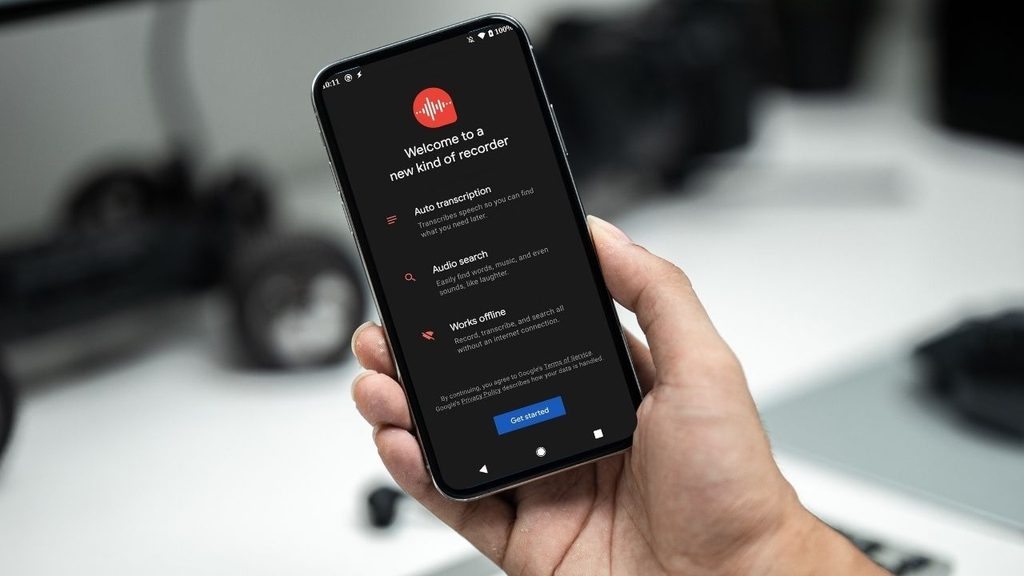
Google Recorder — real-time transcription, best if you have a Pixel
Google Recorder transcribes live as you speak and runs the processing on-device, which matters if your hostel Wi-Fi is unreliable. The catch: it’s tied to Pixel phones for its full real-time transcription experience, so if you’re on a different Android device or iPhone, this one’s off the table.
Otter.ai — good for English lectures, but it skips Hindi entirely
Otter is the name that comes up first in most “best Voice-to-Notes Tools” lists, and for English-medium lecture capture it’s genuinely capable — live transcription, speaker labels, searchable transcripts.
The free tier gives you 300 minutes of transcription a month, capped at 30 minutes per recording, which covers maybe eight or nine standard lecture sessions before you hit the wall. The Pro plan runs $16.99/month billed monthly, or roughly $8.33/month if you pay annually (about $99.99/year).
But for Indian students: Otter’s transcription supports English and a small set of other languages — Spanish, French, German, Japanese, Chinese depending on the source you check — but not Hindi or Indian regional languages. If your coursework happens in Hindi medium, Otter simply won’t understand you, no matter which plan you’re on.
Wispr Flow
Wispr Flow is the strongest option because it works inside almost any application. Students who want long-form writing and fast drafting can use this tool but unlimited dictation requires a subscription, which costs around $15 per month or $12 per month when billed annually. Since it supports more than 100 languages and gives accuracy for names and jargon along with AI editing, the cost is worth it.
VoiceToNotes.ai
Its features include real-time transcription, grammar correction, AI summaries so it can become a useful tool for students which turn spoken thoughts into structured notes. Some professionals consider this tool as more affordable than many full-featured AI assistants but free usage is limited. The catch: accuracy still depends on microphone quality and background noise.
Mindgrasp
Mindgrasp is primarily an AI learning and content-understanding platform. Students can use it for lectures and study material — it helps in creating flashcards and quizzes automatically. Best for exam preparation and research but some features are tied to specific subscription tiers.
Lisup
Lisup focuses on accessibility and hands-free writing. It can be used across desktop applications so access will be easy and it is specifically designed for in-place speech-to-text features. It’s not built for broader use but enough for students to take notes easily.
Soniox — the app actually built for Hindi dictation
Soniox is less well-known in student circles but solves exactly the gap Otter leaves open. It handles Hindi across regional varieties like Khariboli and Braj Bhasha, works system-wide across any app or text field on your phone rather than locking you into one note-taking interface, and covers 60-plus languages total with the ability to switch languages mid-sentence.
It’s useful if you naturally code-switch between Hindi and English while explaining a concept to yourself. It’s free to start, with weekly free credits rather than a hard monthly cap, and the company states it doesn’t store your recordings or use them for model training, which is worth knowing if you’re dictating exam-prep notes you’d rather keep private.
Sarvam AI — worth watching, not quite a student app yet
Sarvam is India’s most-funded sovereign AI company, and its speech models (Saaras v3) handle 22 Indian languages with genuinely strong accuracy claims. But as of now, Sarvam’s product lineup is built mainly for enterprises — voice agents for banks and government call centers, APIs for developers — rather than a polished consumer app you’d install and use for lecture notes.
A consumer-facing voice app was announced in February 2026, aimed at exactly this kind of mass-market, multilingual use case, but a public launch isn’t happening right now.
Most of the time students missed points while trying to understand the same topic simultaneously. Writing it down on paper or in a mobile is the same thing — it consumes a lot of time and misses points. So, these Voice-to-Notes Tools help students take notes without tiring their hands.
There are some free and some paid tools, if you just need to take notes of what your processor is explaining then a free tool is enough for you. But if you are a Ph.D student or you need to do heavy research, organize every note, and make summaries from online content, you need a tool which can handle all of that, even if it costs you a little.
Which Speech-to-Text Tools are Best For Studies?
Google’s Gboard keyboard is the best free Voice-to-Notes Tools which I have used personally and crafting many documents in English, Hindi and Urdu. I recommended to students who wanted to take notes before exams and stop writing everything manually and waste their time.
Gboard offers unlimited access to use on any other applications like docs, word, and on any device (mobile or laptop). Most of the students take their mobile to the college, so it runs smoothly. But sometimes it makes minor errors in spelling which you can edit later.
Second is Wispr Flow but you have to pay after a limited use and many students can’t afford it but those who can afford can consider Wispr Flow as the best tool for making notes.
The world is changing and for solving traditional problems by adapting new technology. One of the old problems is taking notes in a mid-session in your classrooms. Students have to understand the topic and write down their important concepts — two jobs at once.
If they forgot, they have to ask other students and it appears a problem if you don’t have a lot of friends. So the problem is solved now, you can spend your time to understand the topic without worrying about the notes as these Voice-to-Notes Tools do that job for you.