If you are a fresher then you should understand the value investment to secure your future. SIP for beginners is a basic core to let you know how truly you can enjoy your first paycheck. There’s this urge to celebrate — a new phone, a trip, dinner out every other night. Nothing wrong with any of that. But somewhere between the celebration and the next paycheck, most of us miss a quiet window that never really opens this wide again.
That window is the gap between “I have no financial responsibilities yet” and “I have financial responsibilities I can’t avoid.” And the best tool for that window is SIP which most people postpone for years.
They are 100% safe but not guaranteed. The risks involve which kind of mutual fund investors seek to invest in (equity, debt, or hybrid) not the process itself.
What Is a SIP?
SIP stands for Systematic Investment Plan. Strip away the jargon and it’s simple — you invest a fixed amount, usually into a mutual fund, at regular intervals (usually monthly), instead of putting in one large sum at once.
Think of it like a gym membership for your money. You don’t need a big lump sum to start. You just need to show up consistently, month after month, and let the process do its work.
Why Your First Salary Is the Ideal Starting Point
There’s a reason financial advisors keep repeating this, even though it sounds like a cliché: time is the one resource that actually multiplies your money for you.
When you invest early, you’re not just investing your money — you’re investing years. And years, thanks to compounding, behave less like addition and more like multiplication.
Say you invest ₹5,000 a month starting at age 23, versus someone who starts the same amount at age 33. Assuming a similar average return over time, the person who started ten years earlier could end up with a corpus that’s not just proportionally bigger — it could be several times larger by retirement. The extra decade at the start does more work than an extra decade added at the end.
This isn’t about being lucky or picking the “right” fund. It’s about giving your money the maximum amount of time to grow.
This is a fair point. Rent, EMIs, family contributions, that gym membership you forgot to cancel — early salary life is expensive. But this is exactly why starting small matters more than starting big.
A SIP doesn’t demand a large amount. Many funds let you start with as little as ₹500 a month. The goal in your first year isn’t to build wealth overnight — it’s to build the habit of paying your future self before you pay for anything else.
Pay yourself first, Instead of saving whatever’s left after spending, you flip the order — invest first, spend what remains.
Maintain Your Psychology To Empower Yourself Financially
Your spending habits calcify fast. The lifestyle you build in your first two years of earning tends to become your baseline. Once you get used to spending your entire salary, increasing that SIP amount later feels like a sacrifice, even if you’re earning more.
Starting a SIP with your first paycheck means your lifestyle grows around a slightly smaller number from day one. You never miss what you never got used to spending.
Waiting for the “right” market conditions. SIPs are designed to work through ups and downs — that’s the entire point of investing at regular intervals instead of timing the market.
Choosing funds based on friends’ recommendations. What worked for your colleague may not match your goals or risk appetite.
Stopping the SIP the moment markets dip. Volatility is normal, not a signal to panic. Long-term SIPs are built to absorb short-term noise.
Not linking the SIP to an actual goal. A vague “let me just invest” often loses motivation. Tying it to something — a house down payment, early retirement, a five-year trip fund — makes it easier to stay consistent.
A Simple SIP For Beginners Way to Start
You don’t need a finance degree or a stockbroker uncle to get going. Most banking apps and investment platforms let you set up a SIP in under ten minutes:
1. Pick a fund category based on your goal and time horizon (equity for long-term growth, debt for shorter, safer goals).
2. Decide an amount you can commit to without stress — even a small one.
3. Automate it. Set the SIP date right after your salary credit date so it happens before you have a chance to spend it.
4. Increase it gradually as your income grows — many platforms let you “step up” your SIP automatically each year.
Nobody regrets starting a SIP early. Plenty of people regret waiting for the “perfect moment” that never quite arrives. Your first salary isn’t just your first taste of financial independence — it’s the cheapest, most flexible starting line you’ll ever get for long-term wealth building.
Start small. Start messy if you have to. Just start with the first one. A SIP for beginners guide will help you understand everything from why it is important to how to start, you just have to decide how much you can give for your future.
This post is for general awareness and educational purposes only. Mutual fund and SIP returns are subject to market risk. Please evaluate your own financial goals, risk appetite, and consult a financial advisor before making investment decisions.
Ask most people whether a secured loan beats an unsecured one, and they’ll say yes without blinking — lower interest rate, obviously better. That’s the assumption. It’s also where the math quietly falls apart, because a lower rate on paper doesn’t always mean a lower cost in your pocket. Don’t get confused about Collateral vs No Collateral Loan, understand where it matters.
Whether collateral actually saves you money depends on how much you’re borrowing, and more specifically, on what kind of asset you’re pledging to get that lower rate.
This isn’t a “secured is always cheaper” point. It’s about the exact moment moves depending on the collateral where the interest-rate discount stops being eaten alive by fees, valuation costs, and paperwork.
What Changes When You Add Collateral to a Loan
A collateral loan amount decision comes down to three things shifting at once, not just the rate.
The interest rate drops, because the lender’s risk drops. If you default, they recover the loan by selling or auctioning the pledged asset. As of late 2026, unsecured personal loans in India typically run 11–18% per year for a reasonably qualified borrower, and unsecured business loans usually start closer to 16%. Gold loans from banks price between roughly 8.5% and 12%, and loans against property (LAP) generally fall between 8.5% and 14%, though NBFC gold loans for weaker profiles can climb well past 20%.
Fixed costs show up that don’t exist on an unsecured loan. Asset valuation, legal verification, mortgage registration, sometimes insurance on the pledged asset. These are flat charges — they don’t scale down for a small loan the way percentage-based interest does.
Your money moves slower, and your asset stops being liquid. A personal loan can land in your account same-day. A property-backed loan needs valuation, title checks, and registration, which can take one to three weeks. During that time, and for the life of the loan, that asset is off the table if you need to sell it, gift it, or use it as collateral again elsewhere.
That third point is the one people underweight, and it matters more as the loan amount grows, not less which is part of why there’s no single “collateral is worth it above this number” answer.
The Real Threshold Depends on Which Asset You’re Pledging
The breakeven point isn’t one number in Collateral vs No Collateral Loan. It’s a different number for every type of collateral, because the fixed costs attached to each one are wildly different.
Gold or fixed-deposit collateral has almost no fixed-cost floor. A gold loan can be sanctioned in under an hour, valuation is done on the spot, and processing fees run 0.25–1% of the loan amount — often just a few hundred rupees on a small ticket. Because there’s barely any fixed cost to clear, a gold loan can make financial sense on amounts as small as ₹50,000–₹1 lakh. The rate gap versus an unsecured loan (often 4–8 percentage points) starts saving you money almost immediately.
Property as collateral (LAP) is the opposite case. Valuation fees, legal verification, and mortgage registration or stamp duty typically add up to somewhere between ₹15,000 and ₹30,000, depending on the state and lender — and that’s before you factor in the two-to-three-week processing time. On a small loan, that fixed cost can wipe out most or all of the interest savings. LAP generally only starts making financial sense somewhere in the ₹5–8 lakh range, and it becomes clearly worthwhile above ₹10 lakh, where the fixed costs shrink to a rounding error against the total interest saved.
Vehicle or equipment-backed business loans sit in between — moderate valuation costs, faster processing than property, and a breakeven point that usually lands somewhere in the ₹2–4 lakh range.
A Quick Numbers Comparison
Here’s a simplified comparison over a 3-year tenure, using a representative unsecured rate of 15–16% against a representative secured rate of 10% (gold loan) or 10% (LAP), before fixed costs:
Loan Amount
Interest Paid Unsecured (~16%)
Interest Paid Secured (~10%)
Raw Interest Saved
Typical LAP Fixed Costs
Net Saving After Fixed Costs
₹1,00,000
~₹25,000
~₹16,000
~₹9,000
N/A (use gold loan, not LAP)
Gold loan: still net positive
₹2,00,000
~₹53,000
~₹32,000
~₹21,000
~₹20,000
Roughly breakeven
₹5,00,000
~₹1,33,000
~₹81,000
~₹52,000
~₹20,000
~₹32,000 saved
₹15,00,000
~₹3,98,000
~₹2,42,000
~₹1,56,000
~₹25,000
~₹1,31,000 saved
Note: these are illustrative figures based on representative rate bands, reducing-balance EMI math, and typical fee ranges reported by Indian lenders as of August 2026.
The pattern holds regardless of the exact numbers:
On a ₹1 lakh loan, a gold loan wins easily because there’s almost no fixed cost standing between you and the rate discount. On a ₹2 lakh loan taken as a property-backed loan specifically, the fixed costs and the interest savings roughly cancel out — which is exactly why lenders rarely push LAP that small in the first place. By ₹5 lakh and above, the fixed cost stops mattering and the rate gap does all the work.
When Collateral Still Doesn’t Make Sense, Even Above the Threshold
Crossing the breakeven number doesn’t automatically make collateral the right call. A few situations flip the decision back toward unsecured, even at a large loan amount and you started searching for Collateral vs No Collateral Loan.
You need the money in days, not weeks. An unsecured personal loan can disburse within 24–48 hours. A property loan’s valuation and registration process can eat two to three weeks — a real cost if the need is urgent (medical, a time-bound business opportunity, an admission deadline).
The asset has a use you’d lose access to. Gold jewelry you might need to sell or gift, or a property you’re planning to sell within the loan tenure, becomes harder to move once it’s pledged. Foreclosure and part-release processes add time and fees of their own.
Your income is genuinely unstable. Secured loans still get called in on default — the lender auctions the asset. If repayment is uncertain, adding “losing the collateral” on top of “damaged credit score” is a worse outcome than an unsecured default alone, all else equal.
The rate gap has shrunk. RBI rate cuts through 2025 and 2026 have compressed the spread between top-tier unsecured personal loans (some starting near 10%) and secured options in certain cases. Always compare Collateral vs No Collateral Loan live quotes — a hypothetical rate gap on a post isn’t the rate you’ll actually be offered.
Which One Should You Pick Between Collateral vs No Collateral Loan?
Match the collateral type to the loan size, not the other way round:
Borrowing under ₹2 lakh and you own gold or have a fixed deposit sitting idle? Pledge it — the fixed-cost floor is low enough that it almost always wins over an unsecured loan.
Borrowing ₹2–5 lakh? Run the actual numbers from at least two lenders before deciding. This is the genuine grey zone where fees can cancel out the rate advantage.
Borrowing ₹5 lakh or more and you have a property or a high-value asset to pledge? Collateral almost always wins on cost, provided you can tolerate the slower disbursal and the asset being locked up for the tenure.
Need the money within a week, regardless of amount? Unsecured is usually the only realistic option, and the speed premium is worth paying for.
The rate on the sanction letter is only half the decision. The other half is whether your loan amount is big enough to make the fixed costs of pledging that asset disappear into the background — and that number changes depending on what you’re pledging, not just how much you’re borrowing.
Collateral doesn’t automatically make a loan cheaper if you understand at what point it financially makes sense then you won’t get confused ever. The loan amount, the asset you pledge, and the rate difference all have to work in your favour.
Which kind of loan you are seeking is also a matter, Gold or FD-backed loans can make sense even at smaller amounts because their upfront costs are low, while other higher loans such as property-backed loans usually need a much larger ticket before the interest savings outweigh valuation, legal, and registration costs.
Collateral vs No Collateral Loan is not a big confusion, there is no universal ₹5 lakh or ₹10 lakh cutoff where collateral suddenly becomes worth it. So you must understand where your interest savings finally outweigh the real cost and inconvenience of pledging the asset.
If you are in the last semester of B.Tech or you got the first internship, and it requires VS Code, three Docker containers, Android Studio’s emulator, and eighteen Chrome tabs open at once on a laptop your parents bought you in 2021 with 4GB of RAM. That’s the moment most Indian coders realise their machine is the bottleneck, not their skills. And they started looking for the Best Laptops for Coding and Programming.
A gaming laptop’s RTX 4070 is dead weight if you’re building REST APIs all day, and a fanless ultrabook will choke the moment you spin up a local Postgres instance alongside two VMs. What actually matters for most development work — web, app, backend, data — is RAM headroom, a fast NVMe SSD, sustained CPU performance, and a keyboard you can survive eight hours on. A dedicated GPU only earns its price tag if you’re doing CUDA-based ML work, training models locally, or running the Android Studio emulator constantly.
Make sure that your laptop has 16GB RAM, not 8GB — Chrome alone with dev tools open can eat 4-6GB. Picking 24-32GB when you’re running Docker and VMs together. If there are SDKs, node_modules folders, and Android SDK files that take up to 50 GB itself then pick 512GB NVMe SSD. The best CPUs of current-gen are Intel Core Ultra 5, AMD Ryzen 5/7, or Apple M-series and these are the best options for IDEs and compilers. Coders don’t need a higher-end chip unless they’re compiling large codebases consistently.
You must understand that laptop prices in India move fast, sometimes 8-10% within a few weeks around sale events. Every price below is what these models were listed at in the first half of August 2026 on Flipkart, Amazon, or the brand’s own India store — treat them as a strong reference point, not gospel, and check the live price before you check out.
Common Mistakes Indian Buyers Make When Choosing a Coding Laptop
The “i5 always beats i3” assumption costs people money every single sale season. Code compilation goes smoother in a 13th Gen Core i3 with 16GB RAM laptop than 11th Gen i5 with 8GB, because for coding, RAM headroom and SSD speed is more important than processor tag on it. Check the generation and RAM on it.
The second mistake is buying a gaming laptop “just in case” you need the GPU later. Unless you already know you’re headed into machine learning, computer vision, or heavy Android emulator work, that RTX card is dead weight adding to the price, the heat, and the battery drain — money better spent on RAM or storage.
The third mistake which most ‘students and I’ made was to pick a laptop with a good processor and ignore the screen size and keyboard which is necessary for coding. They bothered a lot when you sit for 8 hours with it and fix errors. If you are shopping online then check practical reviews or sit with it on a story.
This is the finest and most expensive laptop but offers excellent performance with Apple M4 chip, 16GB unified memory, 256GB SSD, that help running programs smoothly. It doesn’t get shut down when you are working in a campus because 18 hours of battery life makes it possible with no fan noise.
With price around ₹89,990-97,900, macOS delivers a Unix-based environment — a native terminal, Homebrew, and zero WSL workarounds. So there is no need for WSL during your production, you can just focus on your development tools. However, if you are installing Xcode, Docker Desktop, and multiple projects then a 256GB SSD is less than you need for your project. The files are big and you need more space so pick 512GB version if your budget allows.
Students enrolled in a Full-stack and iOS development programs that require macOS and not Windows can select this laptop for their best use.
2. ASUS Vivobook S16 OLED (Core Ultra 5 225H, 16GB/512GB)
ASUS offers not just a laptop but a digital book with 16-inch OLED display for ₹85,990. With Intel Core Ultra 5 225H processor, 16GB LPDDR5X, 512GB SSD, of space it runs every software and program very smoothly. You can use this machine for multi-tasking and production on a genuinely large, colour-accurate screen that helps in working in a single laptop with split-pane coding without an extra monitor on one side.
You must be aware that OLED panels are more prone to burn-in with static IDE toolbars left on screen for hours so be careful with that. Most people recommend to dim the brightness or use auto-hide dock settings. Otherwise it’s the best machine for developers who want big screens on work or on campus without lugging a 17-inch brick.
3. ASUS Zenbook 14 OLED (Core Ultra 7 255H, 32GB/1TB)
Raise the budget and buy ASUS Zenbook 14 OLED at ₹1,31,990. If you need to run large codebases and softwares likeDocker, two VMs, and a browser with 20 tabs simultaneously then you need a system that is built on Intel Core Ultra 7 255H, 32GB LPDDR5X, 1TB SSD. Not any other laptop is worth at this price point than ASUS with 14-inch 3K OLED, Thunderbolt 4.
There is no drawback than its premium price for a 14-inch laptop. But this is the best piece for Data Scientists and Backend Engineers doing heavy multitasking who are not planning to buy another laptop for the next four years.
4. Lenovo IdeaPad Slim 5 (Ryzen AI 5 330, 16GB/512GB)
If your budget allows, you can check out the Lenovo IdeaPad Slim 5 laptop specs. An AMD Ryzen AI 5 330 processor which gives excellent performance, 16GB RAM, 512GB SSD in ₹97,890. Best for coders with 14-inch display, and an integrated NPU for on-device AI tasks.
Its value is increasing day-by-day because AMD’s price-to-performance here beats most Intel equivalents at this exact price point. But the issue is RAM is soldered on some variants so carefully check the exact model and the upgradation system before you buy it. Either way this is the best laptop for developers who want better performance.
5. Lenovo ThinkPad E14 Gen 5 (13th Gen Core i5-1335U, 16GB/512GB)
If your budget is low and you want a laptop on which you can easily run large codebases then this ₹74,990 Lenovo ThinkPad E14 Gen 5 is best for you. It built on Intel Core i5-1335U and offering space of 16GB RAM, 512GB SSD which makes it perfect for backend and enterprise developers.
When you sit for hours on coding and typing then you realize ThinkPad keyboards with spill-resistant are amazing and 14-inch WUXGA IPS display for working on multiple softwares. But it won’t be good in integrated graphics and also plain IPS panels feel dated next to the OLED competition at this price.
6. HP OmniBook 3 (AMD Ryzen AI 300 series)
HP OmniBook 3 is available at just ₹69,999 with features that any coder needs for their production. AMD Ryzen AI 300 processor with a 50 TOPS NPU which remarkably out-performs every task and other laptop at this price point. The big display of 14-inch and 15.6-inch, both are available with FHD display, HP True Vision camera.
But the power that the display consumes is high, it tops out at 250 nits so this is not good for working outdoors where you can’t get a power source. Overall laptop performance is good enough for students and early-career developers who have less budget.
7. Dell Inspiron 15 3520 (12th Gen Core i5-1235U, 16GB/512GB)
Intel Core i5-1235U (12th Gen) laptop is fantastic for web developers or early backend developers who want the nearest service center and have less budget. It comes with 16GB DDR4, 512GB SSD which is good for handling compilation with a big screen of 15.6-inch but 120Hz brightness of display is not good enough to see for 8 hours or outside. That doesn’t matter for coders because they mostly do coding inside and in-office so modern AI-focused processor at this competitive price is a good choice.
8. Acer Aspire Lite AL15-41 (Ryzen 5 5625U, 16GB/512GB)
AMD Ryzen 5 5625U is good but the U series might get stuck during multi-tasking so it is good only for college students who started learning coding. Space is given for running IDE smoothly and compilation with 16GB DDR4, 512GB SSD but do not run any task simultaneously. The 15.6-inch FHD display and metal body is convenient for students to carry it for college.
One thing about the Acer Aspire Lite is good that they give a proper 16GB configuration, not 8GB at just ₹56,990. It is rare to find this kind of laptop which supportsDocker and multiple IDE instances open without raising any issue.
9. Acer Aspire 3 A324-53 (13th Gen Core i3, 16GB/512GB)
Acer Aspire 3 offers 13th Gen i3 with 16GB RAM, provides sufficient performance for coding and beats older i5 laptops in day-to-day development work. The newer processor matters more than the i5 badge because coding needs a system who handles new libraries and data. The tech evolves every year that’s why upgrades or new versions support more tasks and software easily than older models.
Specifications are Intel Core i3 13th Gen, 16GB RAM, 512GB SSD are given at ₹46,900 which is affordable for most of the students and new developers who need VS Code, Python, and Java to run smoothly. 15.6-inch FHD IPS is good for coding so it won’t affect on eyes but there is no discrete graphics and a plain plastic chassis, it’s designed for work rather than premium looks.
The RTX 4060 is a great pick for developers who are working for CUDA-based machine learning, local AI models, andAndroid Studio emulator running full-speed with hardware acceleration. As ML engineers, Android developers who lean on the emulator daily need AMD Ryzen 7 7435H, 24GB RAM, 512GB SSD, NVIDIA RTX 4060 8GB, all of it.
Anyone doing local AI/GPU work can afford it in ₹1,03,290. But it’s actually built for gaming purposes and battery life is shorter so it is difficult to work without sitting near a power source.
11. HP OmniBook 5 (Snapdragon X Elite, 16GB/1TB)
You can get a Qualcomm Snapdragon X Elite X1-26-100 processor, 16GB RAM, 1TB SSD for ₹87,990 from HP. don;t get confused because it uses an ARM-based processor so you can expect issues of compatibility while running some development tools. Its always-on connectivity, and Copilot+ PC support is amazing with excellent battery life that can easily last through a full workday. You can buy it if you work mostly in browser-based IDEs, lightweight scripting, or cloud-hosted dev environments but check your specific toolchain before buying.
MacBook Air M4 vs ASUS Vivobook S16 OLED: The Real Choice Most Buyers Face
Most people narrow this list down to “Mac or Windows,” so here’s the direct comparison:
MacBook Air M4 (16GB/256GB)
ASUS Vivobook S16 OLED (16GB/512GB)
Price
₹89,990-97,900
₹85,990
Storage
256GB (upgrade recommended)
512GB
Battery life
Up to 18 hours
Roughly 8-10 hours real-world
OS/tooling
macOS, native Unix terminal
Windows 11, WSL2 for Linux tooling
Best trade-off
Battery and build quality, less storage
More storage and screen real estate, shorter battery
And if your stack includes iOS, native Unix tools, or you’re often travelling without a charger, the MacBook Air wins. If you’re on Windows-only enterprise tools, need the extra storage right away, or want a larger screen for the same price, the Vivobook S16 is the superior purchase.
Which One Should You Actually Buy?
If you are a first year budget student then Acer Aspire 3 A324-53 is the decent option. Its 16GB RAM and price under ₹47,000 make it more appropriate for coding than a costlier i5 laptop with just 8GB RAM. If you want better all-round performance and more potential to grow, the Acer Aspire Lite AL15-41 or Lenovo IdeaPad Slim 5 are decent choices for Docker and running multiple IDEs without breaking the bank at under ₹80,000.
If you’re doing CUDA, local ML training, or heavy Android emulator work, skip everything else and get the Lenovo LOQ with the RTX 4060 — no other laptop here will keep up. And if you want a machine that will still feel fast in three years and don’t mind paying for it, it comes down to the MacBook Air M4 for Unix-native workflows or the ASUS Zenbook 14 OLED if you’re staying on Windows and want 32GB as standard.
A quick note on operating system, since it comes up in every comments section: Linux dual-boot is still viable on nearly every Windows laptop on this list if you’d rather skip WSL2 entirely, though ThinkPads and the Acer/Dell budget picks tend to have the smoothest driver support for that route.
macOS gives you native Unix without the dual-boot hassle, but locks you out of any Windows-only enterprise software your future employer might require — worth checking if you’re already targeting a specific industry like banking or government-adjacent IT, where Windows is still often mandated.
Check current pricing on Flipkart, Amazon.in, Croma, or the brand’s official India store before buying — several of these models moved 8% or more in the past month alone, in both directions. And if a listing shows a price noticeably below everything here, treat it as a flag to double-check the seller and warranty terms rather than an automatic win.
When you are searching for the Best Laptops for Coding and Programming, you are expecting one simple answer but it isn’t. The best one is the one which fits in your budget, works efficiently, and is durable to handle all your workload. So make a list of 2-3 laptops which come into your budget and work needs then compare their pricing and look for a special discount offer before buying it.
If you are buying online then check practical reviews and videos from people who have actually used it before and work on it so you can get an idea whether it is good for you or not.
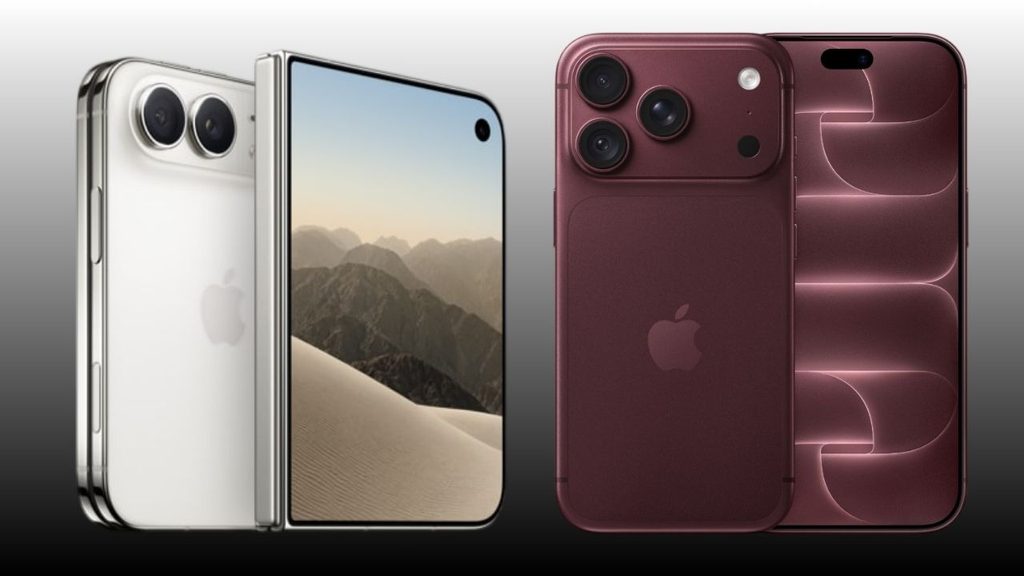
The Apple’s iPhone Duo is unlike any iPhone before with foldable versatility and 50% larger screen than iPhone 18 Pro Max. Apple iPhone Duo price started at ₹2,99,900 for a base 256GB model. The EMI run down to ₹48,817 a month sounds almost manageable until you realise that’s just for the base model if you want more space, the cost is going higher.
The top 2TB configuration crosses ₹4,49,900, either way, Apple’s first foldable is the most expensive iPhone the company has ever sold in India, and pre-orders open at 5:30 PM IST on October 16, with units shipping from October 23.
Between No Cost EMI, card cashback, and trade-in credit, there are real ways to bring the effective cost down, and just as many ways to misread the fine print and end up paying more than you expected.
What the Apple iPhone Duo Costs in India
Apple has published pricing for all four storage tiers of the Duo:
256GB — ₹2,99,900
512GB — ₹3,24,900
1TB — ₹3,74,900
2TB — ₹4,49,900
The iPhone 18 Pro starts at ₹1,64,900 and the iPhone 18 Pro Max at ₹1,79,900. The Duo’s entry price is roughly ₹1,35,000 above the Pro — not a small step up, and one reason Apple’s foldable debut in India has drawn as much attention for its billing as for its 7.6-inch inner display and A20 Pro chip.
Unlike the standard iPhone 18 line, the iPhone Duo isn’t manufactured locally, so import duty and GST land on top of a device that already costs more to make. In the US, the same phone starts at $1,999 (roughly ₹1.7 lakh at the going exchange rate) — a reminder that Indian pricing on the Duo carries a heavier markup than usual, even by iPhone standards.
Apple iPhone Duo EMI: What Costs You Per Month
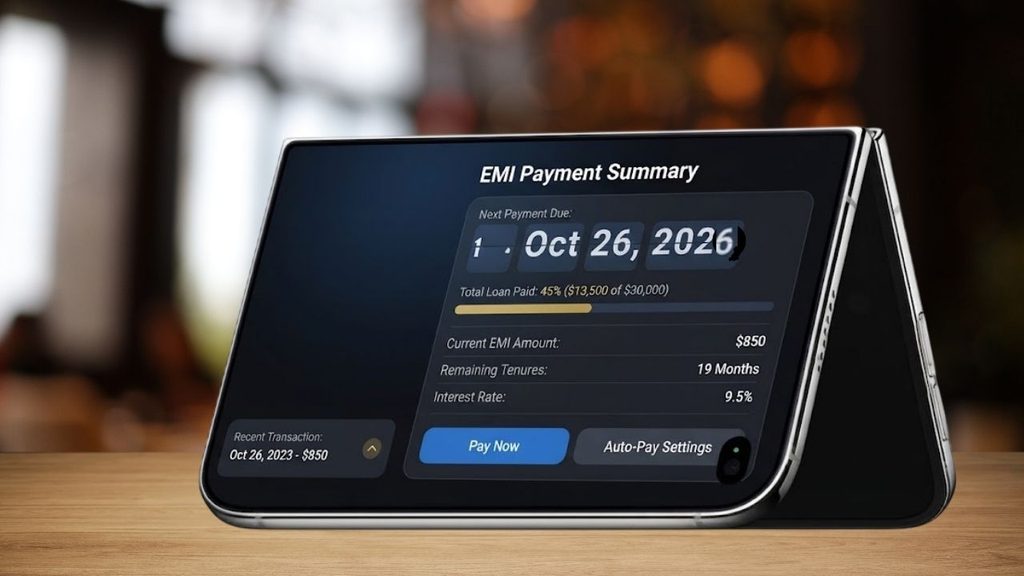
Apple’s No Cost EMI on the Duo runs over 3 or 6 months through most major card issuers — noticeably shorter than what Apple offers elsewhere. The US gets 24-month Apple Card Monthly Installments at roughly $83/month; the UK gets 30 months at 0% APR, working out to about £67/month. India’s 6-month cap is the shortest interest-free tenure Apple offers on the Duo anywhere, which is exactly why the monthly number here looks so heavy.
Published monthly EMI figure against each storage tier, and what six payments actually add up to versus the list price:
Storage
Monthly EMI
6-Month Total
Savings vs List Price
256GB
₹48,817
₹2,92,902
₹6,998 under
512GB
₹52,983
₹3,17,898
₹7,002 under
1TB
₹61,317
₹3,67,902
₹6,998 under
2TB
₹73,817
₹4,42,902
₹6,998 under
The Cashback Catch: ₹15,000 Sounds Bigger Than It Is
Apple India advertises “up to ₹15,000 instant cashback” across its entire store for customers using eligible American Express, Axis Bank, or ICICI Bank cards. That ₹15,000 is a store-wide ceiling — it’s not a number attached to the Duo, or to any single product.
Run the EMI math above and the actual deduction baked into Apple’s Duo pricing lines up with ₹7,000, the same figure that’s been reported for the iPhone 18 Pro launch offer. Budget for that, not for ₹15,000.
A few conditions apply regardless of which figure you’re chasing:
Minimum transaction value of ₹10,001
Maximum two qualifying orders per rolling 90-day period
Not available to Business Store customers, and can’t be stacked with Education or Corporate Employee Purchase Plan pricing
Apple India explicitly reserves the right to revise or withdraw these terms without notice
Apple hasn’t published a cashback figure specific to the Duo, a list of exactly which card variants qualify, an AppleCare+ price for the folding display, or what a screen repair would cost outside warranty. If any of those numbers matter to your decision, wait for the October pre-order.
Apple’s exchange program advertises “save up to ₹62,000” when you trade in an eligible smartphone — available both online and in-store. Treat that ₹62,000 as a ceiling for a high-end device in excellent condition, not a number your specific phone will hit.
A three-year-old iPhone with a cracked back glass is not pulling anywhere near that figure. If trade-in is central to your plan, get an online valuation for your exact device and condition before pre-order day, so you’re not recalculating your budget at checkout.
Third-party platforms like Cashify have historically run parallel exchange bonuses on top of card-linked EMI offers — ICICI’s Instant EMI programme has combined a 24-month deferred payment structure with additional exchange bonuses up to ₹6,000 on older iPhone models.
The ICICI offer terms currently list iPhone 16 and 17-series devices, not the Duo. It’s reasonably expected that Duo-specific versions of these programmes will show up once pre-orders open.
Where You Can Buy Apple iPhone Duo
Apple India’s own store — with UPI, net banking, and EMI on eligible cards — is the confirmed channel from October 23. Authorized Apple resellers and large retail chains are expected to carry it too, based on how Apple has rolled out every recent flagship.
Amazon and Flipkart listings are widely expected to go live around the launch window, though neither platform has published Duo-specific financing or exchange terms as of now.
If a Bajaj Finserv No Cost EMI card or a Flipkart-specific bank offer matters to your plan, that’s one more thing to check on launch day rather than assume.
Apple iPhone Duo vs iPhone 18 Pro Max: Is the Jump Worth Financing?
The comparison that actually matters for your wallet isn’t Duo-to-Duo storage tiers — it’s Duo versus the iPhone 18 Pro Max, since that’s the next phone up in Apple’s current India lineup.
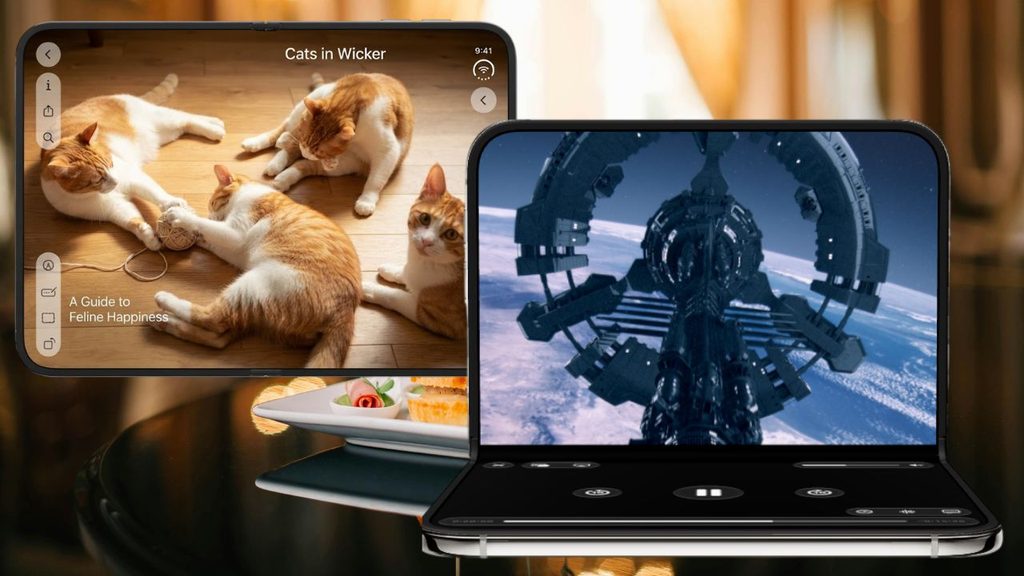
The iPhone 18 Pro Max starts at ₹1,79,900, less than two-thirds of the Duo’s ₹2,99,900 entry price, and runs on the same A20 Pro silicon. What you’re paying the extra ₹1,20,000 for is the fold itself: a 7.6-inch inner display Apple says is 50% larger than the Pro Max screen, a 5.4-inch cover display carrying over 90% of the Pro Max’s screen area when closed, and software in iOS 27 built specifically to adapt across open, half-folded, and closed states — split-screen Safari and Siri-driven multitasking that the Pro Max’s single flat screen can’t replicate.
That’s the real difference between these two smartphones. It’s a much harder case to make if your actual use is calls, camera, and social media, where the Pro Max’s flat 6.9-inch OLED does the job for a lot less money and without a hinge to eventually worry about. If the fold itself isn’t pulling you toward the Duo, the EMI math above becomes a much easier decision: skip it.
There’s also a first-generation-hardware question worth asking before you commit six months of EMI to it. The Duo’s hinge uses more than 100 parts and a magnet array to snap shut, sits under a titanium frame, and pairs Ceramic Shield 2 on the outer front with regular Ceramic Shield on the back — Apple’s most reinforced build on any iPhone. That’s a serious engineering effort, but it’s also Apple’s first attempt at a folding mechanism, with no multi-year track record the way the flat-screen Pro Max has.
If you’ve never owned a folding phone and are financing this on EMI you can’t easily walk away from, it’s worth being honest about whether you’re the kind of owner who’ll baby a hinge for two years, or the kind who’ll drop it once every four months.
Apple’s eSIM-Only & 31 Hours Battery Power Doesn’t Affect On Duo Costs
The Apple iPhone Duo has no physical SIM tray, anywhere in the world. Every line runs on eSIM, with two eSIMs active at once and room to store eight or more profiles. Apple says this is part of why the phone manages up to 31 hours of video playback on the inner display and up to 44 hours on the outer one — the tray took up space that now goes to the dual-battery system instead.
That’s not a deal-breaker in India, where Jio, Airtel, and Vi have supported eSIM on postpaid and select prepaid plans for years. But it does mean two things worth planning around before you finance a ₹3-lakh phone.
First, if you’re switching from an Android phone with a physical SIM, you can’t just pop the card across — you’ll need to get an eSIM profile issued by your carrier, which usually means a store visit or an app-based request, not an instant swap.
Second, if your trade-in plan involves handing over your current iPhone the same day you activate the Duo, do the eSIM transfer before you box up the old phone, not after — Apple’s eSIM Quick Transfer works phone-to-phone, but only while both devices are in hand. Neither issue affects what the Duo costs, but both affect how smoothly your launch-day purchase goes, and a botched activation is a bad way to start a 6-month EMI commitment.
If you’ve got a recent flagship iPhone to trade in for Apple iPhone Duo, exchange + EMI is your cheapest real path — get the online trade-in estimate first, then layer 6-month No Cost EMI with an eligible Axis, ICICI, or Amex card on whatever balance is left.
If you don’t have a trade-in and want the lowest monthly hit, 6-month EMI beats 3-month by roughly half the monthly outflow for the same total cost — there’s no financial reason to choose the shorter tenure unless your card’s credit limit forces it.
If you’re on the fence about needing the fold at all, the iPhone 18 Pro Max buys you the same chip and most of the camera capability for ₹1,20,000 less, with a financing plan that’s easier on the wallet either way.
And if none of the current numbers work for your budget, waiting past October 16 costs you nothing — Apple, Amazon, and Flipkart have all historically added deeper festive-season offers on new iPhone within weeks of launch, and the Duo’s card-specific cashback terms are explicitly subject to change before then.
Students who want to start a business while studying that will grow with time when they get passed out but don’t know how to start a mineral water business, stay consistent and understand everything step-by-step. Why the Mineral Water Business ? Because it’s easy and needs less investment so students can easily work it out.
In every area there’s someone on a bicycle, two or three 20-litre cans strapped to the back seat, making rounds before the 9 a.m. lecture. And you’re wondering about the cost per can, number of houses in the block, weekly demand and deciding to start a mineral water business. It sounds like the side income you’ve been looking for.
It’s not a bad instinct. Even if you don’t have six months of free time, and lakhs of rupees sitting idle. You can still set up your small business amid juggling a timetable, a hostel curfew, and exam weeks. Here’s what actually applies if you’re starting this while you’re still enrolled.
Mineral Water Business Is Different From Packaged Drinking Water
The label gets used loosely, and that’s where a lot of first-time entrepreneurs trip up. Under Indian standards, “natural mineral water” (IS 13428) and “packaged drinking water” (IS 14543) are two different categories. The natural mineral water is sourced from a protected mineral spring, while packaged drinking water is the RO-and-UV purified water in cans and bottles that almost every local plant actually sells.
If you’ve ever seen a delivery guy with unbranded 20-litre cans, that’s packaged drinking water, not mineral water in the technical sense — even though everyone calls it “mineral water” on the street.
It matters because both categories legally require BIS certification if you’re selling them in a sealed, labelled container under a brand name. FSSAI registration is a separate, additional requirement that applies to anyone in the food and water supply chain — manufacturer, distributor, or reseller.
Skipping either one isn’t a grey area; local FDA teams do seal unlicensed plants, and it happens more often than people expect. If you don’t have much money then you can apply for FSSAI certification to start with.
The Reality of Setting Up A Brand of Water
If the plan is to manufacture and bottle your own brand, here’s the honest range, based on current supplier and consultancy listings — treat these as ballpark figures and verify locally, since they shift by state, capacity, and vendor:
BIS/ISI certification facilitation through a consultant typically runs somewhere in the ₹35,000–₹70,000 range.
Entry-level packaged drinking water machinery (RO plant, filling, capping) starts around ₹2.4 lakh for lower-capacity units and climbs past ₹13 lakh for higher-capacity setups.
A full project — machinery, water-testing lab, premises — can land around ₹25 lakh once you include everything, which is roughly the scale seen in real project reports built for government-backed loans like PMEGP, financed mostly through a bank loan plus KVIC margin-money subsidy.
None of that is pocket money, and the setup timeline — BIS testing cycles, layout approval, machinery installation — usually runs months, not weeks. It’s a business for after you graduate, or for a family that already owns a plant.
How to Start a Mineral Water Business While Studying
The workaround isn’t to skip compliance — it’s to skip manufacturing. Instead of building a plant, tie up with a local packaged drinking water plant that already holds FSSAI and BIS certification, and become their reseller or delivery partner in a specific area you can actually cover between classes.
You’ll still need your own FSSAI Basic Registration — it’s mandatory for anyone distributing or reselling food and water products, not just manufacturers, but it’s a low-cost, online process aimed at businesses with turnover under ₹12 lakh a year. No lab, no machinery, no factory inspection required at this tier.
However, you can’t put your own brand name on someone else’s water without their manufacturer backing you under their BIS license. Either sell openly under the supplier’s existing brand as their authorized reseller, or have a documented dealership arrangement. Your own labelled brand is the manufacturing route above — a later-stage move, not a starting point.
How to Manage Your Business While Attending Classes
A few things make the difference between this staying manageable and it eating your semester:
Keep the radius tight. Your own hostel block, one PG cluster, or a few shops near campus — something you can cover in under 15 minutes so it fits around lecture slots.
Vet suppliers in person. Visit two or three candidate plants, ask to physically see their FSSAI certificate and BIS license number rather than taking their word for it.
Apply for FSSAI Basic Registration early — it’s inexpensive and doesn’t take long, but it’s not something to leave until customers are already asking for it.
Run subscriptions, not daily orders. A weekly or monthly can subscription over WhatsApp is far easier to manage during exam weeks than fielding one-off orders every day.
Budget for the deposit cycle. Most local can systems run on a refundable can deposit — commonly in the ₹50–100 range per can, though this varies by supplier. That money is tied up as working capital until the empty can comes back, not profit you can spend.
GST registration only becomes mandatory once turnover crosses ₹40 lakh a year for goods in most states (lower in a few special-category states). Most student-run operations won’t hit that in year one.
Where Student Water Businesses Usually Fail
Three patterns show up repeatedly, and they’re worth naming before you start rather than after:
Treating it as passive income when it’s really a logistics job — someone has to physically move 20-kilogram cans at a fixed time, every week, including exam season. Letting the deposit-cash mismatch creep up — if thirty cans are out with customers and only ten deposits have come back, the working capital gap is real and it stalls reorders.
And trying to compete on price against an established local operator who already owns the plant and the delivery network — a student reseller almost never wins that fight, and shouldn’t try. The actual pitch is convenience: reliable timing around class hours, UPI payment, water dropped right at the door.
Skip the machinery quote for now. Call two local packaged drinking water plants and ask if they take resellers.
Apply for your FSSAI Basic Registration online.
Then run a 20-can pilot in your own hostel or nearby block before spending a rupee on anything beyond that.
If the pilot survives one full exam cycle without a missed delivery, you’ll know whether this is a real business or just a good week.
Conclusion
Understanding how to Start a Mineral Water Business as a student is different from starting as a manufacturer. So don’t follow large-level business instruction points, begin with less investment and short area to cover.
While attending your classes, you can set up your side business for passive income and it gets succeeded then you can turn it into a large-scale business. Apply FSSAI registration and track down your reliable provider who already has a water plant industry. Expand the network in the hostel and nearby block to easily deliver the mineral water cans.
Stay consistent and don’t get bored in just one week, keep up with the idea and you’ll get a success.
UP Anganwadi Bharti 2026 recruitment is live and you can apply if the application portal is still live in your district. There’s no one deadline for the recruitment drive because it has a lot of separate district-level drives. It offers various posts such as Karyakatri and Sahayika, so these are open for females only.
First, understand the structure, eligibility, and selection process for UP Anganwadi Bharti then apply with all the required documents.
Parameter
Details
Recruitment Name
UP Anganwadi Bharti 2026 (ICDS, Uttar Pradesh)
Conducting Authority
District Programme Officer (DPO), Bal Vikas Seva evam Pushtahar Vibhag, UP
Department / Scheme
Integrated Child Development Services (ICDS), Women & Child Development, UP
Posts Offered
Anganwadi Worker (Karyakartri), Mini Worker, Anganwadi Helper / Sahayika
Total Vacancies (Indicative)
~60,000–61,600+ posts
Eligibility
Only female candidates, 10th / 12th pass
Residency Condition
Candidate must be resident of the same village/ward of the Anganwadi centre for which she applies
Application Fee
No fee for any category (General/OBC/EWS/SC/ST)
Notification & Application Window
Main notification from Nov 2025; applications open/close district-wise through early–mid 2026
Structure of UP Anganwadi Bharti 2026 — District by District
The notification is out from each district for the recruitment under the state government which directed the Department of Women and Child Development, to fill vacant Anganwadi Karyakatri (Worker) and Anganwadi Sahayika (Helper) posts across Uttar Pradesh. Instead of one recruitment drive, each District Programme Officer releases and manages notification and recruitment for their district at different times.
District
Posts
Last date to apply
Jhansi
223 (across 9 CDPOs)
7 /September /2026
Maharajganj
305
1 /September /2026
Chitrakoot
92 (23 Karyakatri + 69 Sahayika)
5 /September /2026
Hamirpur
Active
16/September/ 2026
Balrampur
Active
23 /September /2026
Amroha (J.P. Nagar)
105 (across 7 projects)
24 /September /2026
Earlier in the year, Bagpat and Kannauj ran their own window for 760 combined posts, applying from 25 June to 16 July 2026 — that cycle is closed, and candidates there are now waiting on the merit list.
Who Can Apply For UP Anganwadi Post
A few conditions hold across nearly every district notification:
Only female candidates are eligible — there’s no male category in this recruitment.
Female candidates should be between 18 and 45 years, calculated as on 1 July 2025. Relaxation given only reserved category.
Anganwadi Karyakatri posts sometimes require an Intermediate marksheet, depending on the district rules.
Helper (Sahayika) posts have historically carried a lower bar in some districts, occasionally as low as 8th pass.
The condition that trips up the most applicants isn’t age or education — it’s domicile. You can’t apply to whichever district has the most vacancies. Each post is tied to a specific ward (in urban areas) or gram/nyaya panchayat (in rural areas), and you must be a permanent resident of that exact unit. A vacancy list in Jhansi is not open to a resident of Kanpur, even within the same state.
The total vacancies are more than 60000 across the state. Open your district’s latest 2026 notification PDF to check the vacancy number.
District
Post Type
Vacancies
Key Detail
Fatehpur
Worker + Helper
389
150 Worker + 239 Helper (Aug–Sept 2026)
Banda
Worker
122
Last date 22 Sept 2026
Hamirpur
Worker
80
Last date 16 Sept 2026
Unnao
Worker
336
Last date 11 Aug 2026
Ghaziabad
Helper
341
Last date 07 Aug 2026
Jhansi
Worker (Karyakatri)
223
Across 9 projects; last date 07 Sept 2026
Kanpur Nagar
Helper (Sahayika)
307
Across 12 projects; last date 05 Sept 2026
Kushinagar
Worker
245
Project-wise split available
Kushinagar
Helper (Sahayika)
214
Separate Helper notification
Maharajganj
Worker + Helper
305
164 Worker + 141 Helper
Sonbhadra
Worker
201
Project-wise vacancy table available
Muzaffarnagar
Worker
146
Anganwadi Worker posts only
Ghazipur
Helper
1,352
Among larger Helper batches
Bulandshahr
Worker + Helper
678
Combined posts
Bagpat
Helper
374
Helper-only batch
Azamgarh
Helper
265
Helper-only batch
Selection Process & Application Fee
There’s no written test and, in the vast majority of district notifications reviewed so far, no interview either. Selection is by merit list, built from your marks in 10th, 12th, and graduation, all being equal. There’s no application fee for any category, including SC, ST, PwBD, and general female candidates — this recruitment is free to apply for, full stop.
Salary Of UP Anganwadi Posts
A ₹10,000/month for Anganwadi Worker, ₹7,500 for Mini Worker, and ₹4,500 for Helper as honorarium (not salary — these are Anganwadi posts, not salaried government service, and the distinction affects things like PF and pension eligibility).
Getting Your Application In Before Your Window Closes
On the homepage, you’ll find a running list of “active” district notifications with their upload and closing dates; this list changes weekly as new districts come online and others close.
Fill your details correctly in the form and submit with all the necessary documents attached. There is no application fee, so apply early and correctly.
The real trap here is timing, not eligibility. Most district windows stay open for only two to four weeks from the upload date — Hamirpur’s notification, for example, went up on 27 August and closes 16 September, an 18-day window.
Bookmark the official portal itself, and search for your specific ward or gram panchayat, not just your district name; that’s the actual unit your eligibility is judged against.
Documents Required To Apply
Gather your documents first before your district application portal goes live. The necessary documents are listed in the notification PDF but you can also catch it here:
Your education proof – any 10th, 12th, and graduation marksheets,
Domicile certificate for resident confirmation,
Caste certificate (if you belong to reserved category),
Aadhaar/ PAN Card, and
A recent passport size photograph
Signature on the blank page
Get ready with all these documents before your ward’s notification even drops.
UP Anganwadi Bharti 2026 notification is out but recruitment is active in some districts and closed in few districts. If the recruitment is active in your region then apply now before it gets closed. The vacancy numbers are huge, more than 60,000 posts are vacant and these seats are only open for females.
But you must be the resident of that village to apply, and the documents must be prepared including your adhaar, high school marksheet, domicile certificate etc. You can apply for free but check the notification before you apply for the Karyakatri and Sahayika position.