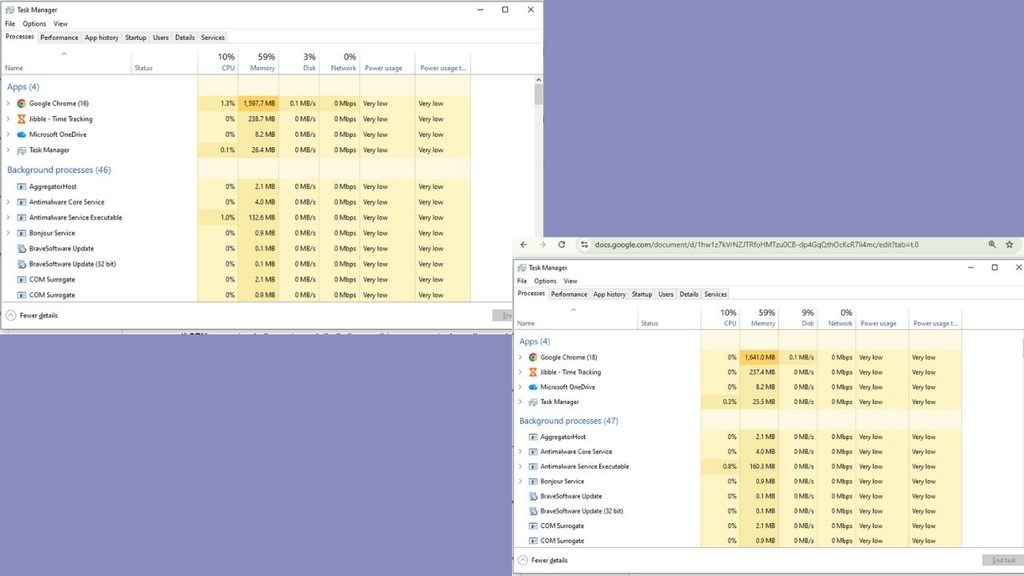
Best Noise-Cancelling Headphones for Online Classes and Mock Tests 

Headphones

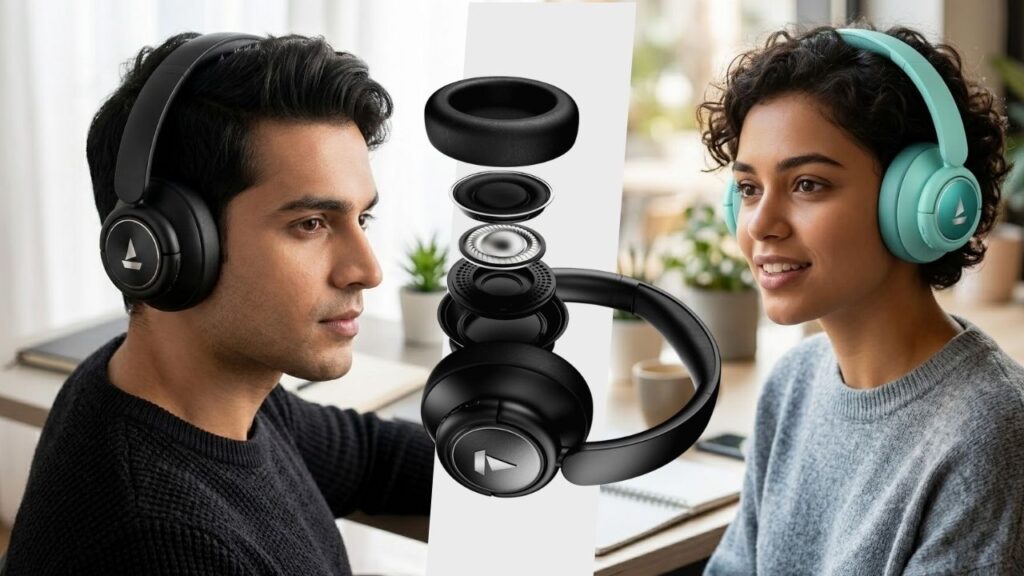
You’re 40 minutes into a 3-hour mock test, deep into the reasoning section, and someone two floors down starts drilling a wall. Or it’s your neighbor’s TV bleeding through during a live online class, right when the teacher explains the one concept you actually needed. With best Noise-Cancelling Headphones, it is possible to block the noise out the room, stays comfortable for hours, and doesn’t die halfway through a session. 

As that kind of interruption doesn’t just annoy you — it costs you marks and attention you can’t get back. The right pair of Noise-Cancelling Headphones for online classes and mock tests is meant for this. Not just any Headphones — most people don’t need studio-grade audio for a lecture or a test window. Here are best picks that actually do that, across different budgets.

Why ANC Matters More for Exams Than for Music

Active noise cancellation in short ANC, helps prevent outside noise with an inverse sound wave by using a microphone and it is so effective on low-frequency and steady sound like traffic, fans, washing machine, TV, and construction site but less effective random sharp noises like barking or door slamming.

For a 2-3 hour mock test, that steady cancellation is what keeps your focus from draining. For live classes, you also need a decent mic, since ANC alone won’t help your teacher hear you over a ceiling fan.

Best Noise-Cancelling Headphones for Online Classes and Mock Tests

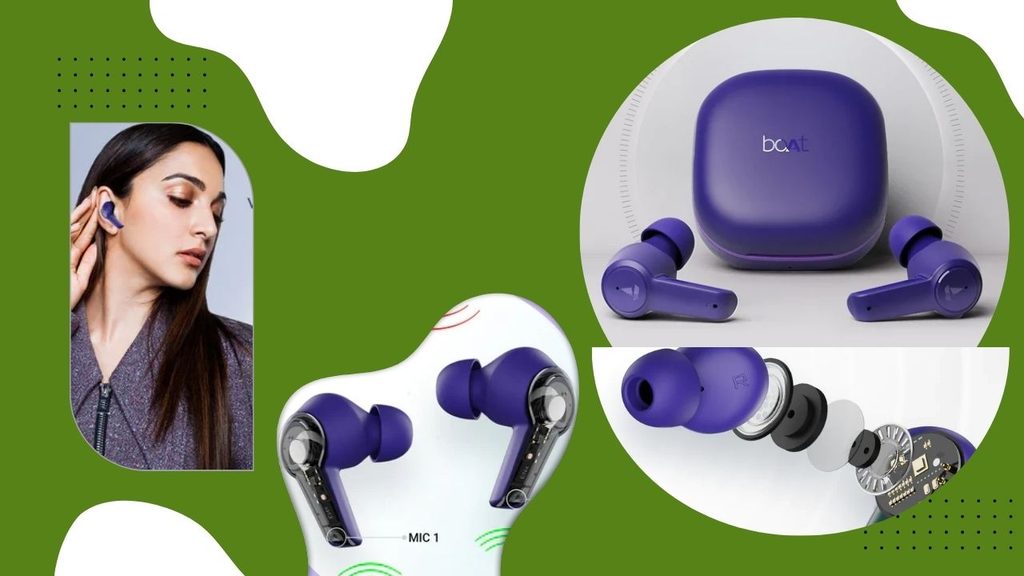
1. boAt Airdopes 413 ANC — ₹1,999

  • 25dB Active Noise Cancellation
  • ENx dual-mic technology for calls
  • ~20 hours total battery (earbuds + case)
  • In-ear TWS design


This is about as cheap as real ANC gets in India, and it holds up for what it is — steady background noise gets noticeably duller, which is the whole point during a test. The case battery isn’t huge, so charge it the night before a long mock test rather than assuming it’ll carry you through a full day.

Best for: the tightest possible budget where any real ANC beats none.

2. Boult Audio Omega — ₹2,499

  • Active Noise Cancellation + separate ENC chip for calls
  • 4 mics per stem, touch controls
  • ~32 hours total battery (8hr earbuds + 24hr case)
  • Dedicated Game Mode for low latency

The separate ENC chip is the standout here — it’s built for call clarity, which matters if your online classes involve a lot of back-and-forth with the teacher rather than passive listening. If you are also looking for gaming purposes, not just for mock test sessions then low-latency mode is an additional benefit in Boult Audio Omega.

Best for: students who have live classes and online courses to attend rather than recorded lectures.

3. Noise Buds Solo — ₹2,999

  • Active Noise Cancellation with switchable Transparency mode
  • 10mm driver, touch controls for calls/music/voice assistant
  • ~36 hours total battery (7hr earbuds + case)
  • Interchangeable eartips for fit
Noise Buds Solo


The 36-hour total battery is the best in this budget tier, and the switchable Transparency mode is genuinely handy — flip it on for five minutes if someone’s calling you from another room, without pulling an earbud out mid-test. Interchangeable eartips also make a bigger difference than you might realize; a bad seal will ruin passive noise isolation even before ANC activates. 

Best for: the best all-round earbud pick under ₹3,000 if battery life is your priority.

Read More👉 Best Laptops for Coding and Programming: Top Picks for Every Budget

4. boAt Rockerz 450 ANC — ₹2,499–2,999

  • Hybrid ANC (up to 25dB reduction)
  • 20-hour battery life with ANC on
  • 40mm dynamic drivers, BEAST mode for low-latency audio
  • On-ear, foldable design
boAt Rockerz 450 ANC


This is the one to get if you just need to shut out a noisy house without spending a month’s pocket money. The ANC won’t touch a jackhammer, but it flattens fan noise, traffic hum, and a TV in the next room reasonably well. The ear cushions get a little warm after 2+ hours, and call clarity is average — fine for a mock test, less ideal if you’re live-unmuting often in class.

Best for: students on a tight budget who mainly need ANC for silent, focused test-taking.

5. Soundcore Q20i — ₹4,298

  • Hybrid ANC with Indoor/Outdoor/Transport modes
  • 40-hour battery life with ANC on
  • Soft protein-leather earcups
  • Wired mode available (3.5mm) when the battery does die
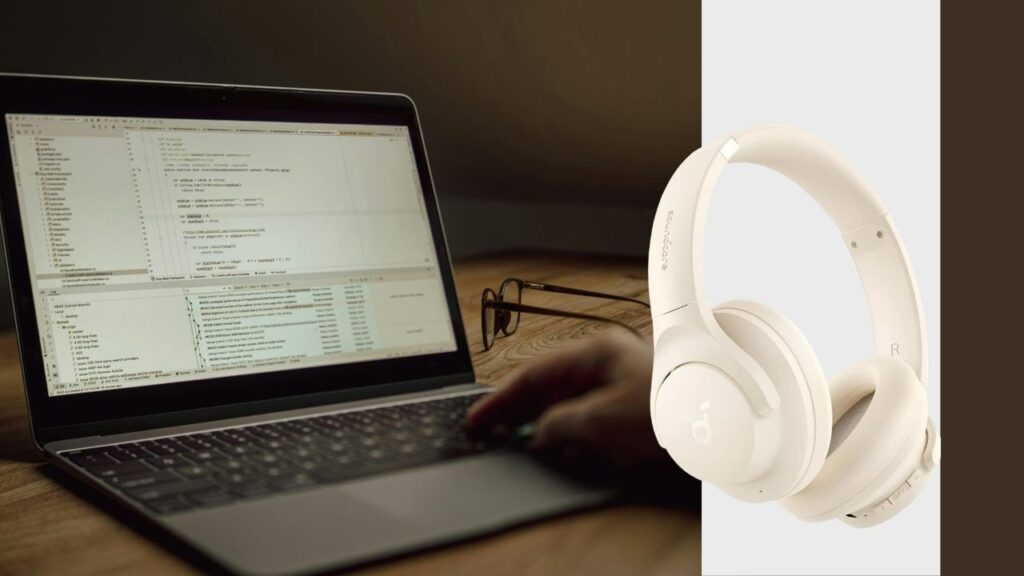
Soundcore Q20i


The battery life here is the real selling point — 40 hours means you could go through an entire mock-test series for a week without touching the charger. The Indoor mode specifically tunes the ANC for steady household noise rather than street sound, which is exactly the scenario most Indian students are dealing with. The bass is a bit boosted for critical listening, but for lectures and tests that’s irrelevant.

Best for: anyone who forgets to charge things — this Noise-Cancelling Headphones forgives you.

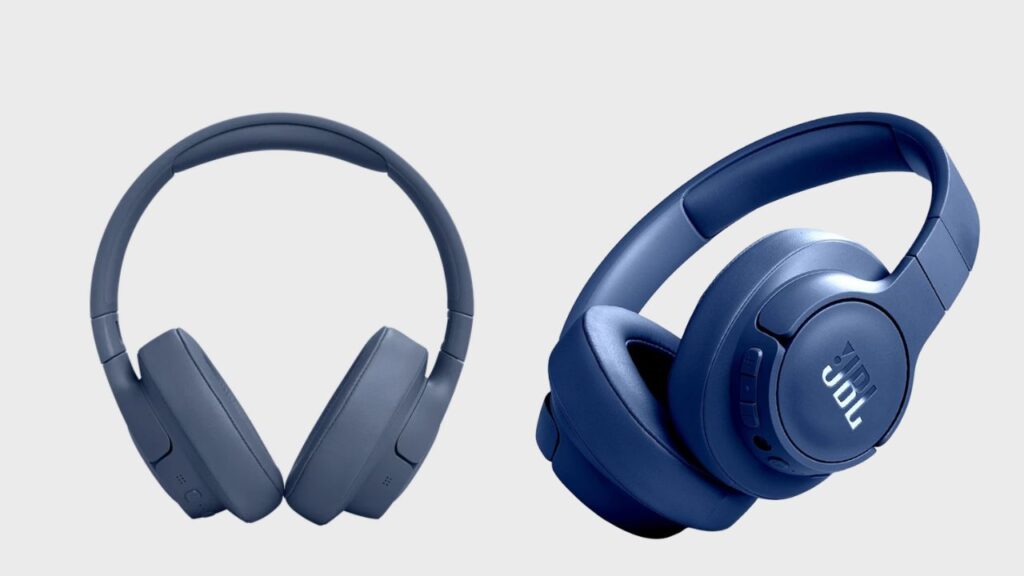
6. JBL Tune 770NC — ₹8,999–10,999

  • Adaptive ANC that responds very quickly to the surrounding noise automatically
  • 50-hour battery life (ANC off), around 44 hours with ANC on
  • Multipoint Bluetooth (connect to phone and laptop simultaneously)
  • 40mm drivers with JBL Signature Sound
JBL Tune 770NC

The multipoint pairing is genuinely useful if you attend classes on a laptop but take calls or check notifications on your phone — no fumbling with Bluetooth settings mid-lecture. Adaptive ANC means it automatically dials up cancellation when your maid starts sweeping and dials back down when it’s quiet, instead of a fixed on/off toggle. Bass is JBL’s usual signature — punchy, a little forward — which some people love and others find a bit much for spoken-word content.

Best for: students juggling both a laptop for classes and a phone for everything else.

7. Soundcore Space Q45 — ₹9,999 (often available around ₹8,500–9,000 on sale)

  • Adaptive ANC rated up to 98% noise reduction
  • 50-hour battery life with ANC on
  • LDAC support for Hi-Res audio over Bluetooth
  • Memory foam earcups, app-based custom EQ

This is the closest thing to flagship-level ANC without paying flagship prices. The 98% noise reduction figure holds up well against consistent background noise — the kind you get from a busy street or a joint family household during the day. Good memory foam cushions really do make a difference during a 3-hour test because your ears are not sore at the end. The app is actually useful, allowing you to choose a “study” EQ preset that cuts mid-bass boom, making spoken word clearer while you’re studying or attending lectures.

Best for: the best all-round pick if you want near-premium ANC without the premium price tag.

Read More👉 Best Student Loans for College Students

8. Sony WH-1000XM5 — ₹29,990

  • Industry-leading ANC with 8-microphone array and dual processors
  • 30-hour battery life with ANC on
  • Speak-to-Chat: automatically pauses audio when you start talking
  • Precise Voice Pickup Technology for clearer calls
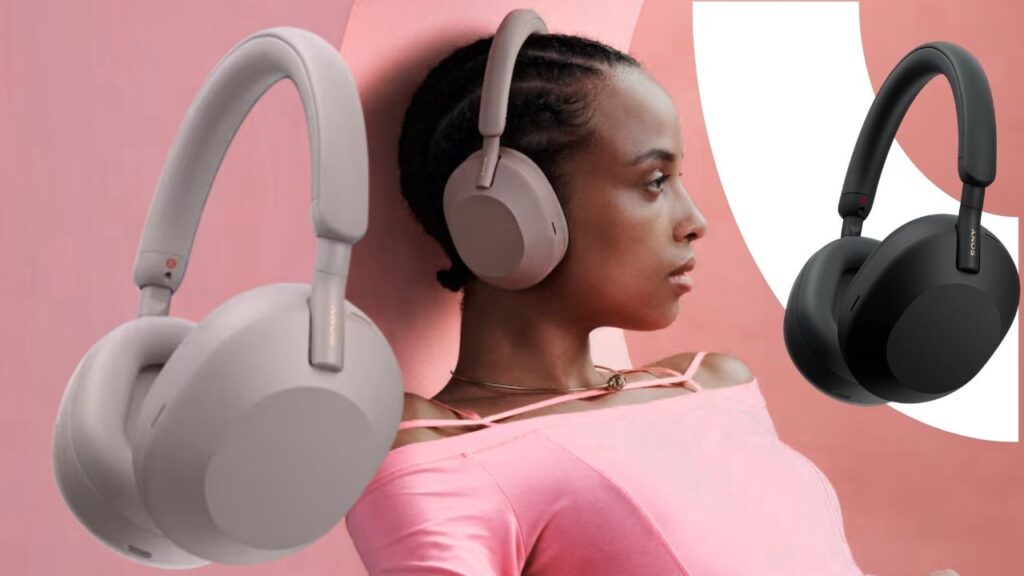
Sony WH-1000XM5

If your budget stretches this far, the XM5 is close to overkill for a student use case — but that’s not a bad thing. A duo which makes you feel like you are sitting in an exam hall rather than your house. When you’re nervous your voice gets lower that people sitting behind the system couldn’t understand but Sony WH-1000XM5 gives an automatic Speak-to-Chat feature that pauses automatically if you say something out loud and passes your lower voice very smoothly. But this is too expensive for students but college students who strictly need can buy it on EMI

Best for: students who treat this as a long-term investment across school, coaching, and eventually work-from-home use.

Sony WH-1000XM5 vs Soundcore Space Q45

Sony WH-1000XM5Soundcore Space Q45
Price₹29,990₹9,999
ANC strengthBest-in-class, handles sudden noise tooExcellent against steady noise, weaker on sudden sharp sounds
Battery (ANC on)30 hours50 hours
Mic quality for classesBest on this listGood, not exceptional
Value for a student budgetLow — premium pricingHigh — near-flagship ANC at a third of the price

If money weren’t a factor, the XM5 wins outright. For a student budget, though, the Space Q45 gets you 80-90% of the noise-cancelling experience for roughly a third of the price, plus a longer battery — which matters more than most people expect once exam season gets long.

Which Noise-Cancelling Headphones Should You Buy?

If you’re prepping for a single exam cycle and want the smallest possible spend, go with the boAt Rockerz 450 ANC or the Soundcore Q20i — either will hold up fine for mock tests where mic quality doesn’t matter. If you’re attending daily online classes on top of tests and need reliable multipoint connectivity, the JBL Tune 770NC earns its price. 

And if you’re looking for one pair that will cover you throughout years of coaching, college, and then working remotely, the Soundcore Space Q45 is the best value for money on this list, with the Sony WH-1000XM5 as the upgrade option if budget genuinely isn’t an issue. 

All of Noise-Cancelling Headphones are available on Amazon.in and Flipkart, boAt and Sony also sell directly from their own India stores if you want manufacturer warranty support without a third party seller in the mix. Prices above reflect typical listings as of August 2026 and do fluctuate with sale events — worth a quick price-check before you check out.

boAt Rockerz 450 ANC vs Noise Buds Solo

boAt Rockerz 450 ANC (Over-ear)Noise Buds Solo (Earbuds)
Price₹2,499–2,999₹2,999
Noise blockingANC + passive seal from ear cupsANC only, weaker passive isolation
Comfort for 2-3 hr sessionsBetter for most — no in-ear fatigueSome users get ear fatigue past 90 min
Battery20 hours~36 hours total (earbuds + case)
PortabilityFoldable but bulkierFits in a pocket

If you’re choosing between a headphone and earbuds at roughly the same price, format matters more than spec sheets here. Over-ear wins on raw silence for a long test window; earbuds win on battery life and portability if you’re carrying them between home, coaching class, and a library.

Read More 👉 How to Apply for a Student Loan to Get a Higher Education & Make Career

Conclusion

Best Noise-Cancelling Headphones for online class and mock tests are not always the expensive ones. For most students, the Soundcore Space Q45 provides the best combination of ANC, comfort, battery life, and price, while the boAt Rockerz 450 ANC and Soundcore Q20i are better choices for those on a tighter budget. 

If money is not an issue, the Sony WH-1000XM5 offers the best overall experience. In the end, decide based on the length of your studies, the noise level of your environment and whether you need better microphones or portability in addition to noise cancellation. 

Leave a Comment

Your email address will not be published. Required fields are marked *

Google Launches Fitbit Air in India: Features, Price and Availability

Fitbit Air

Picture a fitness tracker you forget you’re wearing. It has no screen to check mid-meeting and no buzz on your wrist at 2 a.m. That’s the idea behind the Fitbit Air. Google has now launched it in India at ₹13,999, with sales starting October 2. It’s the company’s smallest and lightest FitBit yet, and it arrives in a market where most people expect a wearable to have a display. 

The Fitbit Air isn’t a smartwatch. It’s a small sensor “pebble” that sits in a band and tracks your body in the background. Everything you want to read, like sleep scores, workout recaps and heart trends, lives in the Google Health app on your phone.

This isn’t a brand-new product. Google announced the Fitbit Air globally on May 7, 2026, with US shipping from May 26. India is getting it about four months later.

Fitbit Air Price in India And Launch Offers

The India price is ₹13,999 for all four colours. The box includes a three-month trial of Google Health Premium. That trial matters because it unlocks the Google Health Coach, the AI assistant Google built this tracker around.

For comparison, the US price is $99.99. Indian buyers will pay noticeably more than the US sticker price. On bank offers, buyers using eligible HDFC Bank and ICICI Bank cards get ₹1,000 cashback at launch, and it can be combined with six-month no-cost EMI. The exact terms may vary depending on the bank’s conditions.

Google Health Premium will cost is different in India after the trial ends. In the US, it runs $9.99 a month. Google hasn’t shared an Indian figure in the launch details, so check the Google Store listing before you buy.

More Helpful : Voice-to-Notes Tools for Students

What Fitbit Air Features Tracks And How Long It Lasts

Sensors

Google says the sensors cover 24/7 heart rate, heart rhythm monitoring with Afib alerts, SpO2, resting heart rate, heart rate variability, and sleep stages and duration. However, Google’s own footnote says the Afib feature is not available in all countries. So it is still unconfirmed whether it will be switched on in India at launch. If irregular-rhythm alerts are a deciding factor for you, verify this first.

Battery life is the other reliable feature 

Google claims up to a week per charge, and five minutes of fast charging gives you roughly a full day. Those numbers come from Google’s own pre-production testing, so real-world results may be lower.

Workout tracking is where the Google Health Coach comes in 

The Air detects common activities automatically, and you can also start a session from the app. With Premium, you can snap a photo of a cardio machine or a gym whiteboard routine and have it logged.

Hardware details from the global launch:

SpecFitbit Air
DisplayNone
WeightAbout 5 g for the pod alone, 12 g with a band
Water resistance50 metres 
BatteryUp to 7 days (Google’s claim)
Phone supportAndroid 11 or higher, iOS 16.4 or higher
Colours (India)Obsidian, Berry, Lavender, Fog

A reviewer at The5KRunner reported that the Air has no built-in GPS, so run distances will depend on your phone. 

Bands

The pebble pops out, so you can swap bands. The Performance Loop, made from recycled materials, comes in the box. The sweatproof Active Band and the dressier Elevated Modern Band are sold separately. India pricing for those extra bands wasn’t available at the current time.

Fitbit Air Availability In India

The Fitbit Air goes on sale October 2 through the Google Store, Flipkart, Croma, Reliance Digital and Vijay Sales. That offline spread is a smart move for a product people may want to try on first. A screenless tracker is odd enough that holding one makes it easier to understand.

👉 Explore More: Apple iPhone Duo Cost-Effective Methods

Fitbit Air vs Whoop: How Does it Compare?

The obvious rival is Whoop, which pioneered the screenless band. The 5.0 is bulkier, at about 27 g with its band, and rated for 10 metres of water resistance. The bigger difference is the business model. 

Whoop requires a membership starting at $199 a year, while the Fitbit Air’s core tracking works without a required subscription. WHOOP’s current India pricing and availability weren’t clear, so the comparison below uses US pricing only. 

Beyond that, the Fitbit Air competes with cheaper straps like the Amazfit Helio Strap and with Fitbit’s own older display trackers. Those give you a screen for similar money. If you want to glance at the time or your heart rate mid-run, a screenless band is a step backward.

Conclusion

You can buy a Fitbit Air if sleep and recovery data matter more to you than notifications, you already like the Google ecosystem. If you’ve been curious about Whoop but dislike paying a yearly fee. Then it makes you confused, what you need matters most. The Fitbit Air is more comfortable to use around 24/7. A 12 g band is easier to wear to bed than a smartwatch.

Skip it if you want on-wrist GPS, quick glances at stats, or music and payments. Also hold off if the Premium price after the three-month trial is unclear to you, since the Coach is the main reason to choose this over cheaper trackers.

Wait for the October 2 listings, check the final Premium pricing and bank-offer terms, and compare against any display tracker you’re considering at ₹13,999. Then decide which one you can need.

Leave a Comment

Your email address will not be published. Required fields are marked *

Best Lightweight Sunglasses for Student Life 

Sunglasses

A pair of sunglasses in a college backpack is a choice of your comfort. When the college campus is large and you need to walk in direct sunheat or you go out randomly somewhere with your friends and your eyes start to burn in the heat. That’s where you start hunting for Best Lightweight Sunglasses for students, the best is the one which gives you comfort, weightless, and perfect for your face.

What Actually Matters for Campus-Ready Sunglasses

Frame weight comes down to material, not brand name. TR-90 and polycarbonate frames flex instead of snapping when they get crushed in a bag, and they sit lighter on the nose during a three-hour library stretch than metal or thick acetate does. UV protection — specifically UV400 — isn’t optional no matter how cheap the pair is; it’s the one spec that protects your eyes rather than your outfit. 

Polarization is worth paying a little more for if you’re on a bike or scooter daily, since it cuts glare off wet roads and car windshields far better than plain tinted lenses. And because these things get lost, borrowed by roommates, or sat on at least once a year, price-to-replacement-cost matters more here than it would for a pair you’d baby at home.

The 5 Best Lightweight Sunglasses for Students 

1. Fastrack Polarized Wayfarers and Aviators

Price: ₹950–₹5,000 | Frame: TR-90 polycarbonate | Lens: UV400, polarized options | Best for: tightest-budget daily wear


Fastrack’s entry-level polarized range starts under ₹1,000 and still comes with a 1-year warranty on lenses and frames, which is unusual at that price point. The TR-90 build is genuinely flexible — it survives the kind of backpack abuse a rigid acetate frame won’t. The trade-off is build quality at the very bottom of that price range: some buyers report the cheapest models feeling plasticky compared to what ₹2,000+ gets you in the same lineup. Good for someone who wants a backup pair as much as a main one.

2. Vincent Chase by Lenskart

Price: From ₹999, polarized from ₹1,299 | Frame: TR90 | Lens: 100% UV protected, polarized | Best for: best value-for-money on a first “real” pair


Vincent Chase is Lenskart’s in-house line, and it’s built around the same TR90 material for the same reason — daily wear without weight. The advantage over Fastrack is availability: Lenskart runs frequent Buy 1 Get 1 offers on this line, which effectively gets you a backup pair for the price of one. The catch is that heavy discounting means style availability shifts often, so a specific frame you like online today may not be there in three months if you need a replacement in the exact same shape.

3. OPIUM Eyewear

Price: ₹1,500–₹5,000 | Frame: lightweight polycarbonate | Lens: UV400, polarized, AVS coating | Best for: students who scratch or drop glasses often


OPIUM’s AVS lens coating adds hydrophobic, oleophobic, and anti-static properties on top of standard UV/polarized protection — practically, that means fewer smudges from fingerprints and better scratch resistance when the lenses rub against keys or coins loose in a bag. It sits a notch above Fastrack and Vincent Chase in price, which is the real trade-off: you’re paying for lens durability, not a jump in style tier.

4. IDEE

Price: ₹899–₹1,499 | Frame: lightweight, sporty builds | Lens: UV protected | Best for: gym, sports, or an active daily commute


IDEE leans into bold, sporty designs — wraparounds and neon accents rather than classic wayfarer shapes — and stays cheap while doing it. If your daily routine includes a run, a cycle to campus, or intramural sports, the closer-wrap fit holds better than a flat wayfarer frame. The limitation is versatility: the sportier shapes don’t double as well for a formal event or an internship interview the way a classic frame does.

5. Ray-Ban (Aviator / Wayfarer)

Price: roughly ₹7,000–₹15,000 depending on style and retailer | Frame: acetate/metal | Lens: UV400, optional polarized | Best for: one pair meant to last through all four years

Ray-Ban is the outlier on this list by price, and it’s here for a specific reason: it’s the one pair that isn’t disposable. The Original Wayfarer and Aviator have been in continuous production since 1952 and 1937 respectively, which means replacement parts, nose pads, and repairs are easy to find at any optician years later — something none of the budget brands above can promise. It only makes sense if you can absorb the upfront cost and genuinely won’t be swapping styles every semester.

The Real Face-Off of Fastrack & Vincent Chase 

These two get compared constantly because they’re the two brands most students actually cross-shop, so here’s the direct read:

FastrackVincent Chase
Entry price₹950₹999
Polarized entry priceIncluded in mid-rangeFrom ₹1,299
Warranty1 year (lens + frame)Standard return window, no stated 1-yr warranty
Where to buyFastrack’s own site, Titan Eye+, Flipkart, Tata CLiQLenskart, Amazon.in
Recurring offersOccasional salesFrequent Buy 1 Get 1

If warranty coverage matters more to you than getting two pairs, Fastrack wins. If you’d rather have a spare pair sitting in a drawer for when the first one inevitably gets sat on, Vincent Chase’s BOGO structure is hard to beat on pure economics.

Which One Should You Actually Buy?

If your budget is genuinely under ₹1,200 and you just need something functional for the sun on your walk to class, get the Fastrack or Vincent Chase entry model — there’s no meaningful difference in daily performance between them at that price. If you’re riding a two-wheeler daily, prioritize a polarized lens over anything else on this list; glare off a windshield or wet road is a real safety issue, not just comfort. 

If you’re the person who’s cracked three pairs of earphones and lost two water bottles this year, don’t buy OPIUM or Ray-Ban — buy the cheapest polarized Fastrack you can find and expect to replace it. And if you’ve got one splurge in your accessory budget for the year and want something that’ll still be wearable at your graduation photos, the Ray-Ban is the only pair on this list built to actually last that long.

One habit that extends your sunglasses lifespan –  a hard case, not the soft pouch that comes in the box. Most lens scratches on student sunglasses don’t happen while wearing them, they happen loose in a bag next to keys and a laptop charger.

Read More👉 iPhone 18 Pro on EMI: A Complete Buying Guide

Conclusion

The Best Lightweight Sunglasses for Everyday Student Life aren’t always expensive. Whatever you opt for, be sure to focus on UV400 protection, a lightweight frame, a comfortable fit, and polarization for when glare is an issue. Toss a hard case In Addition your backpack, and even a modest pair can make it through life on the daily grind of college. Pocket your case for your backpack and even a thrifty pair can easily keep up with daily college life. 

Leave a Comment

Your email address will not be published. Required fields are marked *

Best Student Loans for College Students

Student Loans

Your admission letter came through and you are stressed about its fees? That’s the moment you’ll start looking for the best student loans for college students. Between tuition, hostel, a laptop, and living costs, a B.Tech at a decent private college or a master’s abroad can run anywhere from ₹8 lakh to over ₹1 crore, and very few Indian families are sitting on that kind of cash without dipping into a fixed deposit meant for something else. 

This is exactly where the best Student Loans in the market — from SBI’s Scholar Loan to NBFCs like HDFC Credila and Avanse, start doing real work, provided it actually fits your situation instead of just going with whichever bank branch is nearest to your house.

This blog walks through the loan for education options Indian students actually use in 2026 — public banks, private banks, NBFCs, and the government’s PM Vidyalaxmi scheme with real numbers, what each one is genuinely good at, and where it falls short.

Who Can Get These Loans for Education

If you’re an Indian student (or a parent reading this on their behalf) heading into an undergraduate program, a postgraduate course, or a study-abroad admission, and you need a study loan rather than paying out of pocket, this comparison is built for you. It splits lenders into three buckets — public sector banks, private banks, and specialised NBFCs because each serves a different kind of borrower, and picking the wrong bucket is the single most common reason students overpay by lakhs over a 15-year tenure.

Interest rates on education loans are floating and revised frequently by each lender’s internal benchmark. The figures below reflect indicative ranges reported by lenders and comparison platforms as of mid-2026. Treat every rate here as a starting reference, not a quote so confirm the live number on the lender’s own site before you apply.

Best Student Loans For College Students in India

1. SBI Scholar Loan / Global Ed-Vantage — Best for Domestic Students and Government-Bank Trust

  • Rate: roughly 8.15%–10.75%, MCLR-linked (floating)
  • Loan amount: up to ₹7.5 lakh without collateral for listed premier institutes; higher amounts with collateral, up to ₹1.5 crore under Global Ed-Vantage for study abroad
  • Processing fee: flat ₹10,000 — no percentage-based fee
  • Tenure: up to 15 years

SBI remains the default first stop for most Indian students, and there’s a simple reason: as the largest public bank, it consistently prices education loans lower than private banks and NBFCs, and its flat processing fee actually saves real money on larger loans compared to a percentage-based charge. 

The trade-off is speed — SBI’s sanction process for study-abroad loans can take four to eight weeks, and IBA guidelines require 15% margin money on foreign education loans above ₹4 lakh, meaning you’ll need to arrange that slice yourself. 

Best for: students with time before their visa deadline who want the lowest lifetime interest cost.

2. HDFC Credila — Best for Speed and High-Value Unsecured Loans

  • Rate: roughly 9.5%–13%, secured loans starting near 9.95%, unsecured (no collateral) starting near 11.25%
  • Loan amount: up to ₹50–60 lakh for premier institutes, sometimes higher
  • Processing fee: 1%–1.5% plus GST
  • Tenure: up to 15 years

Credila built its business on what it calls a “future employability” assessment rather than collateral value, which is why students without property to pledge still get approved here. Sanctions typically land in 7–14 days, which matters enormously when a visa interview is on the calendar and SBI’s timeline doesn’t fit. 

The catch is that unsecured Credila loans run meaningfully higher than SBI’s rate, and the processing fee, a percentage plus GST are added up fast on a ₹50 lakh loan. 

Best for: students on a tight admission or visa timeline who need fast, collateral-free approval and can absorb a higher rate.

3. Bank of Baroda — Best for Large Loans to Global Universities

  • Rate: competitive with SBI, generally in the 8.5%–11% band depending on the institute tier
  • Loan amount: up to ₹1.5 crore for premium global universities
  • Processing fee: typically lower than private banks; concessions available for girl students
  • Tenure: up to 15 years

BoB doesn’t get the same attention as SBI or the big NBFCs, but for students heading to genuinely expensive programs like top-50 global MBAs or engineering master’s — its higher loan ceiling and public-bank pricing make it worth a direct comparison. 

Best for: high-ticket study-abroad admissions where you need both a large sanction and a public-bank rate.

4. Avanse Financial Services — Best for Broad Course Coverage

  • Rate: roughly 11%–14.5%
  • Loan amount: up to ₹50–75 lakh
  • Processing fee: 1.25%–1.75% plus GST
  • Tenure: up to 15 years

Avanse is one of the few lenders that regularly finances courses public banks are cautious about — niche postgraduate programs, some online degrees, and vocational tracks. It’s genuinely useful when your course doesn’t fit a PSU bank’s approved list. The limitation is its rates sit at the higher end of the NBFC range, so it’s rarely the cheapest option on the table. 

Best for Student Loans for college students whose course or university isn’t covered by public-bank lending lists.

Read More👉 RRB JE Notification OUT With RRB JE Vacancy Of 3,993 Posts 

5. Axis Bank / ICICI Bank Education Loan — Best for Existing Bank Customers Wanting Fast Digital Processing

  • Rate: roughly 9.5%–13.5%
  • Loan amount: up to ₹40 lakh
  • Processing fee: moderate, varies by profile
  • Tenure: typically 10–15 years

If you or your parents already bank with Axis or ICICI, pre-approved education loans can be sanctioned in as little as 72 hours for existing customers, bundled with a forex card and a student account for study abroad. The point here is convenience, not price — you’re paying slightly more for an integrated, faster experience with a bank you already have a relationship with. 

Best for: existing customers who value speed and a bundled international banking package over shaving off the last percentage point of interest.

SBI vs HDFC Credila: The Two-Lender Face-Off

These two get compared constantly because they represent opposite philosophies — lowest cost versus fastest approval.

SBI Global Ed-VantageHDFC Credila
Starting rate~8.15%–9.65%~9.5%–11.25% (unsecured)
Processing feeFlat ₹10,0001%–1.5% + GST
Sanction time4–8 weeks7–14 days
CollateralRequired above ₹7.5 lakhOptional, employability-based
Best forLowest total interest costTight visa or admission deadlines

On a ₹50 lakh, 15-year loan, roughly every 100 basis points of extra interest costs about ₹7.5 lakh over the loan’s life, so the gap between these two isn’t cosmetic. Take Credila or Avanse first to secure fast disbursal for the visa file, then refinance into SBI once the loan is live and the pressure is off.


This works better than it used to, because the RBI’s Prepayment Charges Directions, effective January 1, 2026, banned foreclosure and prepayment charges on floating-rate loans to individual borrowers — a rule that covers nearly every education loan in this list. Before this, NBFCs could charge 2%–5% of the outstanding principal to close a loan early; that lock-in is now gone.

Don’t Skip the Government Route: PM Vidyalaxmi Scheme

Before comparing private lenders at all, check whether you qualify for PM Vidyalaxmi, the Centre’s collateral-free education loan scheme launched in November 2024. It isn’t a separate lender — it works through participating banks but it changes the math significantly for eligible students:

  • Collateral-free, guarantor-free loans up to ₹7.5 lakh, backed by a 75% government credit guarantee
  • Covers students admitted purely on merit (not management or NRI quota) to around 1,425 listed Quality Higher Education Institutions
  • A 3% interest subvention during the moratorium period for families with annual income up to ₹8 lakh, on loans up to ₹10 lakh
  • Rates capped at the bank’s benchmark lending rate plus 0.5%, with banks free to offer an extra 1% concession if you service interest during your study period
  • Subsidy is disbursed directly through the PM Vidyalaxmi Digital Rupee (CBDC) app

More than 1.12 lakh loans had been sanctioned under the scheme as of July 2026, so it’s no longer a pilot — it’s a live, functioning route worth checking on the PM Vidyalaxmi portal before you approach a bank directly.

Read More 👉 Best Student Laptops for School and University in 2026 

Two Rules That Apply Regardless of Which Lender You Choose

Section 80E tax benefit: the entire interest you pay on student loans for college students — not principal, and with no upper cap is deductible from your taxable income for up to 8 years from the year you start repaying. This applies to loans from any bank or approved NBFC and is one of the few genuinely uncapped deductions left in Indian tax law.

The girl-student concession: most public banks, including SBI and PNB, shave 0.5% off the standard rate for female applicants. It’s easy to miss because it’s rarely advertised loudly — ask for it explicitly when you apply for any of these student loans for college students.

Conclusion

If your priority is the lowest total interest over 15 years and you have a few weeks before your deadline, start with SBI — check PM Vidyalaxmi eligibility first if your loan need is under ₹7.5 lakh. 

If your visa interview or admission deposit deadline is within two weeks and you need money to move fast, HDFC Credila or Avanse will get you there, with the option to refinance into a cheaper public-bank loan later at no penalty under the new RBI rule. And if your course or university sits outside what PSU banks typically approve, Avanse’s broader course coverage is worth a direct call before you assume you’re out of options. 

Whichever lender you pick, don’t sign with the first offer you get on Student Loans for college students — pull two or three live quotes through the Vidya Lakshmi portal, apply the 80E deduction into your repayment planning from day one, and claim every concession you’re eligible for.

Note: Interest rates, fees, and scheme terms mentioned above are indicative and change frequently. Verify current figures directly with the lender or on official government portals before applying. 

Leave a Comment

Your email address will not be published. Required fields are marked *

UP Anganwadi Bharti 2026 — District-Wise Vacancies & Recruitment Details

UP Anganwadi Bharti 2026

UP Anganwadi Bharti 2026 recruitment is live and you can apply if the application portal is still live in your district. There’s no one deadline for the recruitment drive because it has a lot of separate district-level drives. It offers various posts such as Karyakatri and Sahayika, so these are open for females only.

First, understand the structure, eligibility, and selection process for UP Anganwadi Bharti then apply with all the required documents.

ParameterDetails
Recruitment NameUP Anganwadi Bharti 2026 (ICDS, Uttar Pradesh) 
Conducting AuthorityDistrict Programme Officer (DPO), Bal Vikas Seva evam Pushtahar Vibhag, UP 
Department / SchemeIntegrated Child Development Services (ICDS), Women & Child Development, UP 
Posts OfferedAnganwadi Worker (Karyakartri), Mini Worker, Anganwadi Helper / Sahayika 
Total Vacancies (Indicative)~60,000–61,600+ posts 
Eligibility Only female candidates, 10th / 12th pass
Residency ConditionCandidate must be resident of the same village/ward of the Anganwadi centre for which she applies
Application FeeNo fee for any category (General/OBC/EWS/SC/ST) 
Notification & Application WindowMain notification from Nov 2025; applications open/close district-wise through early–mid 2026 
Salary (Indicative)Around ₹5,500 – ₹12,000 per month 
Official WebsiteClick Here

Structure of UP Anganwadi Bharti 2026 — District by District

The notification is out from each district for the recruitment under the state government which directed the Department of Women and Child Development, to fill vacant Anganwadi Karyakatri (Worker) and Anganwadi Sahayika (Helper) posts across Uttar Pradesh. Instead of one recruitment drive, each District Programme Officer releases and manages notification and recruitment for their district at different times.

DistrictPostsLast date to apply
Jhansi223 (across 9 CDPOs)7 /September /2026
Maharajganj3051 /September /2026
Chitrakoot92 (23 Karyakatri + 69 Sahayika)5 /September /2026
HamirpurActive16/September/ 2026
BalrampurActive23 /September /2026
Amroha (J.P. Nagar)105 (across 7 projects)24 /September /2026

Earlier in the year, Bagpat and Kannauj ran their own window for 760 combined posts, applying from 25 June to 16 July 2026 — that cycle is closed, and candidates there are now waiting on the merit list.

Who Can Apply For UP Anganwadi Post

A few conditions hold across nearly every district notification:

  • Only female candidates are eligible — there’s no male category in this recruitment. 
  • Female candidates should be between 18 and 45 years, calculated as on 1 July 2025. Relaxation given only reserved category.
  • Anganwadi Karyakatri posts sometimes require an Intermediate marksheet, depending on the district rules. 
  • Helper (Sahayika) posts have historically carried a lower bar in some districts, occasionally as low as 8th pass.

The condition that trips up the most applicants isn’t age or education — it’s domicile. You can’t apply to whichever district has the most vacancies. Each post is tied to a specific ward (in urban areas) or gram/nyaya panchayat (in rural areas), and you must be a permanent resident of that exact unit. A vacancy list in Jhansi is not open to a resident of Kanpur, even within the same state.

Read More 👉 UP SuperTET Vacancy Notification 2026: Check Out Details, Dates, & Eligibility

Vacancies Numbers Are Huge

The total vacancies are more than 60000 across the state. Open your district’s latest 2026 notification PDF to check the vacancy number.

DistrictPost TypeVacanciesKey Detail
FatehpurWorker + Helper389150 Worker + 239 Helper (Aug–Sept 2026)
BandaWorker122Last date 22 Sept 2026
HamirpurWorker80Last date 16 Sept 2026
UnnaoWorker336Last date 11 Aug 2026
GhaziabadHelper341Last date 07 Aug 2026
JhansiWorker (Karyakatri)223Across 9 projects; last date 07 Sept 2026
Kanpur NagarHelper (Sahayika)307Across 12 projects; last date 05 Sept 2026
KushinagarWorker245Project-wise split available
KushinagarHelper (Sahayika)214Separate Helper notification
MaharajganjWorker + Helper305164 Worker + 141 Helper
SonbhadraWorker201Project-wise vacancy table available
MuzaffarnagarWorker146Anganwadi Worker posts only
GhazipurHelper1,352Among larger Helper batches
BulandshahrWorker + Helper678Combined posts
BagpatHelper374Helper-only batch
AzamgarhHelper265Helper-only batch

Selection Process & Application Fee

There’s no written test and, in the vast majority of district notifications reviewed so far, no interview either. Selection is by merit list, built from your marks in 10th, 12th, and graduation, all being equal. There’s no application fee for any category, including SC, ST, PwBD, and general female candidates — this recruitment is free to apply for, full stop.

Salary Of UP Anganwadi Posts

A ₹10,000/month for Anganwadi Worker, ₹7,500 for Mini Worker, and ₹4,500 for Helper as honorarium (not salary — these are Anganwadi posts, not salaried government service, and the distinction affects things like PF and pension eligibility). 

Getting Your Application In Before Your Window Closes

Applications go through upanganwadibharti.in 

On the homepage, you’ll find a running list of “active” district notifications with their upload and closing dates; this list changes weekly as new districts come online and others close.

Fill your details correctly in the form and submit with all the necessary documents attached. There is no application fee, so apply early and correctly.

The real trap here is timing, not eligibility. Most district windows stay open for only two to four weeks from the upload date — Hamirpur’s notification, for example, went up on 27 August and closes 16 September, an 18-day window. 

Bookmark the official portal itself, and search for your specific ward or gram panchayat, not just your district name; that’s the actual unit your eligibility is judged against.

Documents Required To Apply

Gather your documents first before your district application portal goes live. The necessary documents are listed in the notification PDF but you can also catch it here:

  • Your education proof – any 10th, 12th, and graduation marksheets, 
  • Domicile certificate for resident confirmation, 
  • Caste certificate (if you belong to reserved category), 
  • Aadhaar/ PAN Card, and 
  • A recent passport size photograph 
  • Signature on the blank page

Get ready with all these documents before your ward’s notification even drops.

Read More 👉 Planning MBBS or Master’s Abroad? Country-Wise Costs, Loan Limits and Lenders

Conclusion

UP Anganwadi Bharti 2026 notification is out but recruitment is active in some districts and closed in few districts. If the recruitment is active in your region then apply now before it gets closed. The vacancy numbers are huge, more than 60,000 posts are vacant and these seats are only open for females. 

But you must be the resident of that village to apply, and the documents must be prepared including your adhaar, high school marksheet, domicile certificate etc. You can apply for free but check the notification before you apply for the Karyakatri and Sahayika position.

Leave a Comment

Your email address will not be published. Required fields are marked *

Upgrade Laptop Like New Model In Low Budget

Laptop

Upgrade Laptop in low budget is more beneficial than buying a new one. It doesn’t mean that new laptops aren’t worth buying but upgrading from i3 to i7 can be quick and affordable for students. Working on a laptop which takes minutes to open and making noises while turning on kills the vibes for coding, gaming, or video editing.

However, it is worth knowing before making a decision to buy a brand new laptop this festive season, the machine slowing you down probably isn’t dying — it’s just outdated in one or two specific ways, and fixing those is often a fraction of the cost of a new one.

Laptop upgrades on a budget aren’t about replacing everything. Find the vulnerability of the system caused by one or two old elements and change it. Most 3–5 year old laptops are held back by Hard Drive and RAM most of the time. Fixing both can allow users to experience faster and smooth performance.

But how you can upgrade laptop like a brand new is something to understand first before buying anything you find on flipkart or amazon.

Diagnose Your Laptop Internally

This step is crucial because without knowing the cause of your system, how can you fix it? If you skip the diagnosis, and buy $60 RAM but end up waiting for your computer to respond faster and do the work, you wasted your money. 

So Open Task Manager on Windows — shortcut keys are Ctrl+Shift+Esc or in MAC — go to Activity Monitor and watch it for a minute while working usually.

Check These Three Things in Your System:

The task manager shows you how much usage has been used to run your apps, if it’s near 100% then your storage drive is the bottleneck — almost certainly a traditional hard disk drive (HDD). Most of the older laptops suffer from this issue that’s why they’re too slow and fixing it (with SSD) is the cheapest and highest impact upgrade for your laptop.


Memory usage above 85% continuously means more RAM is needed. Heavier apps like Zoom, Team and Word running altogether with 15 browser tabs should be run smoothly at 8 GB. But if building applications and gaming is your main course then you need more than 8 GB. Since this amount is default on a lot of budget and mid-range laptops sold in the last five years.

If CPU usage is the thing hitting its limit, that’s one part you generally can’t upgrade on a laptop. CPU bottleneck won’t be solved by swapping components because it is soldered to the motherboard usually so knowing it before you start spending your money on an upgrade that won’t help is important.

Most people diagnosing a “slow laptop” for the first time are surprised to learn its disk, not processor. That distinction is the whole game.

SSD Swap: The Single Best Upgrade You Can Make

By replacing a mechanical hard drive with a Solid State Drive is the single most efficient upgrade that makes a laptop feel like new hardware. It improves the speed and multi-tasking process, boot times can drop from 90+ seconds to under 15 and regular tasks like switching between apps or opening them won’t lag.

A basic 480GB–500GB SATA SSD, such as the Crucial MX500, Kingston A400, or WD Blue, usually costs around ₹2,500–₹3,500 in India, depending on ongoing pricing and sales. The price is far less than buying a whole new laptop, this upgrade can make your older laptop fresh.

Before buying an SSD, confirm two things: whether your laptop has a 2.5-inch SATA bay, an M.2 slot, or both (this determines which SSD form factor you need), and whether it has a spare slot or you’ll be replacing your existing drive entirely. Most laptops from 2016 onward that shipped with an HDD have a 2.5-inch bay that’s a direct, tool-light swap — usually just a few screws on the base panel.

There’s two options always given to you while rebooting, keeping your existing Windows installation and files onto the new drive or clean installation. If you choose to keep, Cloning software like Macrium Reflect (free tier) or EaseUS Todo Backup will help transfer your programs and settings from old HDD onto the new SSD so you don’t need to reinstall and set things up.

If the laptop is too old then fresh Windows installation onto the new SSD is a better option, it removes old or hidden leftover junk which consumed your memory.

See Details:- iPhone Duo Changes the Cost Effectively With These Methods

Add RAM: The Second-Cheapest Speed Fix

If your diagnostic check flagged high memory usage, this is your next move, and it’s usually inexpensive. Most laptops from the last decade that have 4GB or 8GB of RAM have room to go to 8GB or 16GB, either by adding a stick into a free slot or replacing existing sticks with higher-capacity ones.


It’s not a costly upgrade, an 8GB DDR4 SODIMM stick price is somewhere around
₹1,500-₹2,200 depending on the current market.

Before Buying, Check Which Type Of Ram is Compatible

Your laptop’s supported RAM type (DDR3 vs DDR4 vs DDR5 — check your model’s spec sheet, since installing the wrong type simply won’t work) and its maximum supported capacity, because some budget laptops cap out at 8GB even if there’s a second slot.

The install itself is usually the easiest upgrade on this list — a single panel on the bottom of most laptops, a couple of screws, and the RAM stick clicks into a slot at an angle before you press it flat. 

No cloning, no software, no reinstalling anything. If your laptop’s diagnostic showed disk usage as the real bottleneck rather than memory, though, don’t bother with this one first — RAM won’t fix a slow HDD, and you’d be spending money on the wrong problem.

Clean Out the Software Bloat You’ve Been Carrying for Years

Hardware isn’t the whole story. A laptop that’s had the same Windows installation for three or four years accumulates a genuinely surprising amount of drag: startup programs that launch silently every boot, background services from software you uninstalled ages ago, and browser extensions you forgot you added.

Open Task Manager’s Startup tab and disable anything you don’t need running the moment you log in — most people find five to ten programs quietly launching that have no business doing so (Spotify, printer software, half a dozen “helper” apps from programs installed years ago). This alone can shave real time off boot-up without touching a single piece of hardware.


Beyond that, uninstall software you genuinely don’t use anymore, clear out temp files (Windows’ built-in Disk Cleanup or Storage Sense handles this automatically), and check your browser extensions — each one adds a small but real memory and CPU tax that compounds when you’re already running an older machine.

If your laptop has never had a clean OS reinstall after SSD swap, this is the moment to consider it. A fresh Windows install onto new hardware, with only the software you actually use, often produces the single most dramatic “this feels like a new laptop” moment of the entire process — more than any single component swap.

Read More:- How AI Could Change India’s Digital Public Infrastructure

Don’t Skip the Physical Cleaning

This one costs close to nothing and gets ignored constantly. Laptops that have run for years without ever being opened up accumulate dust inside the fan and heatsink assembly, which traps heat, which causes the CPU to throttle its own performance to avoid overheating — meaning your laptop is deliberately slowing itself down to protect itself.

To reduce fan noise and prevent thermal throttling, cleaning fan blades and heatsink fins can be helpful. Replace dried-out thermal paste so it brings down temperature between the CPU and heatsink. It can cost around ₹300, and helps the laptop’s processor maintain its performance for longer under heavy workloads. 

This is the cheapest and under-appreciated fix but helps cool the processor because dust buildup and dried thermal paste don’t trigger warning as hard drive does, they just slow your laptop and get a little hotter all the time.

Small External Upgrades That Change How the Laptop Works

Not every upgrade needs to happen inside the case. Coders and Gamers need big screen resolution, a budget external monitor changes the entire experience without spending a new laptop’s cost.


Additionally, better-quality external keyboard and mouse will maximize that experience by making typing and navigating more easy and responsive, even if the internals haven’t changed at all.

A basic cooling pad (₹800-₹1,500) can also help laptops that run hot during longer sessions, buying you more sustained performance during demanding tasks like video calls or heavier multitasking, without opening the machine at all.

Know When Upgrading Laptop Stops Making Sense

If the laptop’s bottleneck isn’t the RAM and disk but CPU then do not spend a single rupee on the laptop upgrade because it’s useless. The process is the one component you almost never can replace on a laptop.

Old laptop battery-life usually degraded to holding half its original charge. Changing that will help if your laptop is just 2-3 years old because a five-plus years old laptop doesn’t come with a user-replaceable battery so that’s where you should start saving for a new laptop. It’s worth actually comparing the two costs side by side rather than assuming the upgrade is always cheaper. 

Read More :- Why ChatGPT Ads Deserve a Place In Your 2027 Media Plan 

Conclusion

If you’re staring at a slow laptop right now, check Task Manager first. If disk usage is maxed out, an SSD swap is your highest-impact move and should come before anything else. If memory is the constraint, add RAM — it’s cheap and takes ten minutes. 

Do both of those, clean out years of startup bloat, blow the dust out of the fans, and you’ve addressed the four things that account for the vast majority of “this laptop feels old” complaints — usually for less than a tenth of what a new laptop would cost.

Overall, if your bottleneck turns out to be the processor itself, no combination of these fixes will get you there, and that’s the one scenario where saving up for new hardware is genuinely the right call instead of the expensive-sounding one.

Leave a Comment

Your email address will not be published. Required fields are marked *

Scroll to Top