How to Apply for a Student Loan to Get a Higher Education & Make Career

Student Loan

How to apply for a Student Loan doesn’t come randomly in anyone’s mind. Getting into a good college is only half the battle. The other half starts the moment you realize a B.Tech at a decent private university now costs ₹8–15 lakh, an MBA at a tier-2 B-school can run past ₹12 lakh, and a master’s abroad easily crosses ₹40 lakh once you add living costs. 

If you don’t have that sort of money lying around, a Student Loan is the only realistic option — and how to get one usually determines how much of that money actually gets deposited into your account, and how much you end up overpaying in interest over the next 10 years. 

This guide walks through the process as it actually works in India in 2026, not the version that shows up in a bank’s marketing brochure.

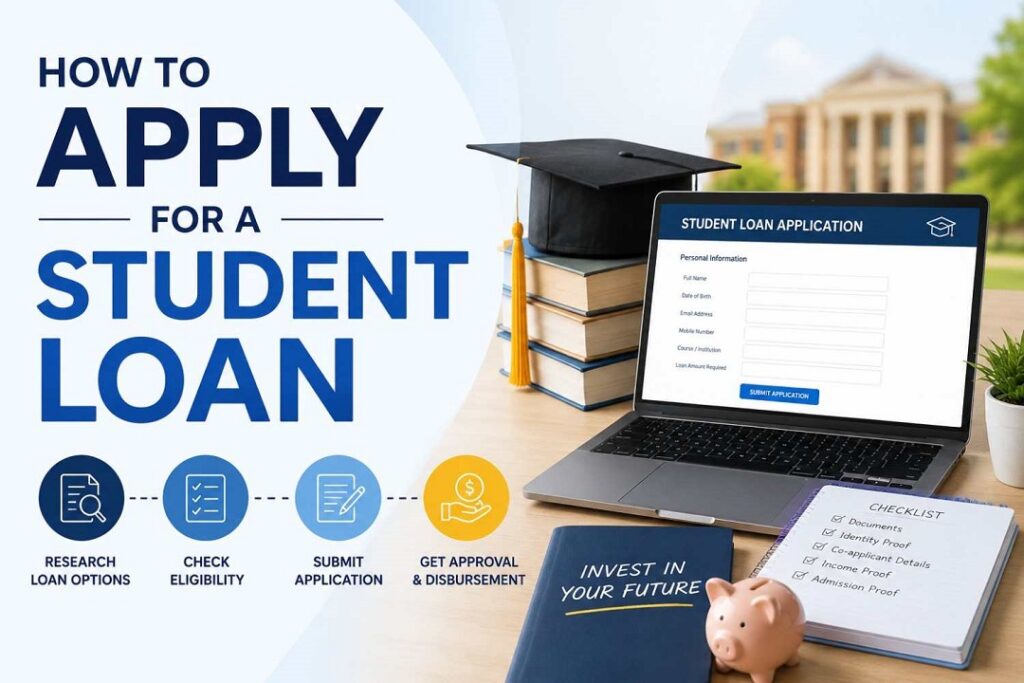
How to Apply for a Student Loan Through the Vidya Lakshmi Portal

Almost every organized education loan in India now runs through the Vidya Lakshmi portal, a government-backed single window that connects more than three dozen banks and well over 100 loan schemes to one common form. Instead of visiting five bank branches and filling five different applications, you fill one — the Common Education Loan Application Form (CELAF), prescribed by the Indian Banks’ Association and accepted by every participating lender.

The process, in order:

  • Register on the portal with your email ID and a mobile number, ideally the one linked to your Aadhaar, since OTP verification runs through it.
  • Fill the CELAF in sections — personal details, course and institution details, cost breakdown, and your co-applicant’s financial information.
  • Upload KYC documents, academic transcripts, and your admission letter in the required digital format.
  • Use the “Search and Apply” tab to filter loan schemes by amount, interest rate, and whether you’re studying in India or abroad.
  • Shortlist and apply to a maximum of three banks in one go — a sensible mix is usually one public-sector bank (lower rate, slower processing) and one private bank or NBFC (faster, more flexible).
  • Track status from your dashboard. If a bank marks your application “on hold,” it means they want more documents — check the remarks column rather than waiting for an email.

The portal is also linked to the National Scholarship Portal, so if you qualify for a central or state scholarship, you can apply for it in the same sitting.

Where the PM Vidyalaxmi Scheme Fits In

Layered on top of Vidya Lakshmi since 2024–25 is the PM Vidyalaxmi Scheme, a Central Sector Scheme aimed specifically at students who’ve secured admission — through merit-based or open competitive selection — into a Quality Higher Education Institution (QHEI). The official list currently runs past 800 institutions and keeps expanding as new NIRF-ranked colleges get added, so don’t assume your college qualifies; check the current QHEI list on the portal before you plan around this scheme.

What it actually gets you:

  • No collateral, no guarantor for eligible loans. Some official sources describe this as applying to the entire loan regardless of amount; others cap the collateral-free portion at ₹7.5 lakh, after which the bank may ask for security on the balance. This detail genuinely varies by bank in practice — confirm it directly with your chosen lender before you apply, don’t assume either version.
  • A 75% government credit guarantee on loans up to ₹7.5 lakh, which is what makes banks comfortable lending without collateral in the first place.
  • Interest subvention during the moratorium period (course duration plus one year) — full interest subsidy if annual family income is up to ₹4.5 lakh, and a 3% subsidy if family income falls between ₹4.5 lakh and ₹8 lakh, both capped at loans up to ₹10 lakh.
  • Above ₹8 lakh family income, you still get the collateral-free structure and credit guarantee — you just pay the bank’s normal interest rate with no subsidy.

To claim the subvention, you submit an “intent” declaration on the portal along with income proof from an authorized state government authority — it isn’t automatic just because you’re eligible.

Eligibility Criteria You Need to Meet For Student Loan Across Indian Banks

Setting PM Vidyalaxmi aside, general education loan eligibility across Indian banks looks fairly consistent:

  • You need to be an Indian national with confirmed admission to a recognized, full-time regular course — part-time and distance programs are excluded by most lenders, though a few NBFCs make exceptions.
  • A co-applicant, almost always a parent or guardian, is required by nearly every bank once the loan crosses a modest threshold (often ₹4 lakh), and their income and credit history factor directly into how much you’re sanctioned.
  • For merit-based schemes like SBI’s Scholar Loan or PM Vidyalaxmi’s QHEI route, your entrance exam rank or admission channel matters as much as your family’s finances — these schemes exist precisely to reward the admission, not the collateral.
  • There’s no universal age cap, but banks do informally weigh whether you’re likely to complete the course and start repaying within a reasonable working-age window.

Documents to Keep Ready Before You Apply

Missing paperwork is the single most common reason applications sit in limbo for weeks. Have these ready before you start the CELAF, not after:

  • Admission letter and the institution’s official fee/cost structure
  • Mark sheets for 10th, 12th, and any prior degree
  • Identity proof — Aadhaar and PAN at minimum
  • Co-applicant’s income proof: recent salary slips or ITR, and the last six months of bank statements
  • Collateral documents, if your loan amount or scheme requires security
  • Passport and visa copy, if you’re studying abroad

Keep names spelled identically across every document — a mismatch between your Aadhaar and your admission letter is a small thing that causes real delays.

How Much Will It Cost You Across Every Sector Banks

Interest rates on Indian education loans in 2026 span a wide range depending on lender type:

  • Public-sector banks (SBI, PNB, Bank of Baroda, Union Bank, Canara Bank) generally price standard education loans between roughly 8% and 10.75% p.a., floating, tied to each bank’s repo-linked or external benchmark rate. As of mid-2026, the RBI repo rate itself sits around 6.25% — the actual benchmark moves at each monetary policy review, so treat any quoted rate as a starting point to verify, not a fixed number.
  • SBI’s Scholar Loan, reserved for students admitted to premier institutes like IITs, IIMs, and NITs, runs noticeably lower — roughly 6.9% to 7.65% p.a. — compared to its regular Student Loan Scheme at around 9.4% to 9.9%.
  • Private banks and NBFCs (HDFC Credila, Avanse, and similar) typically charge 9.5% to 16% p.a. Rates are higher, but sanction and disbursal are usually faster, and many offer larger unsecured amounts.
  • Most public banks give a 0.5% interest concession to girl students — worth asking about explicitly, since it isn’t always advertised upfront.
  • Several lenders, including SBI and PNB, offer a 0.5–1% rate discount if you pay simple interest during the moratorium period instead of letting it accumulate. Skipping this is the single most expensive mistake students make: unpaid interest during your study years gets added to the principal, so your EMI ends up calculated on a bigger loan than you actually borrowed.

Claiming the Section 80E Tax Benefit Once You Start Repaying

Once repayment begins, Section 80E of the Income Tax Act lets you deduct the entire interest component of your EMI from taxable income — not the principal, just the interest, but with no upper cap, which is unusual among Indian tax deductions.

A few conditions determine whether you actually qualify:

  • The deduction is available for a maximum of eight consecutive years, starting from the year you begin paying interest, or until the interest is fully repaid, whichever comes first.
  • It only applies if you’ve opted for the old tax regime — under the new regime, this deduction isn’t available at all, so run the comparison before you file.
  • The loan must come from a recognized bank, financial institution, or an approved charitable institution. A loan from an employer, a relative, or an informal lender does not qualify, no matter how similar the repayment terms look.
  • You can claim it for a loan taken for yourself, your spouse, your children, or a legal ward — and it applies whether the course was pursued in India or abroad.
  • You’ll need an interest certificate from your lender each financial year, clearly splitting principal from interest, to actually file the claim.

How To Avoid Application Rejection

A few patterns show up again and again in rejected or delayed applications: 

  • Applying to just one bank instead of shortlisting two or three through Vidya Lakshmi and comparing offers side by side
  • Assuming your college is on the PM Vidyalaxmi QHEI list without checking the current portal listing
  • Letting moratorium interest pile up instead of paying it as simple interest each quarter
  • Submitting documents where your name, date of birth, or address doesn’t match exactly across your Aadhaar, admission letter, and bank KYC. 

Each of these is fixable in an afternoon but only if you catch it before submission, not after a bank has already put your file on hold.

Select the Reliable Option for Student Loan

If you’ve been admitted to a QHEI on the current PM Vidyalaxmi list and your family’s annual income is under ₹8 lakh, start there through the Vidya Lakshmi portal — the interest subvention alone can save you lakhs over the loan’s life, and it’s the closest thing to free money in this entire process. 

If your institution isn’t on that list, or your loan requirement crosses ₹10 lakh, shortlist two or three public-sector banks, compare their post-moratorium rates head-to-head, and ask each one directly what your EMI looks like once the subsidy or discount period ends. Not the headline interest rate but that one question is where most students get blindsided.

Conclusion 

The paperwork for Student Loan application is simpler once you have your documents in order, have compared lenders and know the government schemes that apply to you. Vidya Lakshmi portal provides students a one-stop shop to apply for education loans and also compare the loans, while PM Vidyalaxmi can help eligible students by lightening their financial load through interest support and collateral-free loans. 

Before you accept any offer, look beyond the stated interest rate. Check the terms of the moratorium (temporary period in which you don’t have to start paying the regular EMI), your eligibility for subsidy, the amount you need to repay, the amount of collateral required and the total interest you will pay. A bit of comparison before signing can make a big difference to your finances after you graduate.


Leave a Comment

Your email address will not be published. Required fields are marked *

Best Student Loans for College Students

Student Loans

Your admission letter came through and you are stressed about its fees? That’s the moment you’ll start looking for the best student loans for college students. Between tuition, hostel, a laptop, and living costs, a B.Tech at a decent private college or a master’s abroad can run anywhere from ₹8 lakh to over ₹1 crore, and very few Indian families are sitting on that kind of cash without dipping into a fixed deposit meant for something else. 

This is exactly where the best Student Loans in the market — from SBI’s Scholar Loan to NBFCs like HDFC Credila and Avanse, start doing real work, provided it actually fits your situation instead of just going with whichever bank branch is nearest to your house.

This blog walks through the loan for education options Indian students actually use in 2026 — public banks, private banks, NBFCs, and the government’s PM Vidyalaxmi scheme with real numbers, what each one is genuinely good at, and where it falls short.

Who Can Get These Loans for Education

If you’re an Indian student (or a parent reading this on their behalf) heading into an undergraduate program, a postgraduate course, or a study-abroad admission, and you need a study loan rather than paying out of pocket, this comparison is built for you. It splits lenders into three buckets — public sector banks, private banks, and specialised NBFCs because each serves a different kind of borrower, and picking the wrong bucket is the single most common reason students overpay by lakhs over a 15-year tenure.

Interest rates on education loans are floating and revised frequently by each lender’s internal benchmark. The figures below reflect indicative ranges reported by lenders and comparison platforms as of mid-2026. Treat every rate here as a starting reference, not a quote so confirm the live number on the lender’s own site before you apply.

Best Student Loans For College Students in India

1. SBI Scholar Loan / Global Ed-Vantage — Best for Domestic Students and Government-Bank Trust

  • Rate: roughly 8.15%–10.75%, MCLR-linked (floating)
  • Loan amount: up to ₹7.5 lakh without collateral for listed premier institutes; higher amounts with collateral, up to ₹1.5 crore under Global Ed-Vantage for study abroad
  • Processing fee: flat ₹10,000 — no percentage-based fee
  • Tenure: up to 15 years

SBI remains the default first stop for most Indian students, and there’s a simple reason: as the largest public bank, it consistently prices education loans lower than private banks and NBFCs, and its flat processing fee actually saves real money on larger loans compared to a percentage-based charge. 

The trade-off is speed — SBI’s sanction process for study-abroad loans can take four to eight weeks, and IBA guidelines require 15% margin money on foreign education loans above ₹4 lakh, meaning you’ll need to arrange that slice yourself. 

Best for: students with time before their visa deadline who want the lowest lifetime interest cost.

2. HDFC Credila — Best for Speed and High-Value Unsecured Loans

  • Rate: roughly 9.5%–13%, secured loans starting near 9.95%, unsecured (no collateral) starting near 11.25%
  • Loan amount: up to ₹50–60 lakh for premier institutes, sometimes higher
  • Processing fee: 1%–1.5% plus GST
  • Tenure: up to 15 years

Credila built its business on what it calls a “future employability” assessment rather than collateral value, which is why students without property to pledge still get approved here. Sanctions typically land in 7–14 days, which matters enormously when a visa interview is on the calendar and SBI’s timeline doesn’t fit. 

The catch is that unsecured Credila loans run meaningfully higher than SBI’s rate, and the processing fee, a percentage plus GST are added up fast on a ₹50 lakh loan. 

Best for: students on a tight admission or visa timeline who need fast, collateral-free approval and can absorb a higher rate.

3. Bank of Baroda — Best for Large Loans to Global Universities

  • Rate: competitive with SBI, generally in the 8.5%–11% band depending on the institute tier
  • Loan amount: up to ₹1.5 crore for premium global universities
  • Processing fee: typically lower than private banks; concessions available for girl students
  • Tenure: up to 15 years

BoB doesn’t get the same attention as SBI or the big NBFCs, but for students heading to genuinely expensive programs like top-50 global MBAs or engineering master’s — its higher loan ceiling and public-bank pricing make it worth a direct comparison. 

Best for: high-ticket study-abroad admissions where you need both a large sanction and a public-bank rate.

4. Avanse Financial Services — Best for Broad Course Coverage

  • Rate: roughly 11%–14.5%
  • Loan amount: up to ₹50–75 lakh
  • Processing fee: 1.25%–1.75% plus GST
  • Tenure: up to 15 years

Avanse is one of the few lenders that regularly finances courses public banks are cautious about — niche postgraduate programs, some online degrees, and vocational tracks. It’s genuinely useful when your course doesn’t fit a PSU bank’s approved list. The limitation is its rates sit at the higher end of the NBFC range, so it’s rarely the cheapest option on the table. 

Best for Student Loans for college students whose course or university isn’t covered by public-bank lending lists.

Read More👉 RRB JE Notification OUT With RRB JE Vacancy Of 3,993 Posts 

5. Axis Bank / ICICI Bank Education Loan — Best for Existing Bank Customers Wanting Fast Digital Processing

  • Rate: roughly 9.5%–13.5%
  • Loan amount: up to ₹40 lakh
  • Processing fee: moderate, varies by profile
  • Tenure: typically 10–15 years

If you or your parents already bank with Axis or ICICI, pre-approved education loans can be sanctioned in as little as 72 hours for existing customers, bundled with a forex card and a student account for study abroad. The point here is convenience, not price — you’re paying slightly more for an integrated, faster experience with a bank you already have a relationship with. 

Best for: existing customers who value speed and a bundled international banking package over shaving off the last percentage point of interest.

SBI vs HDFC Credila: The Two-Lender Face-Off

These two get compared constantly because they represent opposite philosophies — lowest cost versus fastest approval.

SBI Global Ed-VantageHDFC Credila
Starting rate~8.15%–9.65%~9.5%–11.25% (unsecured)
Processing feeFlat ₹10,0001%–1.5% + GST
Sanction time4–8 weeks7–14 days
CollateralRequired above ₹7.5 lakhOptional, employability-based
Best forLowest total interest costTight visa or admission deadlines

On a ₹50 lakh, 15-year loan, roughly every 100 basis points of extra interest costs about ₹7.5 lakh over the loan’s life, so the gap between these two isn’t cosmetic. Take Credila or Avanse first to secure fast disbursal for the visa file, then refinance into SBI once the loan is live and the pressure is off.


This works better than it used to, because the RBI’s Prepayment Charges Directions, effective January 1, 2026, banned foreclosure and prepayment charges on floating-rate loans to individual borrowers — a rule that covers nearly every education loan in this list. Before this, NBFCs could charge 2%–5% of the outstanding principal to close a loan early; that lock-in is now gone.

Don’t Skip the Government Route: PM Vidyalaxmi Scheme

Before comparing private lenders at all, check whether you qualify for PM Vidyalaxmi, the Centre’s collateral-free education loan scheme launched in November 2024. It isn’t a separate lender — it works through participating banks but it changes the math significantly for eligible students:

  • Collateral-free, guarantor-free loans up to ₹7.5 lakh, backed by a 75% government credit guarantee
  • Covers students admitted purely on merit (not management or NRI quota) to around 1,425 listed Quality Higher Education Institutions
  • A 3% interest subvention during the moratorium period for families with annual income up to ₹8 lakh, on loans up to ₹10 lakh
  • Rates capped at the bank’s benchmark lending rate plus 0.5%, with banks free to offer an extra 1% concession if you service interest during your study period
  • Subsidy is disbursed directly through the PM Vidyalaxmi Digital Rupee (CBDC) app

More than 1.12 lakh loans had been sanctioned under the scheme as of July 2026, so it’s no longer a pilot — it’s a live, functioning route worth checking on the PM Vidyalaxmi portal before you approach a bank directly.

Read More 👉 Best Student Laptops for School and University in 2026 

Two Rules That Apply Regardless of Which Lender You Choose

Section 80E tax benefit: the entire interest you pay on student loans for college students — not principal, and with no upper cap is deductible from your taxable income for up to 8 years from the year you start repaying. This applies to loans from any bank or approved NBFC and is one of the few genuinely uncapped deductions left in Indian tax law.

The girl-student concession: most public banks, including SBI and PNB, shave 0.5% off the standard rate for female applicants. It’s easy to miss because it’s rarely advertised loudly — ask for it explicitly when you apply for any of these student loans for college students.

Conclusion

If your priority is the lowest total interest over 15 years and you have a few weeks before your deadline, start with SBI — check PM Vidyalaxmi eligibility first if your loan need is under ₹7.5 lakh. 

If your visa interview or admission deposit deadline is within two weeks and you need money to move fast, HDFC Credila or Avanse will get you there, with the option to refinance into a cheaper public-bank loan later at no penalty under the new RBI rule. And if your course or university sits outside what PSU banks typically approve, Avanse’s broader course coverage is worth a direct call before you assume you’re out of options. 

Whichever lender you pick, don’t sign with the first offer you get on Student Loans for college students — pull two or three live quotes through the Vidya Lakshmi portal, apply the 80E deduction into your repayment planning from day one, and claim every concession you’re eligible for.

Note: Interest rates, fees, and scheme terms mentioned above are indicative and change frequently. Verify current figures directly with the lender or on official government portals before applying. 

Leave a Comment

Your email address will not be published. Required fields are marked *

How to Start a Mineral Water Business: Complete Guide

Mineral Water Business

Students who want to start a business while studying that will grow with time when they get passed out but don’t know how to start a mineral water business, stay consistent and understand everything step-by-step. Why the Mineral Water Business ? Because it’s easy and needs less investment so students can easily work it out.

In every area there’s someone on a bicycle, two or three 20-litre cans strapped to the back seat, making rounds before the 9 a.m. lecture. And you’re wondering about the cost per can, number of houses in the block, weekly demand and deciding to start a mineral water business. It sounds like the side income you’ve been looking for.

It’s not a bad instinct. Even if you don’t have six months of free time, and lakhs of rupees sitting idle. You can still set up your small business amid juggling a timetable, a hostel curfew, and exam weeks. Here’s what actually applies if you’re starting this while you’re still enrolled.

Mineral Water Business Is Different From Packaged Drinking Water

The label gets used loosely, and that’s where a lot of first-time entrepreneurs trip up. Under Indian standards, “natural mineral water” (IS 13428) and “packaged drinking water” (IS 14543) are two different categories. The natural mineral water is sourced from a protected mineral spring, while packaged drinking water is the RO-and-UV purified water in cans and bottles that almost every local plant actually sells. 

If you’ve ever seen a delivery guy with unbranded 20-litre cans, that’s packaged drinking water, not mineral water in the technical sense — even though everyone calls it “mineral water” on the street.

It matters because both categories legally require BIS certification if you’re selling them in a sealed, labelled container under a brand name. FSSAI registration is a separate, additional requirement that applies to anyone in the food and water supply chain — manufacturer, distributor, or reseller. 

Skipping either one isn’t a grey area; local FDA teams do seal unlicensed plants, and it happens more often than people expect. If you don’t have much money then you can apply for FSSAI certification to start with.

The Reality of Setting Up A Brand of Water

If the plan is to manufacture and bottle your own brand, here’s the honest range, based on current supplier and consultancy listings — treat these as ballpark figures and verify locally, since they shift by state, capacity, and vendor:

  • BIS/ISI certification facilitation through a consultant typically runs somewhere in the ₹35,000–₹70,000 range.
  • Entry-level packaged drinking water machinery (RO plant, filling, capping) starts around ₹2.4 lakh for lower-capacity units and climbs past ₹13 lakh for higher-capacity setups.
  • A full project — machinery, water-testing lab, premises — can land around ₹25 lakh once you include everything, which is roughly the scale seen in real project reports built for government-backed loans like PMEGP, financed mostly through a bank loan plus KVIC margin-money subsidy.

None of that is pocket money, and the setup timeline — BIS testing cycles, layout approval, machinery installation — usually runs months, not weeks. It’s a business for after you graduate, or for a family that already owns a plant.

Read More 👉 Best Noise-Cancelling Headphones for Online Classes and Mock Tests 

How to Start a Mineral Water Business While Studying

The workaround isn’t to skip compliance — it’s to skip manufacturing. Instead of building a plant, tie up with a local packaged drinking water plant that already holds FSSAI and BIS certification, and become their reseller or delivery partner in a specific area you can actually cover between classes.

You’ll still need your own FSSAI Basic Registration — it’s mandatory for anyone distributing or reselling food and water products, not just manufacturers, but it’s a low-cost, online process aimed at businesses with turnover under ₹12 lakh a year. No lab, no machinery, no factory inspection required at this tier.

However, you can’t put your own brand name on someone else’s water without their manufacturer backing you under their BIS license. Either sell openly under the supplier’s existing brand as their authorized reseller, or have a documented dealership arrangement. Your own labelled brand is the manufacturing route above — a later-stage move, not a starting point.

How to Manage Your Business While Attending Classes

A few things make the difference between this staying manageable and it eating your semester:

  • Keep the radius tight. Your own hostel block, one PG cluster, or a few shops near campus — something you can cover in under 15 minutes so it fits around lecture slots.
  • Vet suppliers in person. Visit two or three candidate plants, ask to physically see their FSSAI certificate and BIS license number rather than taking their word for it.
  • Apply for FSSAI Basic Registration early — it’s inexpensive and doesn’t take long, but it’s not something to leave until customers are already asking for it.
  • Run subscriptions, not daily orders. A weekly or monthly can subscription over WhatsApp is far easier to manage during exam weeks than fielding one-off orders every day.
  • Budget for the deposit cycle. Most local can systems run on a refundable can deposit — commonly in the ₹50–100 range per can, though this varies by supplier. That money is tied up as working capital until the empty can comes back, not profit you can spend.
  • GST registration only becomes mandatory once turnover crosses ₹40 lakh a year for goods in most states (lower in a few special-category states). Most student-run operations won’t hit that in year one.

Where Student Water Businesses Usually Fail

Three patterns show up repeatedly, and they’re worth naming before you start rather than after:

Treating it as passive income when it’s really a logistics job — someone has to physically move 20-kilogram cans at a fixed time, every week, including exam season. Letting the deposit-cash mismatch creep up — if thirty cans are out with customers and only ten deposits have come back, the working capital gap is real and it stalls reorders. 

And trying to compete on price against an established local operator who already owns the plant and the delivery network — a student reseller almost never wins that fight, and shouldn’t try. The actual pitch is convenience: reliable timing around class hours, UPI payment, water dropped right at the door

Read More 👉 Business Ideas for Students With Zero Investment — Easy Startup Guide

Where To Begin Your Mineral Water Business?

  • Skip the machinery quote for now. Call two local packaged drinking water plants and ask if they take resellers. 
  • Apply for your FSSAI Basic Registration online. 
  • Then run a 20-can pilot in your own hostel or nearby block before spending a rupee on anything beyond that. 
  • If the pilot survives one full exam cycle without a missed delivery, you’ll know whether this is a real business or just a good week.

Conclusion

Understanding how to Start a Mineral Water Business as a student is different from starting as a manufacturer. So don’t follow large-level business instruction points, begin with less investment and short area to cover. 

While attending your classes, you can set up your side business for passive income and it gets succeeded then you can turn it into a large-scale business. Apply FSSAI registration and track down your reliable provider who already has a water plant industry. Expand the network in the hostel and nearby block to easily deliver the mineral water cans.

Stay consistent and don’t get bored in just one week, keep up with the idea and you’ll get a success. 

Leave a Comment

Your email address will not be published. Required fields are marked *

Switching Jobs? Don’t Ignore Your EPF, NPS, and Mutual Fund Investments 

Jobs

Your resignation letter is signed, the new offer is accepted, and you’re ready for switching Jobs but what happens to the EPF account and should the new company’s NPS enrollment change anything about how you’re already investing through mutual funds? Don’t Ignore your EPF, NPS and Mutual Fund which most people already are doing.

The EPF vs NPS vs mutual funds decision isn’t really one choice — it’s three separate accounts with three different rules, and a job switch is exactly the moment most people either transfer things correctly or lose track of money they’ve already earned.

What Is EPF, NPS, and Mutual Funds

EPF — 8.25% for FY 2025-26, third year running at that rate, govt-backed, EEE (contribution, interest, withdrawal all tax-free if you cross 5 years’ continuous service). Mandatory for salaried staff at covered establishments; you don’t really “choose” this one, you’re already in it.

NPS — Market-linked, mix of equity/debt/govt bonds you can allocate; extra ₹50,000 deduction under 80CCD(1B) on top of the 80C limit. At exit, minimum 40% of the corpus must go into an annuity — you don’t get the whole pot in cash, and annuity payout rates in India have historically been mediocre (5–6% range).

Mutual funds — No lock-in except ELSS (3 years); LTCG/STCG taxed, no EEE treatment. Best long-run equity return potential of the three, but zero forced discipline — nothing stops you from redeeming during a panic.

Don’t Ignore Your EPF, NPS, and Mutual Funds After Switching Job

Your EPF doesn’t “carry over” automatically. A lot of people assume EPF just follows them to the new job. It doesn’t — not unless you actually transfer it.

When you leave a company, your EPF account under that employer becomes inactive. Your new employer opens a fresh account. If you don’t link the two using your UAN (Universal Account Number), you end up with multiple EPF accounts scattered across your career. Each one earns interest for a while, but an account that stays inactive for 36 months stops earning interest altogether.

How To Set Up Your EPF Account After Job Switch

  • Use the “One Employee One EPF Account” (OEEOA) transfer request on the EPFO portal, or let your new employer initiate it.
  • Don’t withdraw your EPF just because it feels like “extra cash” during the job switch. Withdrawing before 5 years of continuous service makes it taxable, and you lose out on decades of compounding.
  • Check your UAN is correctly linked to Aadhaar and your new employer’s establishment ID — half of all transfer delays come from mismatched KYC details.

The instinct to cash out is understandable when you’re between Jobs and expenses are piling up. But EPF is one of the few instruments giving you a stable, tax-free return over the long run. Treat withdrawal as a last resort, not a bonus.

Read More 👉 Your Credit Score Ignores 90% of Your Financial Life — What Your First Credit Card Changes 

Check Your NPS Before Leaving the Company

Your NPS account isn’t tied to your employer at all. It’s tied to you, through your PRAN (Permanent Retirement Account Number). So technically, nothing needs to be “transferred.”

But there’s a catch. If your NPS contribution was happening through your employer under the corporate NPS model, that contribution stops the day you resign. Your new employer may or may not offer an NPS benefit. If they don’t, your account doesn’t close but it goes silent unless you start contributing on your own through the eNPS platform or a POP (Point of Presence).

What to check:

  • Confirm your new employer’s NPS deduction is active and linked to your existing PRAN — don’t let them create a second one by mistake.
  • If your new company doesn’t offer NPS, decide if you want to keep contributing voluntarily. Many people simply let it sit, which defeats the purpose of consistent, long-term retirement investing.
  • Update your bank and nominee details after the switch — this is the most commonly skipped step.

NPS rewards discipline more than any other retirement product because of how compounding and low fund management costs stack up over 20-30 years. A gap of even a couple of years in contributions has a real, measurable impact on your final corpus.

Mutual funds: the SIPs nobody remembers to check

Job switches usually come with a change in salary account, and that’s where mutual fund SIPs quietly break. If your SIP auto-debit was linked to your old salary account and you close that account (or stop maintaining the minimum balance), your SIP simply fails. Most people don’t notice for months — until they check their portfolio and realize three or four SIP cycles never went through.

What to do immediately after switching:

Re-link your SIP mandates to your new primary bank account, or keep enough balance in the old one until the transition is smooth.

Review your asset allocation. A new job often means a new salary, new expenses, maybe new financial goals (relocation, higher rent, a shorter or longer commute cost). Your SIP amounts should reflect your current life, not your old one.

If you got a signing bonus or relocation allowance, resist the urge to let it sit in a savings account. Even a lump sum top-up into an existing fund puts that money to work instead of losing value to inflation.

What Happens If You Neglect These Procedures

None of this is complicated. It’s just easy to postpone because nothing about it feels urgent in the middle of a job change. But delayed EPF transfers lose interest. Paused NPS contributions lose compounding years you can’t get back. Broken SIPs mean missed market cycles.

A Jobs switch is one of the few moments where you’re forced to look at your entire financial setup at once — new salary, new perks, new expenses. Use that moment. Spend one weekend afternoon logging into EPFO, checking your PRAN, and confirming your SIPs are active. It’s boring, unglamorous work. It’s also the difference between a retirement corpus that actually reflects your career and one that has quiet, unexplained gaps in it.

Your new job deserves your excitement. Your old investments deserve five minutes of your attention before you move on.

Read More 👉 Collateral vs No Collateral Loan Amount Where Collateral Starts Making Financial Sense

Conclusion

Switching Jobs is exciting but don’t ignore your EPF, NPS, and mutual funds investment as it is a chance to reset your financial checklist. Your EPF needs to be transferred, your NPS needs to stay linked to your PRAN, and your mutual fund SIPs need to keep running without interruption.

You don’t have to choose between EPF vs NPS vs mutual funds, understanding the role each plays in your long-term financial plan is important. EPF provides retirement stability, NPS adds a dedicated retirement investment option, while mutual funds offer greater flexibility and growth potential.

Leave a Comment

Your email address will not be published. Required fields are marked *

Best Noise-Cancelling Headphones for Online Classes and Mock Tests 

Headphones

You’re 40 minutes into a 3-hour mock test, deep into the reasoning section, and someone two floors down starts drilling a wall. Or it’s your neighbor’s TV bleeding through during a live online class, right when the teacher explains the one concept you actually needed. With best Noise-Cancelling Headphones, it is possible to block the noise out the room, stays comfortable for hours, and doesn’t die halfway through a session. 

As that kind of interruption doesn’t just annoy you — it costs you marks and attention you can’t get back. The right pair of Noise-Cancelling Headphones for online classes and mock tests is meant for this. Not just any Headphones — most people don’t need studio-grade audio for a lecture or a test window. Here are best picks that actually do that, across different budgets.

Why ANC Matters More for Exams Than for Music

Active noise cancellation in short ANC, helps prevent outside noise with an inverse sound wave by using a microphone and it is so effective on low-frequency and steady sound like traffic, fans, washing machine, TV, and construction site but less effective random sharp noises like barking or door slamming.

For a 2-3 hour mock test, that steady cancellation is what keeps your focus from draining. For live classes, you also need a decent mic, since ANC alone won’t help your teacher hear you over a ceiling fan.

Best Noise-Cancelling Headphones for Online Classes and Mock Tests

1. boAt Airdopes 413 ANC — ₹1,999

  • 25dB Active Noise Cancellation
  • ENx dual-mic technology for calls
  • ~20 hours total battery (earbuds + case)
  • In-ear TWS design


This is about as cheap as real ANC gets in India, and it holds up for what it is — steady background noise gets noticeably duller, which is the whole point during a test. The case battery isn’t huge, so charge it the night before a long mock test rather than assuming it’ll carry you through a full day.

Best for: the tightest possible budget where any real ANC beats none.

2. Boult Audio Omega — ₹2,499

  • Active Noise Cancellation + separate ENC chip for calls
  • 4 mics per stem, touch controls
  • ~32 hours total battery (8hr earbuds + 24hr case)
  • Dedicated Game Mode for low latency

The separate ENC chip is the standout here — it’s built for call clarity, which matters if your online classes involve a lot of back-and-forth with the teacher rather than passive listening. If you are also looking for gaming purposes, not just for mock test sessions then low-latency mode is an additional benefit in Boult Audio Omega.

Best for: students who have live classes and online courses to attend rather than recorded lectures.

3. Noise Buds Solo — ₹2,999

  • Active Noise Cancellation with switchable Transparency mode
  • 10mm driver, touch controls for calls/music/voice assistant
  • ~36 hours total battery (7hr earbuds + case)
  • Interchangeable eartips for fit
Noise Buds Solo


The 36-hour total battery is the best in this budget tier, and the switchable Transparency mode is genuinely handy — flip it on for five minutes if someone’s calling you from another room, without pulling an earbud out mid-test. Interchangeable eartips also make a bigger difference than you might realize; a bad seal will ruin passive noise isolation even before ANC activates. 

Best for: the best all-round earbud pick under ₹3,000 if battery life is your priority.

Read More👉 Best Laptops for Coding and Programming: Top Picks for Every Budget

4. boAt Rockerz 450 ANC — ₹2,499–2,999

  • Hybrid ANC (up to 25dB reduction)
  • 20-hour battery life with ANC on
  • 40mm dynamic drivers, BEAST mode for low-latency audio
  • On-ear, foldable design
boAt Rockerz 450 ANC


This is the one to get if you just need to shut out a noisy house without spending a month’s pocket money. The ANC won’t touch a jackhammer, but it flattens fan noise, traffic hum, and a TV in the next room reasonably well. The ear cushions get a little warm after 2+ hours, and call clarity is average — fine for a mock test, less ideal if you’re live-unmuting often in class.

Best for: students on a tight budget who mainly need ANC for silent, focused test-taking.

5. Soundcore Q20i — ₹4,298

  • Hybrid ANC with Indoor/Outdoor/Transport modes
  • 40-hour battery life with ANC on
  • Soft protein-leather earcups
  • Wired mode available (3.5mm) when the battery does die
Soundcore Q20i


The battery life here is the real selling point — 40 hours means you could go through an entire mock-test series for a week without touching the charger. The Indoor mode specifically tunes the ANC for steady household noise rather than street sound, which is exactly the scenario most Indian students are dealing with. The bass is a bit boosted for critical listening, but for lectures and tests that’s irrelevant.

Best for: anyone who forgets to charge things — this Noise-Cancelling Headphones forgives you.

6. JBL Tune 770NC — ₹8,999–10,999

  • Adaptive ANC that responds very quickly to the surrounding noise automatically
  • 50-hour battery life (ANC off), around 44 hours with ANC on
  • Multipoint Bluetooth (connect to phone and laptop simultaneously)
  • 40mm drivers with JBL Signature Sound
JBL Tune 770NC

The multipoint pairing is genuinely useful if you attend classes on a laptop but take calls or check notifications on your phone — no fumbling with Bluetooth settings mid-lecture. Adaptive ANC means it automatically dials up cancellation when your maid starts sweeping and dials back down when it’s quiet, instead of a fixed on/off toggle. Bass is JBL’s usual signature — punchy, a little forward — which some people love and others find a bit much for spoken-word content.

Best for: students juggling both a laptop for classes and a phone for everything else.

7. Soundcore Space Q45 — ₹9,999 (often available around ₹8,500–9,000 on sale)

  • Adaptive ANC rated up to 98% noise reduction
  • 50-hour battery life with ANC on
  • LDAC support for Hi-Res audio over Bluetooth
  • Memory foam earcups, app-based custom EQ

This is the closest thing to flagship-level ANC without paying flagship prices. The 98% noise reduction figure holds up well against consistent background noise — the kind you get from a busy street or a joint family household during the day. Good memory foam cushions really do make a difference during a 3-hour test because your ears are not sore at the end. The app is actually useful, allowing you to choose a “study” EQ preset that cuts mid-bass boom, making spoken word clearer while you’re studying or attending lectures.

Best for: the best all-round pick if you want near-premium ANC without the premium price tag.

Read More👉 Best Student Loans for College Students

8. Sony WH-1000XM5 — ₹29,990

  • Industry-leading ANC with 8-microphone array and dual processors
  • 30-hour battery life with ANC on
  • Speak-to-Chat: automatically pauses audio when you start talking
  • Precise Voice Pickup Technology for clearer calls
Sony WH-1000XM5

If your budget stretches this far, the XM5 is close to overkill for a student use case — but that’s not a bad thing. A duo which makes you feel like you are sitting in an exam hall rather than your house. When you’re nervous your voice gets lower that people sitting behind the system couldn’t understand but Sony WH-1000XM5 gives an automatic Speak-to-Chat feature that pauses automatically if you say something out loud and passes your lower voice very smoothly. But this is too expensive for students but college students who strictly need can buy it on EMI

Best for: students who treat this as a long-term investment across school, coaching, and eventually work-from-home use.

Sony WH-1000XM5 vs Soundcore Space Q45

Sony WH-1000XM5Soundcore Space Q45
Price₹29,990₹9,999
ANC strengthBest-in-class, handles sudden noise tooExcellent against steady noise, weaker on sudden sharp sounds
Battery (ANC on)30 hours50 hours
Mic quality for classesBest on this listGood, not exceptional
Value for a student budgetLow — premium pricingHigh — near-flagship ANC at a third of the price

If money weren’t a factor, the XM5 wins outright. For a student budget, though, the Space Q45 gets you 80-90% of the noise-cancelling experience for roughly a third of the price, plus a longer battery — which matters more than most people expect once exam season gets long.

Which Noise-Cancelling Headphones Should You Buy?

If you’re prepping for a single exam cycle and want the smallest possible spend, go with the boAt Rockerz 450 ANC or the Soundcore Q20i — either will hold up fine for mock tests where mic quality doesn’t matter. If you’re attending daily online classes on top of tests and need reliable multipoint connectivity, the JBL Tune 770NC earns its price. 

And if you’re looking for one pair that will cover you throughout years of coaching, college, and then working remotely, the Soundcore Space Q45 is the best value for money on this list, with the Sony WH-1000XM5 as the upgrade option if budget genuinely isn’t an issue. 

All of Noise-Cancelling Headphones are available on Amazon.in and Flipkart, boAt and Sony also sell directly from their own India stores if you want manufacturer warranty support without a third party seller in the mix. Prices above reflect typical listings as of August 2026 and do fluctuate with sale events — worth a quick price-check before you check out.

boAt Rockerz 450 ANC vs Noise Buds Solo

boAt Rockerz 450 ANC (Over-ear)Noise Buds Solo (Earbuds)
Price₹2,499–2,999₹2,999
Noise blockingANC + passive seal from ear cupsANC only, weaker passive isolation
Comfort for 2-3 hr sessionsBetter for most — no in-ear fatigueSome users get ear fatigue past 90 min
Battery20 hours~36 hours total (earbuds + case)
PortabilityFoldable but bulkierFits in a pocket

If you’re choosing between a headphone and earbuds at roughly the same price, format matters more than spec sheets here. Over-ear wins on raw silence for a long test window; earbuds win on battery life and portability if you’re carrying them between home, coaching class, and a library.

Read More 👉 How to Apply for a Student Loan to Get a Higher Education & Make Career

Conclusion

Best Noise-Cancelling Headphones for online class and mock tests are not always the expensive ones. For most students, the Soundcore Space Q45 provides the best combination of ANC, comfort, battery life, and price, while the boAt Rockerz 450 ANC and Soundcore Q20i are better choices for those on a tighter budget. 

If money is not an issue, the Sony WH-1000XM5 offers the best overall experience. In the end, decide based on the length of your studies, the noise level of your environment and whether you need better microphones or portability in addition to noise cancellation. 

Leave a Comment

Your email address will not be published. Required fields are marked *

Best Laptops for Coding and Programming: Top Picks for Every Budget

Best Laptops for Coding and Programming

If you are in the last semester of B.Tech or you got the first internship, and it requires VS Code, three Docker containers, Android Studio’s emulator, and eighteen Chrome tabs open at once on a laptop your parents bought you in 2021 with 4GB of RAM. That’s the moment most Indian coders realise their machine is the bottleneck, not their skills. And they started looking for the Best Laptops for Coding and Programming.

A gaming laptop’s RTX 4070 is dead weight if you’re building REST APIs all day, and a fanless ultrabook will choke the moment you spin up a local Postgres instance alongside two VMs. What actually matters for most development work — web, app, backend, data — is RAM headroom, a fast NVMe SSD, sustained CPU performance, and a keyboard you can survive eight hours on. A dedicated GPU only earns its price tag if you’re doing CUDA-based ML work, training models locally, or running the Android Studio emulator constantly.

Make sure that your laptop has 16GB RAM, not 8GB — Chrome alone with dev tools open can eat 4-6GB. Picking 24-32GB when you’re running Docker and VMs together. If there are SDKs, node_modules folders, and Android SDK files that take up to 50 GB itself then pick 512GB NVMe SSD. The best CPUs of current-gen are Intel Core Ultra 5, AMD Ryzen 5/7, or Apple M-series and these are the best options for IDEs and compilers. Coders don’t need a higher-end chip unless they’re compiling large codebases consistently. 

You must understand that laptop prices in India move fast, sometimes 8-10% within a few weeks around sale events. Every price below is what these models were listed at in the first half of August 2026 on Flipkart, Amazon, or the brand’s own India store — treat them as a strong reference point, not gospel, and check the live price before you check out.

Common Mistakes Indian Buyers Make When Choosing a Coding Laptop

The “i5 always beats i3” assumption costs people money every single sale season. Code compilation goes smoother in a 13th Gen Core i3 with 16GB RAM laptop than 11th Gen i5 with 8GB, because for coding, RAM headroom and SSD speed is more important than processor tag on it. Check the generation and RAM on it. 

The second mistake is buying a gaming laptop “just in case” you need the GPU later. Unless you already know you’re headed into machine learning, computer vision, or heavy Android emulator work, that RTX card is dead weight adding to the price, the heat, and the battery drain — money better spent on RAM or storage.

The third mistake which most ‘students and I’ made was to pick a laptop with a good processor and ignore the screen size and keyboard which is necessary for coding. They bothered a lot when you sit for 8 hours with it and fix errors. If you are shopping online then check practical reviews or sit with it on a story.

Read More 👉 Top Lightweight Student Laptops to Buy in 2026

The 11 Best Laptops for Coding in India 

1. Apple MacBook Air 13 (M4, 16GB/256GB)

This is the finest and most expensive laptop but offers excellent performance with Apple M4 chip, 16GB unified memory, 256GB SSD, that help running programs smoothly. It doesn’t get shut down when you are working in a campus because 18 hours of battery life makes it possible with no fan noise.

With price around ₹89,990-97,900, macOS delivers a Unix-based environment — a native terminal, Homebrew, and zero WSL workarounds. So there is no need for WSL during your production, you can just focus on your development tools. However, if you are installing Xcode, Docker Desktop, and multiple projects then a 256GB SSD is less than you need for your project. The files are big and you need more space so pick 512GB version if your budget allows.

Students enrolled in a Full-stack and iOS development programs that require macOS and not Windows can select this laptop for their best use.

2. ASUS Vivobook S16 OLED (Core Ultra 5 225H, 16GB/512GB) 

ASUS offers not just a laptop but a digital book with 16-inch OLED display for ₹85,990. With Intel Core Ultra 5 225H processor, 16GB LPDDR5X, 512GB SSD, of space it runs every software and program very smoothly. You can use this machine for multi-tasking and production on a genuinely large, colour-accurate screen that helps in working in a single laptop with split-pane coding without an extra monitor on one side. 

You must be aware that OLED panels are more prone to burn-in with static IDE toolbars left on screen for hours so be careful with that. Most people recommend to dim the brightness or use auto-hide dock settings. Otherwise it’s the best machine for developers who want big screens on work or on campus without lugging a 17-inch brick.

3. ASUS Zenbook 14 OLED (Core Ultra 7 255H, 32GB/1TB) 

Raise the budget and buy ASUS Zenbook 14 OLED at ₹1,31,990. If you need to run large codebases and softwares like Docker, two VMs, and a browser with 20 tabs simultaneously then you need a system that is built on Intel Core Ultra 7 255H, 32GB LPDDR5X, 1TB SSD. Not any other laptop is worth at this price point than ASUS with 14-inch 3K OLED, Thunderbolt 4

There is no drawback than its premium price for a 14-inch laptop. But this is the best piece for Data Scientists and Backend Engineers doing heavy multitasking who are not planning to buy another laptop for the next four years.

4. Lenovo IdeaPad Slim 5 (Ryzen AI 5 330, 16GB/512GB)

If your budget allows, you can check out the Lenovo IdeaPad Slim 5 laptop specs. An AMD Ryzen AI 5 330 processor which gives excellent performance, 16GB RAM, 512GB SSD in  ₹97,890. Best for coders with 14-inch display, and an integrated NPU for on-device AI tasks. 

Its value is increasing day-by-day because AMD’s price-to-performance here beats most Intel equivalents at this exact price point. But the issue is RAM is soldered on some variants so carefully check the exact model and the upgradation system before you buy it. Either way this is the best laptop for developers who want better performance.

5. Lenovo ThinkPad E14 Gen 5 (13th Gen Core i5-1335U, 16GB/512GB) 

If your budget is low and you want a laptop on which you can easily run large codebases then this ₹74,990 Lenovo ThinkPad E14 Gen 5 is best for you. It built on Intel Core i5-1335U and offering space of 16GB RAM, 512GB SSD which makes it perfect for backend and enterprise developers. 

When you sit for hours on coding and typing then you realize ThinkPad keyboards with spill-resistant are amazing and 14-inch WUXGA IPS display for working on multiple softwares. But it won’t be good in integrated graphics and also plain IPS panels feel dated next to the OLED competition at this price.

6. HP OmniBook 3 (AMD Ryzen AI 300 series) 

HP OmniBook 3 is available at just ₹69,999 with features that any coder needs for their production. AMD Ryzen AI 300 processor with a 50 TOPS NPU which remarkably out-performs every task and other laptop at this price point. The big display of 14-inch and 15.6-inch, both are available with FHD display, HP True Vision camera. 

But the power that the display consumes is high, it tops out at 250 nits so this is not good for working outdoors where you can’t get a power source. Overall laptop performance is good enough for students and early-career developers who have less budget.

7. Dell Inspiron 15 3520 (12th Gen Core i5-1235U, 16GB/512GB) 

Intel Core i5-1235U (12th Gen) laptop is fantastic for web developers or early backend developers who want the nearest service center and have less budget. It comes with 16GB DDR4, 512GB SSD which is good for handling compilation with a big screen of 15.6-inch but 120Hz brightness of display is not good enough to see for 8 hours or outside. That doesn’t matter for coders because they mostly do coding inside and in-office so modern AI-focused processor at this competitive price is a good choice.

8. Acer Aspire Lite AL15-41 (Ryzen 5 5625U, 16GB/512GB) 

AMD Ryzen 5 5625U is good but the U series might get stuck during multi-tasking so it is good only for college students who started learning coding. Space is given for running IDE smoothly and compilation with 16GB DDR4, 512GB SSD but do not run any task simultaneously. The 15.6-inch FHD display and metal body is convenient for students to carry it for college.

One thing about the Acer Aspire Lite is good that they give a proper 16GB configuration, not 8GB at just ₹56,990. It is rare to find this kind of laptop which supports Docker and multiple IDE instances open without raising any issue.

9. Acer Aspire 3 A324-53 (13th Gen Core i3, 16GB/512GB) 

Acer Aspire 3 offers 13th Gen i3 with 16GB RAM, provides sufficient performance for coding and beats older i5 laptops in day-to-day development work. The newer processor matters more than the i5 badge because coding needs a system who handles new libraries and data. The tech evolves every year that’s why upgrades or new versions support more tasks and software easily than older models.

Specifications are Intel Core i3 13th Gen, 16GB RAM, 512GB SSD are given at ₹46,900 which is affordable for most of the students and new developers who need VS Code, Python, and Java to run smoothly. 15.6-inch FHD IPS is good for coding so it won’t affect on eyes but there is no discrete graphics and a plain plastic chassis, it’s designed for work rather than premium looks. 

10. Lenovo LOQ 15ARP9 (Ryzen 7 7435H, 24GB RAM, RTX 4060 8GB)

The RTX 4060 is a great pick for developers who are working for CUDA-based machine learning, local AI models, andAndroid Studio emulator running full-speed with hardware acceleration. As ML engineers, Android developers who lean on the emulator daily need AMD Ryzen 7 7435H, 24GB RAM, 512GB SSD, NVIDIA RTX 4060 8GB, all of it.

Anyone doing local AI/GPU work can afford it in ₹1,03,290. But it’s actually built for gaming purposes and battery life is shorter so it is difficult to work without sitting near a power source. 

11. HP OmniBook 5 (Snapdragon X Elite, 16GB/1TB) 

You can get a Qualcomm Snapdragon X Elite X1-26-100 processor, 16GB RAM, 1TB SSD for ₹87,990 from HP. don;t get confused because it uses an ARM-based processor so you can expect issues of compatibility while running some development tools. Its always-on connectivity, and Copilot+ PC support is amazing with excellent battery life that can easily last through a full workday. You can buy it if you work mostly in browser-based IDEs, lightweight scripting, or cloud-hosted dev environments but check your specific toolchain before buying.

MacBook Air M4 vs ASUS Vivobook S16 OLED: The Real Choice Most Buyers Face

Most people narrow this list down to “Mac or Windows,” so here’s the direct comparison:

MacBook Air M4 (16GB/256GB)ASUS Vivobook S16 OLED (16GB/512GB)
Price₹89,990-97,900₹85,990
Storage256GB (upgrade recommended)512GB
Battery lifeUp to 18 hoursRoughly 8-10 hours real-world
OS/toolingmacOS, native Unix terminalWindows 11, WSL2 for Linux tooling
Best trade-offBattery and build quality, less storageMore storage and screen real estate, shorter battery

And if your stack includes iOS, native Unix tools, or you’re often travelling without a charger, the MacBook Air wins. If you’re on Windows-only enterprise tools, need the extra storage right away, or want a larger screen for the same price, the Vivobook S16 is the superior purchase. 

Which One Should You Actually Buy?

If you are a first year budget student then Acer Aspire 3 A324-53 is the decent option. Its 16GB RAM and price under ₹47,000 make it more appropriate for coding than a costlier i5 laptop with just 8GB RAM. If you want better all-round performance and more potential to grow, the Acer Aspire Lite AL15-41 or Lenovo IdeaPad Slim 5 are decent choices for Docker and running multiple IDEs without breaking the bank at under ₹80,000. 

If you’re doing CUDA, local ML training, or heavy Android emulator work, skip everything else and get the Lenovo LOQ with the RTX 4060 — no other laptop here will keep up. And if you want a machine that will still feel fast in three years and don’t mind paying for it, it comes down to the MacBook Air M4 for Unix-native workflows or the ASUS Zenbook 14 OLED if you’re staying on Windows and want 32GB as standard.

A quick note on operating system, since it comes up in every comments section: Linux dual-boot is still viable on nearly every Windows laptop on this list if you’d rather skip WSL2 entirely, though ThinkPads and the Acer/Dell budget picks tend to have the smoothest driver support for that route. 

macOS gives you native Unix without the dual-boot hassle, but locks you out of any Windows-only enterprise software your future employer might require — worth checking if you’re already targeting a specific industry like banking or government-adjacent IT, where Windows is still often mandated.

Check current pricing on Flipkart, Amazon.in, Croma, or the brand’s official India store before buying — several of these models moved 8% or more in the past month alone, in both directions. And if a listing shows a price noticeably below everything here, treat it as a flag to double-check the seller and warranty terms rather than an automatic win.

Read More 👉 Best Student Laptops for School and University in 2026

Conclusion 

When you are searching for the Best Laptops for Coding and Programming, you are expecting one simple answer but it isn’t. The best one is the one which fits in your budget, works efficiently, and is durable to handle all your workload. So make a list of 2-3 laptops which come into your budget and work needs then compare their pricing and look for a special discount offer before buying it.

If you are buying online then check practical reviews and videos from people who have actually used it before and work on it so you can get an idea whether it is good for you or not.

Leave a Comment

Your email address will not be published. Required fields are marked *

Scroll to Top